CrankWheel allows you to share your screen while on a call. This makes it easy to create engaging presentations. You can send a link via email or SMS to the viewer and they will be able to view it in any browser on any device. CrankWheel was designed for simplicity and can be shared with customers to facilitate business deals.
CrankWheel can be used to complement calls from insurance agents, mortgage advisors and solar advisors as well as educators and customer support specialists.
CrankWheel is easy to integrate with websites and allows users to add a Demo button to receive quick notifications. We can show you if they are paying attention. Our Chrome Extension has enabled over 50,000 users to share their screens with prospects, regardless of their technical skills or device choice. CrankWheel can be used on old browsers and obscure devices, even with poor network connections. It works on Mac, Android, iOS, Blackberries, Internet Explorer, and Android.
Learn more
GoAnywhere MFT offers secure file transfer for businesses. GoAnywhere MFT software can be deployed on-premise, in cloud or hybrid environments. It allows organizations to securely exchange data between employees, customers, trading partners, and systems. GoAnywhere MFT won the Cybersecurity Excellence Award in Secure File Transfer.
Learn more
Dr.Fone
An all-encompassing solution for recovering, transferring, unlocking screens, and repairing systems for mobile devices is available. A variety of mobile applications facilitate the transfer and recovery of data on both Android and iOS platforms. With just one click, you can alter the GPS location on your iPhone or iPad to any desired point. Additionally, you can seamlessly transfer WhatsApp messages between any two Android or iOS devices. The platform also allows for the backup and restoration of messaging services like WhatsApp, Viber, WeChat, and LINE. Besides the software for PC, Dr.Fone offers applications tailored for iPhone, iPad, and Android devices to assist with data transfer, recovery, and screen recording activities. You can retrieve deleted photos and videos, as well as messages and contacts, from your Android device. Effortlessly move data from iPhone or iCloud to Android devices. The service also enables sharing files online across any two devices or computers. Moreover, it provides a convenient way to record activities on your iPhone, iPad, or iPod touch, ensuring that all your important moments are captured and preserved. This comprehensive toolkit is designed to enhance your mobile experience and streamline data management.
Learn more
Smart Transfer
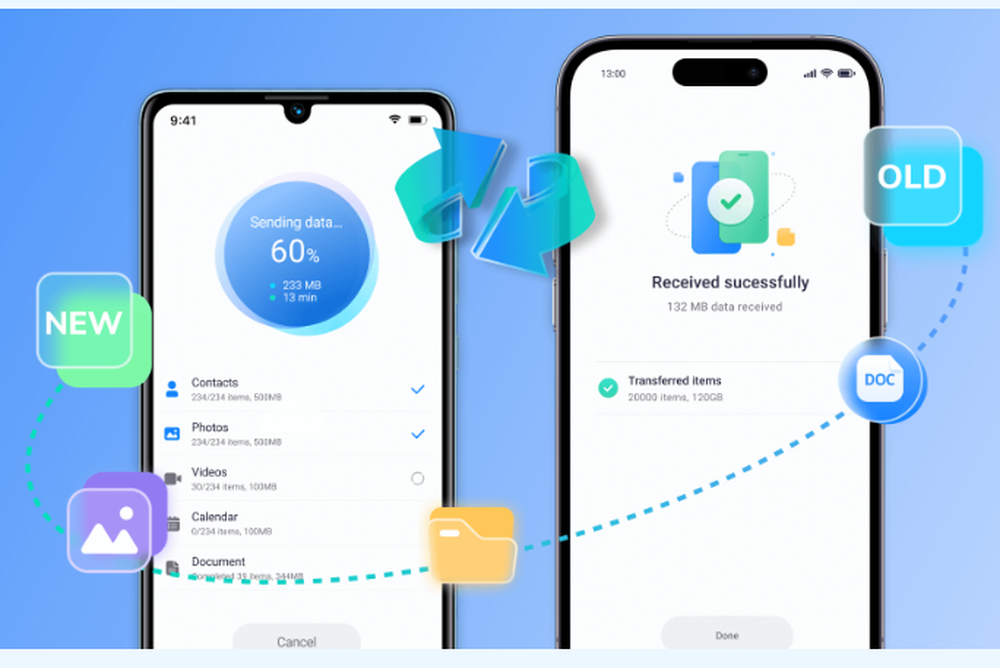
A versatile solution designed for transferring data between Android and iPhone devices, this application efficiently handles large files, ensuring swift transfers without interruptions. Users can easily connect their smartphones or tablets via a local Wi-Fi network or hotspot for seamless operation. By utilizing a straightforward activation code, sender and receiver devices can be linked with ease, allowing for a smooth transition of all content to the new device. The app facilitates the transfer of various types of content, such as contacts, images, videos, audio files, calendars, and WhatsApp™ conversations. Importantly, all data is exchanged securely through a peer-to-peer channel, eliminating the need for cloud networks or servers. With the Smart Transfer app, managing and transferring data on a new device becomes a hassle-free experience. Transitioning between phones is now simpler, allowing users to move files without sacrificing quality while ensuring a seamless data transfer process. Additionally, this mobile transfer app is equipped to support multiple languages, making it accessible to a wider audience. Now, users can enjoy a reliable way to switch devices without the usual complications.
Learn more