You can save up to an hour per day on daily reports CDR – Construction Daily Reports is the fastest custom daily reporting solution available for the construction industry. It can be accessed on our mobile app for Android or Apple devices as well as our website portal. You can customize your reports by entering project details. Then, you can take photos and make notes using your mobile device. CDR will email your completed report in professional PDF format to you after you sign it. We also save it on our servers so that you can upload it to your cloud storage. CDR is a mobile-friendly, time-saving construction software designed to simplify your reporting process. Start your free trial now!
Learn more

Google Workspace is an all-in-one cloud productivity platform developed by Google to help businesses manage communication, collaboration, document creation, and workflow automation from a centralized environment. The platform combines professional email, cloud storage, video conferencing, document editing, team messaging, scheduling, and AI-powered assistance into one subscription-based ecosystem optimized for modern work environments. Google Workspace includes applications such as Gmail, Google Drive, Google Meet, Docs, Sheets, Slides, Calendar, Chat, Keep, Forms, Sites, NotebookLM, and Gemini AI, enabling teams to work together seamlessly across devices and locations. One of the platform’s core strengths is its built-in AI functionality powered by Gemini, which helps users draft emails, summarize meetings, generate research insights, automate repetitive tasks, and improve productivity using contextual awareness from workplace data. Google Workspace also supports advanced collaboration features including real-time editing, appointment scheduling, eSignatures, document sharing, cloud storage management, and AI-assisted research tools. Businesses benefit from enterprise-grade security features such as AI-powered threat protection, data classification, endpoint management, Data Loss Prevention, secure access controls, and compliance support for enterprise environments. The platform offers scalable pricing plans suitable for startups, small businesses, enterprises, educational institutions, nonprofits, and government organizations. Google Workspace also simplifies data migration and onboarding with built-in migration tools and partner support for transferring emails, files, and business information securely into the cloud.
Learn more
Notability
Integrate handwriting, photographs, and typed text within a single note to vividly bring your projects to life. Utilize an extensive array of note-taking and drawing tools to ensure every detail is captured effectively. Notably, you have the ability to add and annotate PDFs in Notability, making it an ideal platform for organizing work, school, and personal information seamlessly.
Explore the diverse tools available to craft aesthetically pleasing, hand-drawn notes and illustrations. Adjust, rotate, and change the color of your sketches and ideas until they perfectly align with your vision. Once you’re satisfied with your creation, easily organize your notes to ensure that you can quickly access the information that is most important to you.
Dive deeper into specifics or embrace the broader context by merging sketches, outlines, and text. You can then effortlessly share your notes with colleagues or study partners through various platforms such as Google Drive, AirDrop, Email, and Dropbox, creating a collaborative environment for enhancing productivity. Sharing your creative process with others can also inspire new ideas and approaches that enrich your projects.
Learn more
Noteful
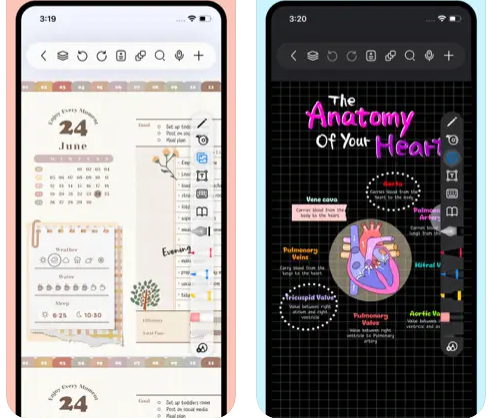
Noteful is an innovative note-taking and annotation application designed specifically for handwriting on iOS devices, seamlessly integrating smooth pen input with robust document management features. Users can write effortlessly using either the Apple Pencil or their finger; the app’s unique ink engine captures strokes as scalable vector ink, and it provides the option to choose from three distinct brush types (ballpoint, fountain, and highlighter), along with various sizes and colors. In addition to handwriting capabilities, Noteful allows for the import of PDFs and Office files, enabling users to annotate documents with typed text, images, shapes, and to utilize multiple paper templates within a single notebook for enhanced organization. Instead of relying on rigid folder structures, notes can be flexibly organized using a hashtag system, including nested tags, while users can easily browse their content through tags or pin important pages for quick access. The application also features a layer system that enables users to make annotations without modifying the underlying content, providing the ability to hide or rearrange layers as necessary. Editing functionalities encompass a precise eraser, lasso selection for adjusting or repositioning content, unlimited undo/redo actions, and split-view multitasking, thus providing a comprehensive toolkit for note-taking and document management. This multifaceted approach makes Noteful an essential app for students, professionals, and anyone seeking an efficient way to manage their notes and documents on iOS devices.
Learn more