All in One Accessibility
All in One Accessibility® is an AI based accessibility tool to enable websites to be accessible among people with hearing or vision impairments, motor impaired, color blind, dyslexia, cognitive & learning impairments, seizure & epileptic, ADHD, & elderly. It installs in just 2 minutes. It reduces the risk of time-consuming accessibility lawsuits by improving accessibility compliance for the standards WCAG 2.0, 2.1, 2.2, ADA, Section 508, European EAA EN 301 549, Canada ACA, California Unruh, Israeli Standard 5568, Australian DDA, UK Equality Act, Ontario AODA, Indian RPD Act, GIGW 3.0, France RGAA, German BITV, Brazilian Inclusion law LBI 13.146/2015, Spain UNE 139803:2012, JIS X 8341, Italian Stanca Act, Switzerland DDA & more. It supports GDPR, HIPAA, CCPA, SOC Type 2, ISO 9001:2005, & ISO 27001:2022.
It supports 140+ languages. It is a cornerstone of improving web accessibility through its ease of use for companies of all sizes and with the help of paid add-ons like manual accessibility audit, remediation, PDF accessibility remediation, VPAT/ ACR, white label subscription, and live site translation add-on.
Top features of the All in One Accessibility®:
- Accessibility statement
- Accessibility interface for UI design fixes
- Free Accessibility Statement Generator
- Voice Navigation
- Talk & Type
- Libras (Brazilian Portuguese) Sign Language
- Dashboard Automatic accessibility score
- AI based Image Alternative Text remediation
- AI based Text to Speech Screen Reader
- Select Screen Reader Voice
- Auto-detect language
- Keyboard navigation adjustments
- Content, Color, Contrast, and Orientation Adjustments
- Custom widget color, position, icon size, and type
- Dedicated email support
Learn more
Picsart Enterprise
AI-powered Image & video editing for seamless integration.
Picsart Creative is a powerful suite of AI-driven tools that will enhance your visual content workflows. It's a great tool for entrepreneurs, product owners and developers. Integrate advanced image and video editing capabilities into your projects.
What We Offer
Programmable Image APIs - AI-powered background removal and enhancements.
GenAI APIs - Text-to-Image Generation, Avatar Creation, Inpainting and Outpainting.
AI-powered video editing, upscale and optimization with AI-programmable Video APIs
Format Conversion: Convert images seamlessly for optimal performance.
Specialized Tools: AI Effects, Pattern Generation, and Image Compression.
Accessible to everyone:
Integrate via automation platforms such as Make.com and Zapier. Use plugins to integrate Figma, Sketch GIMP and CLI tools. No coding is required.
Why Picsart?
Easy setup, extensive documentation and continuous feature updates.
Learn more
Color Matcher
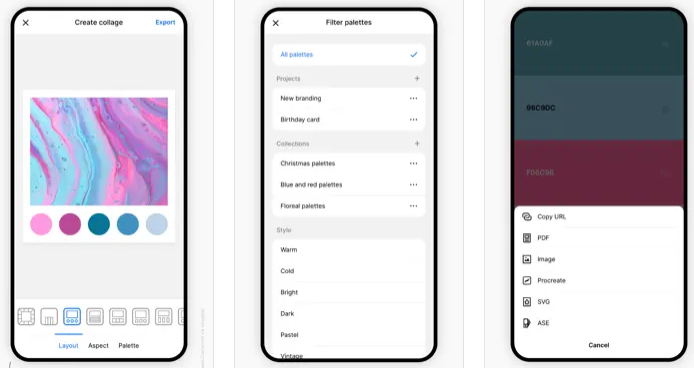
Delve into the world of color palettes and combinations, where you can generate countless A.I.-created palettes to spark your creativity. You can easily search for palettes by color or utilize our Image Color Extractor for personalized creation! This tool provides a simple way to identify color harmonies that complement each other effectively. A color wheel illustrates the relationships between various colors. You have the flexibility to fine-tune your palette using HSV and RGB parameters. Additionally, assess how well your text stands out against various backgrounds, with contrast calculations performed mathematically; a higher score indicates increased readability. Our photo overlays enable you to transform the character of your image; just drop in a picture and preview it with different overlays, allowing you to select and download your favorite. Furthermore, experiment with gradients produced from diverse color combinations, generating them from your preferred palettes or using the randomize option to discover unique pairings. Lastly, evaluate the contrast ratio between text and background from a selected color palette, as higher contrast scores signify improved readability, ensuring your designs are not only aesthetically pleasing but also functional.
Learn more
PicPick
An all-in-one screen capture application, it features an intuitive image editor, color picker, color palette, pixel ruler, protractor, crosshair, whiteboard, and a variety of additional tools. You can capture screenshots of your entire display, the currently active window, scrolling windows, or any designated area of your desktop. Enhance your images by annotating and highlighting them with text, arrows, shapes, and more using the built-in image editor that comes with a modern Ribbon style menu. Effortlessly apply various effects to your visuals, including drop shadows, frames, watermarks, mosaics, motion blur, and brightness adjustments. The software includes a wide range of graphic design tools like a color picker, color palette, pixel ruler, protractor, crosshair, magnifier, and whiteboard. With its advanced settings, you can easily personalize hotkeys, file naming conventions, image quality, and many more features tailored to your preferences. Additionally, the built-in magnifier window assists in pinpointing the exact pixel color code on your screen. Using a Photoshop-style color picker that supports RGB and HSV, you can precisely discover and adjust the exact pixel color values needed for your projects. This comprehensive toolset makes it a perfect solution for both casual users and professionals in graphic design.
Learn more