Average Ratings 0 Ratings
Average Ratings 0 Ratings
Similar Products
-
ParasoftParasoft's mission is to provide automated testing solutions and expertise that empower organizations to expedite delivery of safe and reliable software. A powerful unified C and C++ test automation solution for static analysis, unit testing and structural code coverage, Parasoft C/C++test helps satisfy compliance with industry functional safety and security requirements for embedded software systems.
-
MuukTestYou know that you could be testing more to catch bugs earlier, but QA testing can take a lot of time, effort and resources to do it right. MuukTest can get growing engineering teams up to 95% coverage of end-to-end tests in just 3 months. Our QA experts create, manage, maintain, and update E2E tests on the MuukTest Platform for your web, API, and mobile apps at record speed. We begin exploratory and negative tests after achieving 100% regression coverage within 8 weeks to uncover bugs and increase coverage. The time you spend on development is reduced by managing your testing frameworks, scripts, libraries and maintenance. We also proactively identify flaky tests and false test results to ensure the accuracy of your tests. Early and frequent testing allows you to detect errors in the early stages your development lifecycle. This reduces the burden of technical debt later on.
-
QA WolfQA Wolf helps engineering teams achieve 80% automated test coverage end-to-end in just four months. Here's an overview of what you get in the box, whether it's 100 or 100,000 tests. • Automated end-to-end testing for 80% of the user flows in 4 months. The tests are written in Playwright, an open-source tool (no vendor lock-in; you own the code). • Test matrix and outline in the AAA framework. • Unlimited parallel testing on any environment of your choice. • We host and maintain 100% parallel-run infrastructure. • Maintenance of flaky and broken test for 24 hours. • Guaranteed 100% reliable results -- zero flakes. • Human-verified bugs sent via your messaging app as a bug report. • CI/CD Integration with your deployment pipelines and issue trackers. • Access to full-time QA Engineers at QA Wolf 24 hours a day.
-
TrustInSoft AnalyzerTrustInSoft commercializes a source code analyzer called TrustInSoft Analyzer, which analyzes C and C++ code and mathematically guarantees the absence of defects, immunity of software components to the most common security flaws, and compliance with a specification. The technology is recognized by U.S. federal agency the National Institute of Standards and Technology (NIST), and was the first in the world to meet NIST’s SATE V Ockham Criteria for high quality software. The key differentiator for TrustInSoft Analyzer is its use of mathematical approaches called formal methods, which allow for an exhaustive analysis to find all the vulnerabilities or runtime errors and only raises true alarms. Companies who use TrustInSoft Analyzer reduce their verification costs by 4, efforts in bug detection by 40, and obtain an irrefutable proof that their software is safe and secure. The experts at TrustInSoft can also assist clients in training, support and additional services.
-
Orca SecurityOrca Security is the pioneer of agentless cloud security that is trusted by hundreds of enterprises globally. Orca makes cloud security possible for enterprises moving to and scaling in the cloud with its patented SideScanning™ technology and Unified Data Model. The Orca Cloud Security Platform delivers the world's most comprehensive coverage and visibility of risks across AWS, Azure, Google Cloud and Kubernetes.
-
Aikido SecurityAikido is the all-in-one security platform for development teams to secure their complete stack, from code to cloud. Aikido centralizes all code and cloud security scanners in one place. Aikido offers a range of powerful scanners including static code analysis (SAST), dynamic application security testing (DAST), container image scanning, and infrastructure-as-code (IaC) scanning. Aikido integrates AI-powered auto-fixing features, reducing manual work by automatically generating pull requests to resolve vulnerabilities and security issues. It also provides customizable alerts, real-time vulnerability monitoring, and runtime protection, enabling teams to secure their applications and infrastructure seamlessly.
-
HostawayHostaway is a unique vacation rental system that integrates with multiple channels and offers support. Hostaway is easy to use and offers property managers the flexibility of the most sophisticated solutions. The dashboard and mobile application allow users to manage all aspects of their marketing, sales and accounting. Hostaway users are premium partners in channels like VRBO, Booking.com and Airbnb. They can also manage advanced setups and have the control and peace-of-mind that only Hostaway users have. Hostaway software was designed for teams. It makes it easy to train staff, improve business and keep them happy. Hostaway offers a booking engine, WordPress website, and both marketing tools and sales tools to manage your valuable direct bookings. Hostaway offers a number of industry-leading PMS and Channel managers, as well as more than 40 integrated software vendors on o
-
BluepearBluepear is an AI-powered brand and affiliate monitoring platform that helps marketing teams protect their brand in paid search (PPC). It continuously monitors branded search queries 24/7 across all geographies, device types, and search engines — including Google, Bing, Yahoo!, and Yandex — to detect unauthorized use of branded keywords, ad hijacking, coupon code abuse, and trademark violations by affiliates and competitors. The platform automates detection of complex violations that manual audits routinely miss. Its uncloaking tool reveals actual landing pages and full redirect chains behind cloaked affiliate links, capturing screenshots and ad data as evidence. All findings are centralized in a single dashboard with instant alerts delivered via Slack, Telegram, or email, and structured compliance reports can be generated for every incident. Bluepear serves Paid Search/PPC teams, affiliate managers, and marketing compliance teams at brands in e-commerce, travel & ticketing, pharma, health & beauty, marketing agencies, iGaming, and IT/SaaS. Customers include Wargaming, vidaXL, Proton, MoneyGram, IQ Option, and Kilo Health. Key capabilities include brand bidding protection, ad hijacking detection, coupon code monitoring, competitor keyword and ad copy tracking, progress status tracking for violation resolution, and global coverage down to city level. The platform supports custom data exports, policy-based filtering by violation type, and real-time research tools that compare advertiser dynamics, visibility rates, and keyword usage over time. Bluepear offers a 7-day free trial with no credit card required, usage-based pricing, and is accessible on web, iOS, Android, and via API.
-
HealtheeMeet Healthee—your intelligent healthcare navigation platform. Healthee takes the guesswork out of healthcare by delivering clear, personalized answers to employees’ healthcare and benefits questions—instantly. Employees can seamlessly navigate their existing health plans with on-demand guidance, all in one intuitive, mobile-first experience. Powered by Zoe, Healthee’s AI-powered Personal Health Assistant, employees receive tailored insights into coverage, costs, and care options—helping them make smarter decisions that reduce unnecessary healthcare spend. Healthee also simplifies open enrollment with easy-to-use plan comparison tools, guiding employees to the plans that best fit their needs and expected usage. This drives better plan selection, fewer surprises, and meaningful cost savings for both employees and employers. For HR teams, Healthee reduces administrative burden by delivering fast, accurate benefits support without changing existing plans. For finance leaders, claims analytics and cost insights provide visibility into utilization trends and key cost drivers, empowering CFOs to optimize plan design and control rising healthcare costs. The result: confident employees, healthier organizations, and a more cost-effective benefits strategy—right at your fingertips. Built for benefits managers and HR leaders, Healthee serves as a total benefits administration solution that consolidates 50+ point solutions into one intelligent hub. From FSA and HSA guidance to mental health navigation, telemedicine, and EAP access, Healthee connects every benefit in one place—increasing utilization, reducing cost-per-claim, and eliminating benefits fragmentation. Real-time analytics surface which benefits are underused so managers can reallocate budget strategical
-
ERA EHS SoftwareERA EHS Software Solutions provides a cloud-based EHS management platform designed to streamline compliance, sustainability, and chemical management for manufacturers. ERA’s software helps organizations manage complex regulatory requirements across air, water, waste, and refrigerant emissions. The platform supports comprehensive reporting for programs like TRI, NPRI, Title V, and NEI. Its SDS Authoring solution enables rapid generation of safety data sheets in more than 40 languages, with built-in support for GHS, OSHA, WHMIS, and REACH compliance. Health and safety tools include incident tracking, training management, and audit-ready documentation. ERA’s sustainability module tracks Scope 1, 2, and 3 emissions, providing the data infrastructure needed for ESG reporting and long-term sustainability planning. ERA's software is also SOC 2 Type II certified, ensuring enterprise-grade security, data integrity, and over 99.6% platform uptime. Its proprietary automation framework and database of over 216,000 curated chemical records powering automated hazard classification and chemical inventory control allows clients to reduce manual data entry, improve reporting speed, and guarantee compliance accuracy. With modular architecture and industry-specific configurations, ERA serves various industrial sectors, including automotive, aerospace, chemicals, oil and gas, coatings, and furniture manufacturing. ERA boasts Fortune 100 and Fortune 500 clients while also offering a fair pricing strategy and modular design that have allowed the company to become the market leader for small and medium businesses.
Description
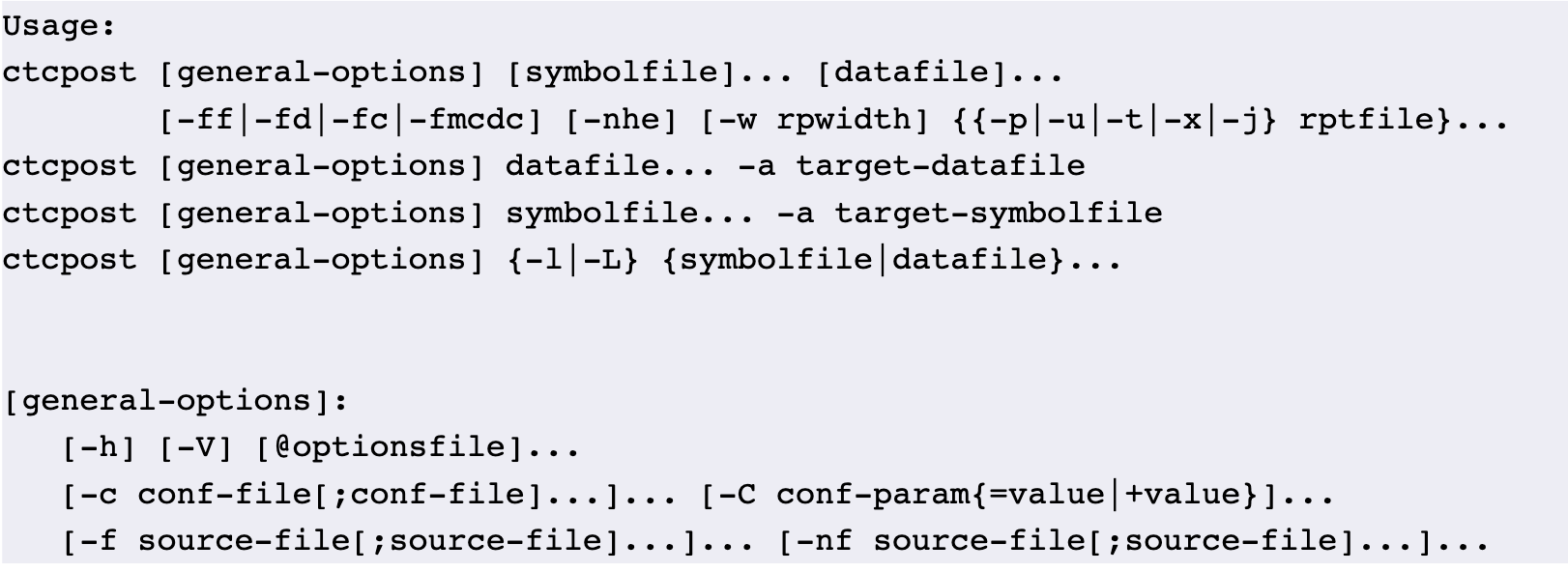
Testwell CTC++ is an advanced tool that focuses on instrumentation-based code coverage and dynamic analysis specifically for C and C++ programming languages. By incorporating additional components, it can also extend its functionality to languages such as C#, Java, and Objective-C. Moreover, with further add-ons, CTC++ is capable of analyzing code on a wide range of embedded target machines, including those with very limited resources, such as minimal memory and lacking an operating system. This tool offers various coverage metrics, including Line Coverage, Statement Coverage, Function Coverage, Decision Coverage, Multicondition Coverage, Modified Condition/Decision Coverage (MC/DC), and Condition Coverage. As a dynamic analysis tool, it provides detailed execution counters, indicating how many times each part of the code is executed, which goes beyond simple executed/not executed data. Additionally, users can utilize CTC++ to assess function execution costs, typically in terms of time taken, and to activate tracing for function entry and exit during testing phases. The user-friendly interface of CTC++ makes it accessible for developers seeking efficient analysis solutions. Its versatility and comprehensive features make it a valuable asset for both small and large projects.
Description
The jscoverage tool offers support for both Node.js and JavaScript, allowing for an expanded coverage range. To utilize it, you can load the jscoverage module using Mocha, which enables it to function effectively. When you select different reporters like list, spec, or tap in Mocha, jscoverage will append the coverage information accordingly. You can designate the reporter type using covout, which allows options such as HTML and detailed reporting. The detailed reporter specifically outputs any uncovered code directly to the console for immediate visibility. As Mocha executes test cases with the jscoverage module integrated, it ensures that any files listed in the covignore file are excluded from coverage tracking. Additionally, jscoverage generates an HTML report, providing a comprehensive view of the coverage results. By default, it looks for the covignore file in the root of your project, and it will also copy any excluded files from the source directory to the specified destination directory, ensuring a clean and organized setup for testing. This functionality enhances the testing process by clearly indicating which parts of your code are adequately covered and which areas require further attention.
API Access
Has API
No
API Access
Has API
No


Integrations
HTML
Yes
JavaScript
Yes
C
Yes
C#
Yes
C++
Yes
Codecov
Yes
JSON
Yes
Java
Yes
Microsoft Excel
Yes
Mocha
No
Integrations
HTML
Yes
JavaScript
Yes
C
No
C#
No
C++
No
Codecov
No
JSON
No
Java
No
Microsoft Excel
No
Mocha
Yes
Pricing Details
Free
Free Trial
No
Free Version
Yes
Pricing Details
Free
Free Trial
No
Free Version
Yes
Deployment
Web-Based
No
On-Premises
No
iPhone App
No
iPad App
No
Android App
No
Windows
Yes
Mac
Yes
Linux
Yes
Chromebook
No
Deployment
Web-Based
No
On-Premises
No
iPhone App
No
iPad App
No
Android App
No
Windows
Yes
Mac
Yes
Linux
Yes
Chromebook
No
Customer Support
Business Hours
No
Live Rep (24/7)
No
Online Support
Yes
Customer Support
Business Hours
No
Live Rep (24/7)
No
Online Support
Yes
Types of Training
Training Docs
No
Webinars
No
Live Training (Online)
No
In Person
No
Types of Training
Training Docs
Yes
Webinars
No
Live Training (Online)
No
In Person
No
Vendor Details
Company Name
Testwell
Website
www.testwell.fi/ctcdesc.html
Vendor Details
Company Name
jscoverage
Website
www.npmjs.com/package/jscoverage
