Average Ratings 0 Ratings
Average Ratings 2 Ratings
Similar Products
-
HERE Enterprise BrowserEverything works right here™. The product of years of collaboration with the world’s largest financial institutions, HERE Enterprise Browser is the first and only browser that solves both enterprise security and workforce productivity. Built on Google Chromium, HERE streamlines workflow and improves employee experience.
-
Proton PassProton Pass for Business is a privacy-first password and identity manager that helps organizations secure access at scale without sacrificing usability. Built with end-to-end encryption and a strict zero-knowledge architecture, it ensures that passwords, passkeys, secure notes, and payment details remain accessible only to authorized users within your team. Not even Proton can view your data. Teams can securely create, store, and share credentials via encrypted vaults, enabling safe and efficient collaboration. Granular admin controls allow IT managers to oversee permissions, enforce strong password policies, monitor access, and manage users throughout the employee lifecycle from onboarding to offboarding. Built-in password generation, autofill, and cross-device syncing streamline everyday workflows while maintaining high security standards. Proton Pass for Business also includes advanced features such as email alias integration to protect employee identities, dark web monitoring to detect compromised credentials, and detailed activity logs for visibility and compliance. Its open-source foundation promotes transparency and trust, and independent audits reinforce its security model. Hosted in Switzerland and protected by strong privacy laws, Proton Pass offers organizations a secure alternative to traditional password managers. With seamless browser extensions, an intuitive design, and enterprise-ready controls, it empowers teams to reduce credential-related risks, prevent unauthorized access, and improve productivity, all within a secure, encrypted environment.
-
Wave BrowserWave Browser is designed for people who want a safer, faster, and more meaningful way to explore the web. Built on strong security principles, Wave puts you in control of your privacy with customizable cookie and tracker blocking, incognito mode, and clear permission choices. AppEsteem Certification ensures Wave meets strict, independently verified standards for clean installation, transparent behavior, and responsible software practices, giving you confidence every time you browse. Wave is also built for productivity, offering tools that help you stay organized and move through information with purpose. Tab grouping, bookmarks, and a reading list keep ideas within reach, while split screen let you research, compare, or watch without switching between windows. Memory Saver mode helps your device stay fast during heavy sessions, and the built-in AI Assistant and messaging integrations bring your favorite tasks closer to a single click. Designed to be simple and user-friendly, Wave Browser removes friction from everyday browsing. The free ad blocker keeps pages clean, and built-in tools—like the converter, package tracker, price tracker, translation tool, stock tracker, and content notifier—help you get things done without extra extensions. Most importantly, Wave is a browser with real ocean impact built in. Through a certified partnership with 4ocean, Wave helps fund the removal of 100,000 pounds of trash from our ocean, rivers, and coastlines every year. A live impact tracker shows exactly how much waste the Wave community has helped remove, with verified monthly updates from cleanup crews in the U.S., Indonesia, and the Dominican Republic. With Wave Browser, your everyday browsing directly supports a cleaner planet and the people working to protect it.
-
Proton MailSecure your company’s communications with Proton Mail — the business email solution trusted by over 50,000 organizations. With end-to-end encryption built in, your internal and external communications stay confidential by default. Proton Mail helps your business meet GDPR, HIPAA, and other compliance standards, while giving you full control over your data under strong Swiss privacy laws. Empower your team with encrypted email and calendar, support for your custom email domains, professional branding, and simple migration from providers like Google Workspace or Microsoft 365 — no IT team required.
-
Proton VPNSecure your organization from costly data breaches while meeting essential compliance requirements, such as ISO 27001, GDPR, and HIPAA. Our software-based VPN solution is easy to deploy alongside your existing systems, giving you a powerful and adaptable tool for securing your enterprise network. Our VPN Professional plan allows your team to connect securely to your local networks and cloud-based services. And with granular segmented control over who can connect to dedicated VPN servers and Gateways (logical groupings of dedicated servers), you can ensure your staff can access the resources they need (but only what they need). All of our business plans use robust industry-standard AES-256 or ChaCha20 encryption to ensure your data remains secure. You can further strengthen your organization's security with enforced two-factor authentication (2FA) and seamless login through single sign-on (SSO) with SCIM support for automated user provisioning. Our global high-performance (mainly 10 Gbps) server network is one of the largest in the world, and is part of the trusted Proton ecosystem — a suite of fully open source, end-to-end encrypted services built by the creators of Proton Mail and designed specifically to keep your business secure.
-
Kasm WorkspacesKasm Workspaces streams your workplace environment directly to your web browser…on any device and from any location. Kasm is revolutionizing the way businesses deliver digital workspaces. We use our open-source web native container streaming technology to create a modern devops delivery of Desktop as a Service, application streaming, and browser isolation. Kasm is more than a service. It is a platform that is highly configurable and has a robust API that can be customized to your needs at any scale. Workspaces can be deployed wherever the work is. It can be deployed on-premise (including Air-Gapped Networks), in the cloud (Public and Private), or in a hybrid.
-
Proton DriveProton Drive is the secure workspace for storing sensitive data and collaborating with confidence across teams, clients, and external partners. With full end-to-end encryption, you can share files, contracts, and business documents securely — and stay in control at all times. Set passwords, expiration dates, or revoke access instantly. Files are encrypted on your device before upload, and only you and your collaborators can access them. Even Proton can’t see your data. Each user gets 1 TB of storage, and you can scale as your organization grows. Proton Drive is developed in Switzerland by the makers of Proton Mail. We’re independent, built on privacy-first principles, and free from Big Tech surveillance, lock-in, or monetization of user data. We offer more than secure storage: - Real-time collaboration with Proton Docs - Granular sharing controls for external and internal access - File recovery for peace of mind - Cross-device access, including Windows, macOS, iOS, and Android We also help you meet compliance requirements out of the box. Proton Drive supports: - GDPR, HIPAA, DORA, NIS2, and ISO 27001 - Independently audited SOC 2 Type II compliance - No complex setup or third-party integrations required. By choosing Proton Drive, you show your clients, partners, and regulators that privacy and security are built into your workflows — not an afterthought.
-
ShiftShift puts you in control of your browser. Arrange apps, bars, and controls exactly where you want them, building a personalized workspace that works around you — not the other way around. Connect over 1,500 web apps, jump between dedicated Spaces for work, side hustles, and personal browsing, and manage multiple accounts without ever logging in and out. As a pioneer in carbon-neutral browsing, Shift is committed to rethinking what a browser can be — for the people who use it and the world they live in. Started in Victoria, British Columbia in 2016, Shift is a Certified B Corp and proud member of the Redbrick portfolio. What you can do with Shift: - Build your browser: Design a layout tailored to how you use the internet. - Create Spaces: Keep work, side hustles, and passion projects in their own lane. - Integrate Apps: Bring your favorite web apps together in one place. - Templates: Pick from 6 ready-made layouts to get started fast. - Shift AI: A built-in AI assistant that helps you get more done across every tab and app.
-
Private Internet Access (PIA)Browse without revealing your identity by using a private IP address and activating robust encryption to safeguard your online activities from your internet service provider and unsecured public Wi-Fi connections. Experience limitless connectivity with our anonymous VPN service, allowing you to bypass geographical restrictions and protocol limitations effortlessly. Whether you're focused on browsing or streaming content, Private Internet Access guarantees reliable performance. With the most extensive network capacity globally, Private Internet Access ensures top-notch speeds and superior encryption levels. Notably, it is the only VPN service worldwide that has consistently maintained a no-logs policy, providing peace of mind for its users. Take control of your online privacy and enjoy a seamless internet experience.
-
Source DefenseSource Defense is an essential element of web safety that protects data at the point where it is entered. Source Defense Platform is a simple, yet effective solution to data security and privacy compliance. It addresses threats and risks that arise from the increased use JavaScript, third party vendors, and open source code in your web properties. The Platform offers options for securing code as well as addressing an ubiquitous gap in managing third-party digital supply chains risk - controlling actions of third-party, forth-party and nth-party JavaScript that powers your website experience. Source Defense Platform provides protection against all types of client-side security incidents, including keylogging, formjacking and digital skimming. Magecart is also protected. - by extending the web security beyond the browser to the server.
Description
SSuite NetSurfer is a meticulously crafted browser that provides you the blazing speed, unparalleled security, and original innovation needed to dominate the online digital world without facing the wrath of BigTech, or any of the limitations of typical Chromium-based clones...
Key features include:
- Has a built-in ad blocker that can help to prevent ads from tracking you across the web.
- Comes bundled with PCDrop, a file transfer app for syncing your PC with your Android smartphone.
- Now ships with the best security extensions already preinstalled e.g. Proton VPN - Proton Pass - uBlock Origin V2!
- Includes a number of security features that are designed to protect your privacy and security while you are browsing the web.
- Features a "Refresh" button that actually refreshes directly from the website's server and NOT from the local browser's cache... how refreshingly retro!
Built on a foundation of genuine innovation, this browser is expertly engineered to deliver outstanding speed, consistent performance, and industry-leading security. Every element of its design demonstrates a commitment to redefining the modern browsing experience, seamlessly integrating efficiency, reliability, and advanced protection within a single, refined platform.
Users benefit from smooth, highly responsive navigation across websites and applications, even in demanding environments. Its optimized architecture minimizes resource usage, ensuring dependable performance on both cutting-edge devices and older hardware. This makes it a practical choice for individuals and organizations seeking reliable results without frequent upgrades.
For everyone else, NetSurfer browser is fast, private, ad-free, and irresistibly sleek in 35 vibrant themed colors!
Description
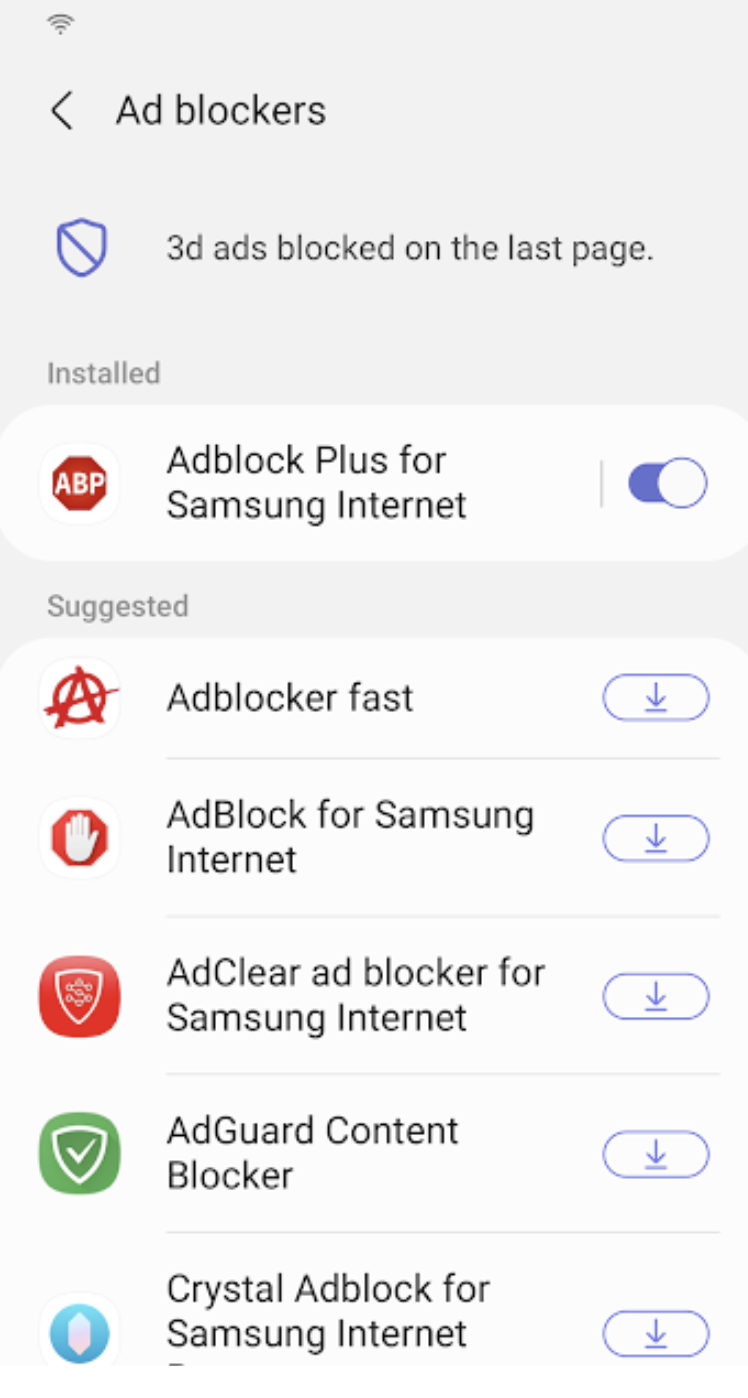
Samsung Internet for Android is an efficient and dependable web browser designed for mobile devices such as phones and tablets. It enhances your online experience with features like secret mode for privacy, biometric login for secure access, and a content blocker to minimize distractions. This browser also supports third-party applications that can offer additional filtering for unwanted content, ensuring a streamlined browsing experience. Online shopping becomes safer and more convenient with the integration of the Web Payments API, allowing for secure checkouts with just a few taps. Progressive Web Apps provide the flexibility to be installed like traditional apps or accessed directly through the browser, with a badge appearing in the URL bar when available. The Video Assistant feature allows users to easily toggle between different viewing modes for an optimized video experience, while the pop-up player enables seamless browsing without interrupting video playback. Overall, Samsung Internet for Android prioritizes user convenience and security in its design.
API Access
Has API
No
API Access
Has API
No




Integrations
AdAway
No
Adblock Fast
No
Adblock Plus
No
Block This
No
ChatGPT
Yes
Crystal Adblock
No
Disconnect
No
Google Docs
Yes
Google Sheets
Yes
Hololink
No
Integrations
AdAway
Yes
Adblock Fast
Yes
Adblock Plus
Yes
Block This
Yes
ChatGPT
No
Crystal Adblock
Yes
Disconnect
Yes
Google Docs
No
Google Sheets
No
Hololink
Yes
Pricing Details
Free Forever!
Full Free Version | x86 / x64
Free Trial
No
Free Version
Yes
Pricing Details
No price information available.
Free Trial
No
Free Version
No
Deployment
Web-Based
No
On-Premises
No
iPhone App
No
iPad App
No
Android App
Yes
Windows
Yes
Mac
No
Linux
No
Chromebook
No
Deployment
Web-Based
No
On-Premises
No
iPhone App
No
iPad App
No
Android App
Yes
Windows
No
Mac
No
Linux
No
Chromebook
No
Customer Support
Business Hours
No
Live Rep (24/7)
No
Online Support
Yes
Customer Support
Business Hours
No
Live Rep (24/7)
No
Online Support
Yes
Types of Training
Training Docs
Yes
Webinars
No
Live Training (Online)
No
In Person
No
Types of Training
Training Docs
No
Webinars
No
Live Training (Online)
No
In Person
No
Vendor Details
Company Name
SSuite Office Software
Founded
2002
Country
South Africa
Website
www.ssuiteoffice.com
Vendor Details
Company Name
Samsung
Founded
1938
Country
South Korea
Website
www.samsung.com/us/support/owners/app/samsung-internet
