Average Ratings 0 Ratings
Average Ratings 2 Ratings
Similar Products
-
MobiPDFMobiPDF (formerly PDF Extra) is an intuitive reader and editor that allows you to read, edit, create, OCR, organize, annotate, fill and sign, convert, and share any PDF. This makes MobiPDF an excellent choice for users seeking a budget-friendly alternative to Adobe Acrobat Pro. HERE’S WHAT YOU GET WITH MOBIPDF: Multiple Page View Modes: Enjoy a distraction-free "Read Mode". Advanced Editing Tools: Experience a Word-like PDF editing environment. Two-Way Conversions: Convert PDFs to and from Word, Excel, PowerPoint, or image formats. OCR Support: Make scanned documents searchable. Markup Tools: Highlight, comment, strikethrough, stamp, and more to enhance your documents. Effortless PDF Organizer: Reorder, compress, split, and combine PDFs with ease. Sign & Secure: Add signatures, create and fill forms, and protect your PDFs with passwords, encryption, and digital certificates. Offline Mode: Work freely on your projects, even offline. Seamless translation: One-click translate any PDF into 50+ languages.
-
Wave BrowserWave Browser is designed for people who want a safer, faster, and more meaningful way to explore the web. Built on strong security principles, Wave puts you in control of your privacy with customizable cookie and tracker blocking, incognito mode, and clear permission choices. AppEsteem Certification ensures Wave meets strict, independently verified standards for clean installation, transparent behavior, and responsible software practices, giving you confidence every time you browse. Wave is also built for productivity, offering tools that help you stay organized and move through information with purpose. Tab grouping, bookmarks, and a reading list keep ideas within reach, while split screen let you research, compare, or watch without switching between windows. Memory Saver mode helps your device stay fast during heavy sessions, and the built-in AI Assistant and messaging integrations bring your favorite tasks closer to a single click. Designed to be simple and user-friendly, Wave Browser removes friction from everyday browsing. The free ad blocker keeps pages clean, and built-in tools—like the converter, package tracker, price tracker, translation tool, stock tracker, and content notifier—help you get things done without extra extensions. Most importantly, Wave is a browser with real ocean impact built in. Through a certified partnership with 4ocean, Wave helps fund the removal of 100,000 pounds of trash from our ocean, rivers, and coastlines every year. A live impact tracker shows exactly how much waste the Wave community has helped remove, with verified monthly updates from cleanup crews in the U.S., Indonesia, and the Dominican Republic. With Wave Browser, your everyday browsing directly supports a cleaner planet and the people working to protect it.
-
Kasm WorkspacesKasm Workspaces streams your workplace environment directly to your web browser…on any device and from any location. Kasm is revolutionizing the way businesses deliver digital workspaces. We use our open-source web native container streaming technology to create a modern devops delivery of Desktop as a Service, application streaming, and browser isolation. Kasm is more than a service. It is a platform that is highly configurable and has a robust API that can be customized to your needs at any scale. Workspaces can be deployed wherever the work is. It can be deployed on-premise (including Air-Gapped Networks), in the cloud (Public and Private), or in a hybrid.
-
PaligoPaligo supports teams working with complex technical documentation that needs to grow, adapt, and stay consistent over time. Built specifically for structured content at scale, Paligo enables organizations to treat documentation as a long-term business asset—powered by reuse, automation, and strong content governance. Paligo’s cloud-based CCMS is designed around modular content. Teams can write once, reuse components across multiple outputs, and keep documentation aligned across products, formats, and languages. This reduces manual effort, speeds up updates, and cuts translation overhead, allowing teams to publish faster while minimizing errors. The platform pairs advanced structured authoring capabilities with a modern, approachable interface. This makes Paligo effective for experienced documentation specialists while remaining accessible to contributors across the organization. From creation and collaboration to translation and multichannel delivery, Paligo brings the entire documentation workflow into one controlled environment. Paligo’s purpose is to help organizations move past static, fragmented documentation practices and build content operations that support continuous growth. With Paligo, teams stay in control of complexity and deliver documentation that evolves alongside their business.
-
ShiftShift puts you in control of your browser. Arrange apps, bars, and controls exactly where you want them, building a personalized workspace that works around you — not the other way around. Connect over 1,500 web apps, jump between dedicated Spaces for work, side hustles, and personal browsing, and manage multiple accounts without ever logging in and out. As a pioneer in carbon-neutral browsing, Shift is committed to rethinking what a browser can be — for the people who use it and the world they live in. Started in Victoria, British Columbia in 2016, Shift is a Certified B Corp and proud member of the Redbrick portfolio. What you can do with Shift: - Build your browser: Design a layout tailored to how you use the internet. - Create Spaces: Keep work, side hustles, and passion projects in their own lane. - Integrate Apps: Bring your favorite web apps together in one place. - Templates: Pick from 6 ready-made layouts to get started fast. - Shift AI: A built-in AI assistant that helps you get more done across every tab and app.
-
EvertuneEvertune is the Generative Engine Optimization (GEO) platform that helps brands improve visibility in AI search across ChatGPT, AI Overview, AI Mode, Gemini, Claude, Perplexity, Meta, DeepSeek and Copilot. We're building the first marketing platform for AI search as a channel. We show enterprise brands exactly where they stand when customers discover them through AI — then give them the precise playbook to show up stronger. This is Generative Engine Optimization, also known as AI SEO. Using applied AI and data science at scale, we give brands statistical confidence in our actionable insights. We decode what gets brands mentioned more and ranked higher, provide reliable brand monitoring and competitive intelligence, then deliver actionable content strategies that move the needle. Our AI SEO and AI search engine optimization tools are built for how LLMs actually work. Why Leading Enterprise Marketers Choose Evertune: Data Science at Scale: We prompt across every major LLM at volumes that capture response variations and ensure statistical significance for comprehensive brand monitoring and competitive intelligence. Actionable Strategy, Not Just Dashboards: Specific content, messaging and distribution tactics that increase your AI search visibility. Dedicated Customer Success: Hands-on training and strategic guidance to turn insights into improved performance in AI search. Built for AI search as a channel: Organic visibility today, paid advertising and commerce tomorrow. Proven Leadership: Founded by The Trade Desk veterans who pioneered data-driven digital advertising. Backed by data scientists from OpenAI, Meta and other AI leaders.
-
HERE Enterprise BrowserEverything works right here™. The product of years of collaboration with the world’s largest financial institutions, HERE Enterprise Browser is the first and only browser that solves both enterprise security and workforce productivity. Built on Google Chromium, HERE streamlines workflow and improves employee experience.
-
Adobe FireflyAdobe Firefly is a versatile AI-powered creative platform designed to help users generate and edit multimedia content with ease. It allows users to create images, videos, and audio using simple text prompts within an interactive and flexible workspace. The platform features tools like generative fill, image editing, and video editing, enabling users to refine and enhance their creations. Firefly also includes quick actions such as background removal, cropping, resizing, and format conversion to streamline workflows. Users can explore an infinite canvas for creative production and experiment with various styles and outputs. The platform encourages creativity by allowing users to remix content from a shared community gallery. With its intuitive design, it reduces the need for advanced technical skills. Firefly integrates AI capabilities to speed up content creation and editing processes. It supports both beginners and professionals in producing high-quality results. Overall, Adobe Firefly provides a powerful and accessible environment for modern digital creativity.
-
Planview PortfoliosPlanview Enterprise One™, which integrates business and technology planning, optimizes all resources, and delivers breakthrough products, services and customer experiences, enables strategic execution to be accelerated. Manage and deliver across all types and technology of work and application portfolios. Transform business requirements into standards that meet strategic objectives. This will reduce cost and mitigate risk. A complete approach to all types of work, including agile, iterative, traditional, and collaborative. Keep teams productive by balancing work and resources. Maximize your use of resources. A scalable user experience ensures that everyone is focused on the right priorities in order to achieve the desired outcomes. Ensure on-time, on-budget project delivery. Projects and people can stay on track with milestones and schedules. Dashboards provide performance insight.
-
LM-Kit.NETLM-Kit.NET is an enterprise-grade toolkit designed for seamlessly integrating generative AI into your .NET applications, fully supporting Windows, Linux, and macOS. Empower your C# and VB.NET projects with a flexible platform that simplifies the creation and orchestration of dynamic AI agents. Leverage efficient Small Language Models for on‑device inference, reducing computational load, minimizing latency, and enhancing security by processing data locally. Experience the power of Retrieval‑Augmented Generation (RAG) to boost accuracy and relevance, while advanced AI agents simplify complex workflows and accelerate development. Native SDKs ensure smooth integration and high performance across diverse platforms. With robust support for custom AI agent development and multi‑agent orchestration, LM‑Kit.NET streamlines prototyping, deployment, and scalability—enabling you to build smarter, faster, and more secure solutions trusted by professionals worldwide.
Description
The newly introduced document feature allows users to open and modify files in multiple formats including Word, Excel, and PDF, enhancing user convenience significantly. It incorporates premium content services such as information access, drama streaming, live broadcasts, and collections, thus providing a fresh and dynamic experience on PCs by transforming them into an additional display. This tool also serves as a professional web page translation assistant, offering capabilities like translating individual words, manual input translation, complete web page translation, and displaying the original text when hovering over it, ensuring a seamless user experience. With official authorization from the Oxford Dictionary, it guarantees high accuracy and quick results. Additionally, the browser is designed to adapt to nighttime usage more effectively. Featuring a built-in night mode, users can customize the brightness and color temperature of the browsing area, adjust the web page background for optimal night reading, and freely set the time for these adjustments to take effect, promoting comfortable late-night browsing. This thoughtful design caters to users who frequently browse in low-light environments, enhancing both usability and comfort.
Description
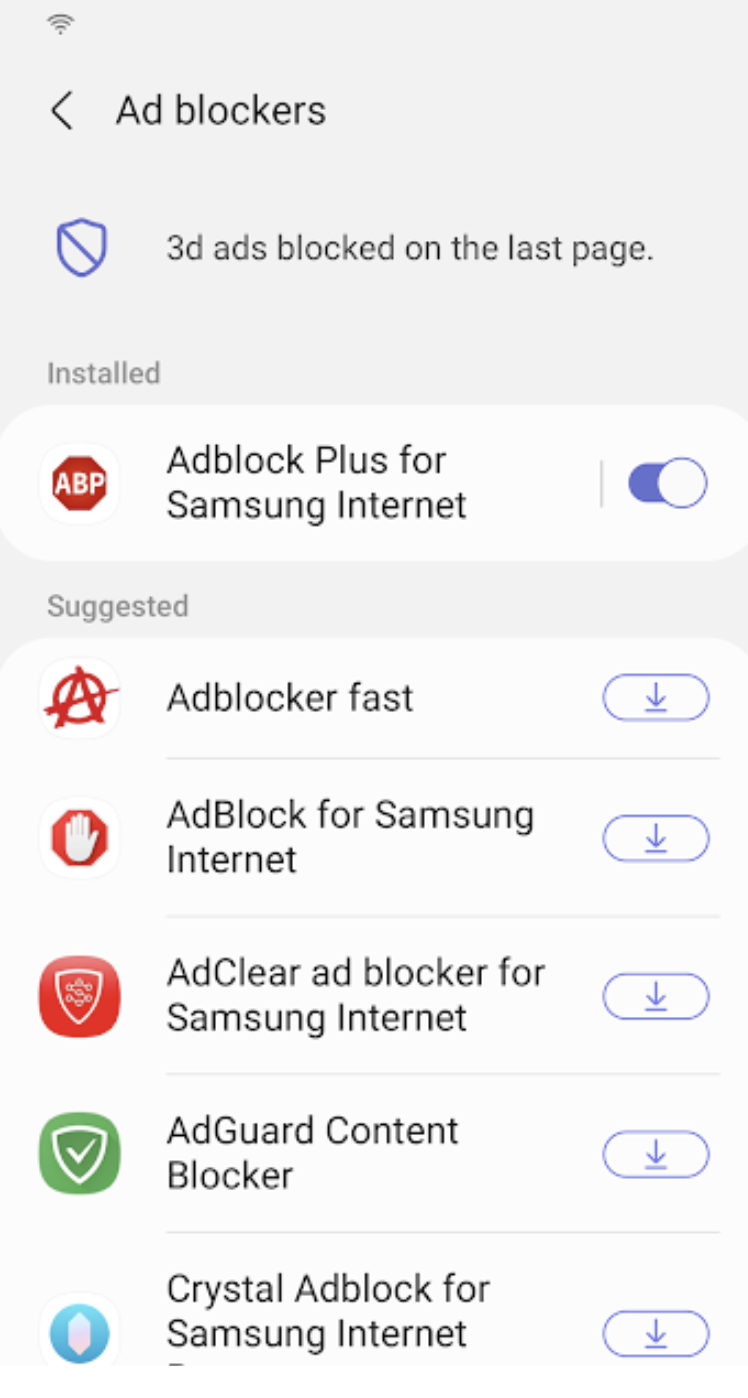
Samsung Internet for Android is an efficient and dependable web browser designed for mobile devices such as phones and tablets. It enhances your online experience with features like secret mode for privacy, biometric login for secure access, and a content blocker to minimize distractions. This browser also supports third-party applications that can offer additional filtering for unwanted content, ensuring a streamlined browsing experience. Online shopping becomes safer and more convenient with the integration of the Web Payments API, allowing for secure checkouts with just a few taps. Progressive Web Apps provide the flexibility to be installed like traditional apps or accessed directly through the browser, with a badge appearing in the URL bar when available. The Video Assistant feature allows users to easily toggle between different viewing modes for an optimized video experience, while the pop-up player enables seamless browsing without interrupting video playback. Overall, Samsung Internet for Android prioritizes user convenience and security in its design.
API Access
Has API
No
API Access
Has API
No




Integrations
8th Wall
No
AdAway
No
Adblock Fast
No
Adblock Plus
No
Block This
No
Crystal Adblock
No
Disconnect
No
Guard My Web
No
Hololink
No
Momentum IoT
No
Integrations
8th Wall
Yes
AdAway
Yes
Adblock Fast
Yes
Adblock Plus
Yes
Block This
Yes
Crystal Adblock
Yes
Disconnect
Yes
Guard My Web
Yes
Hololink
Yes
Momentum IoT
Yes
Pricing Details
No price information available.
Free Trial
No
Free Version
No
Pricing Details
No price information available.
Free Trial
No
Free Version
No
Deployment
Web-Based
No
On-Premises
No
iPhone App
Yes
iPad App
Yes
Android App
Yes
Windows
Yes
Mac
Yes
Linux
No
Chromebook
No
Deployment
Web-Based
No
On-Premises
No
iPhone App
No
iPad App
No
Android App
Yes
Windows
No
Mac
No
Linux
No
Chromebook
No
Customer Support
Business Hours
No
Live Rep (24/7)
No
Online Support
No
Customer Support
Business Hours
No
Live Rep (24/7)
No
Online Support
Yes
Types of Training
Training Docs
Yes
Webinars
No
Live Training (Online)
No
In Person
No
Types of Training
Training Docs
No
Webinars
No
Live Training (Online)
No
In Person
No
Vendor Details
Company Name
QQ Browser
Country
China
Website
browser.qq.com
Vendor Details
Company Name
Samsung
Founded
1938
Country
South Korea
Website
www.samsung.com/us/support/owners/app/samsung-internet
