Average Ratings 2 Ratings
Average Ratings 1 Rating
Similar Products
-
Adobe FireflyAdobe Firefly is a versatile AI-powered creative platform designed to help users generate and edit multimedia content with ease. It allows users to create images, videos, and audio using simple text prompts within an interactive and flexible workspace. The platform features tools like generative fill, image editing, and video editing, enabling users to refine and enhance their creations. Firefly also includes quick actions such as background removal, cropping, resizing, and format conversion to streamline workflows. Users can explore an infinite canvas for creative production and experiment with various styles and outputs. The platform encourages creativity by allowing users to remix content from a shared community gallery. With its intuitive design, it reduces the need for advanced technical skills. Firefly integrates AI capabilities to speed up content creation and editing processes. It supports both beginners and professionals in producing high-quality results. Overall, Adobe Firefly provides a powerful and accessible environment for modern digital creativity.
-
PapirflyPapirfly delivers enterprise-ready software that transforms how global brands manage and create marketing content. Through advanced Digital Asset Management (DAM) and templated content creation capabilities, Papirfly enables teams to organize, control, and activate assets securely—across every format and region. Powering over 1 million users in 1,500+ leading organizations, including Mercedes-Benz, Mondelez, and Goldman Sachs, Papirfly helps brands scale creativity without losing control. Built on a modular SaaS framework, it connects asset storage, brand governance, and content production in one intuitive ecosystem. As part of the Papirfly Group—with Keepeek, Brandpad, and Adgistics—Papirfly continues to innovate for marketing teams that demand efficiency, consistency, and global brand excellence.
-
3Q3Q is an API-first video infrastructure for developers and engineering teams who want direct control over their media backend. A REST video API and native player SDKs give you programmatic access to hosting, ingestion, encoding, live streaming, video-on-demand, and delivery, so you can build video portals, streaming apps, or OTT backends on a single European platform. The stack is transparent by design. 3Q supports adaptive bitrate streaming over HLS and DASH with mixed HEVC and AVC codecs and automatic Live-to-VoD. Delivery runs over a proprietary global CDN, encryption, and HTTP/2 over TLS 1.3. The Cookie- and Consent-free HTML5 Video Player is barrier-free in accordance with WCAG 2.1/BITV 2.0 and needs no consent layer. Video AI exposes speech-to-text transcription, automatic subtitles, translation, and chapter markers through the same API, and integration fits your existing pipeline and video workflows. What sets 3Q apart is ownership. 3Q runs on its own independent European video infrastructure, so your data stays in the EU and under German jurisdiction. 3Q is GDPR-compliant and all processes are ISO/IEC 27001 certified, with modular pay-as-you-go pricing and 24/7 support from real video experts.
-
TinyPNGTinyPNG (by Tinify) is a free image optimization service built for developers and designers. It utilizes smart lossy compression to reduce the file sizes of JPEG, PNG, WebP, and AVIF files by up to 80% with no visible quality loss. That means faster load times, better SEO, and lower bandwidth. You can compress, convert, and resize images via a clean web interface or integrate it into your workflow with the API. The platform also provides an image CDN for fast global delivery of optimized assets. SDKs are available for Python, Node.js, PHP, Java, Ruby, and .NET. WordPress plugin included, plus plenty of community-driven integrations. No tuning, no noise, Tinify just works. Whether you're optimizing a handful of images or processing millions, it scales effortlessly. All plans include a generous free tier, and support is quick when you need it. George the panda 🐼 approves.
-
Lenso.aiLenso.ai, a tool for AI image searches, allows you to search for images based on your interests. Lenso.ai uses advanced AI technology to allow you to search for images, places, people, duplicates and related images. Lenso.ai reverse image search is more accurate and efficient than traditional image searches. Lenso.ai, an AI-powered reverse imaging tool, analyzes the image you are searching for quickly, identifying only the best matches. Searching by image is easy with lenso.ai, and it doesn't require any special skills or knowledge. Reverse image search is designed to fit diverse needs, whether you're a professional photographer looking for different places/landscapes/landmarks, a marketer searching for related or similar images, an enthusiast exploring the duplicates/copyright or you want to protect your privacy using face search.
-
Process StreetProcess Street is the Compliance Operations Platform built for teams that need to move fast without breaking standards. It combines document control, workflow automation, and AI-powered oversight in a single system so every policy is followed, every step is tracked, and every audit is effortless. Unlike legacy GRC tools or static SOP docs, Process Street turns compliance into a living system. Policies are documented in governed, version-controlled Pages. Those policies are executed through dynamic workflows with built-in task assignment, approvals, and forms. Every action is logged, monitored, and optimized in real time by Cora, our AI compliance agent. Used across industries like financial services, real estate, healthcare, and manufacturing, Process Street helps teams automate employee onboarding, streamline audits, manage policy updates, enforce vendor reviews, and run critical processes at scale. No code required. No micromanagement. Just proof that work gets done right, every time. Companies like Salesforce, Colliers, Drift, and Hartford Healthcare trust Process Street to eliminate busywork, improve operational visibility, and reduce compliance risk across the business. With native integrations, role-based access, audit trails, and ISO-aligned workflows, it is the platform that makes compliance a competitive advantage. From onboarding to audits, Process Street is how high-stakes teams enforce standards, automate execution, and prove compliance by default.
-
ManageEngine ADManager PlusADManager Plus is an effortless and user-friendly solution for managing and reporting on Windows Active Directory (AD), designed to assist both AD administrators and help desk staff with their daily operations. Featuring a centralized and user-friendly web interface, this software addresses a range of intricate tasks, including the bulk management of user accounts and various AD objects, delegation of role-based access to help desk personnel, and the generation of a comprehensive array of AD reports, many of which are critical for compliance audit purposes. Additionally, this Active Directory tool provides mobile applications that enable AD administrators and technicians to carry out essential user management functions from their smartphones or tablets while on the go. It simplifies the process of creating multiple users and groups in Office 365, managing licenses, establishing Exchange mailboxes, migrating existing mailboxes, setting storage limits, and adding proxy addresses, thereby enhancing overall efficiency. With its robust features, ADManager Plus stands out as a vital asset for organizations aiming to streamline their AD management processes.
-
AuvikAuvik Network Management is a network management and monitoring software designed to empower IT professionals with deep visibility, automation, and control over their network infrastructure. This innovative platform is trusted by businesses of all sizes to streamline network operations, enhance security, and optimize performance. One of Auvik's standout features is its real-time network mapping and discovery capabilities. It automatically generates interactive, visual maps of your network topology, allowing you to easily identify devices, connections, and potential bottlenecks. This invaluable insight helps in planning and optimizing network architecture for maximum efficiency.
-
VaizVaiz is a work management platform built for small and mid-sized teams — startups, agencies, and growing SaaS companies — who want the structure of tools like Jira, Asana, or ClickUp without the complexity or price tag. It centralizes task management, document sharing, and team coordination in one lightweight workspace, so teams of 5-50 people can get started in minutes, not weeks. Vaiz offers customizable task boards (lists, Kanban, Gantt charts), an AI assistant that drafts, summarizes, and analyzes work, and built-in automation that handles routine tasks without extra setup. Integrations with tools like Slack, GitHub, and Google Workspace keep teams aligned without switching between apps. Vaiz scales with you, from a 5-person startup to a growing team, without forcing you to re-learn the tool as you grow."
-
Maintenance CareMaintenance Care is a cloud-based, facilities maintenance management solution that helps organizations of all sizes manage work orders, assets, preventive maintenance tasks and more from any device. Maintenance Care includes a mobile CMMS to make task completion and tracking easier on-site or on the go. Maintenance Care’s CMMS (computerized maintenance management system) includes a host of powerful but easy-to-use features, including asset tracking, parts and inventory management, dashboards, reporting, document storage, third-party integrations and more. Preventive scheduling functionality helps users handle in-progress tasks and plan for bigger projects to address what work needs to be done and when. Additionally, document storage capabilities allow users to attach various forms, such as MSDS, training PDFs and safety documentation to tasks. The CMMS includes an asset management module that provides details related to purchase, manufacturing, technical specifications, warranty expiration and repair history on equipment. All paid plans include unlimited users — this means no extra cost per seat. Cost-effective paid plans include more robust features anyone can quickly learn and start using.
Description
Photopea is a sophisticated image editing tool that accommodates both raster and vector formats. It is suitable for a range of tasks, from basic activities like image resizing to more intricate projects such as web design, illustration creation, and photo editing. This guide will provide you with a comprehensive, step-by-step approach to mastering Photopea. We will begin with fundamental skills and gradually advance to more complex functionalities. The chapters are arranged in a logical order, ensuring that each section builds on the knowledge acquired in earlier parts, allowing for an effective learning experience. Photopea is compatible with various devices, including desktops, laptops, tablets, and smartphones; however, for optimal user experience, we suggest using a larger screen along with a precise input device, such as a mouse or stylus, and a keyboard. By following this guide, you will not only learn how to use Photopea but also gain confidence in your image editing abilities.
Description
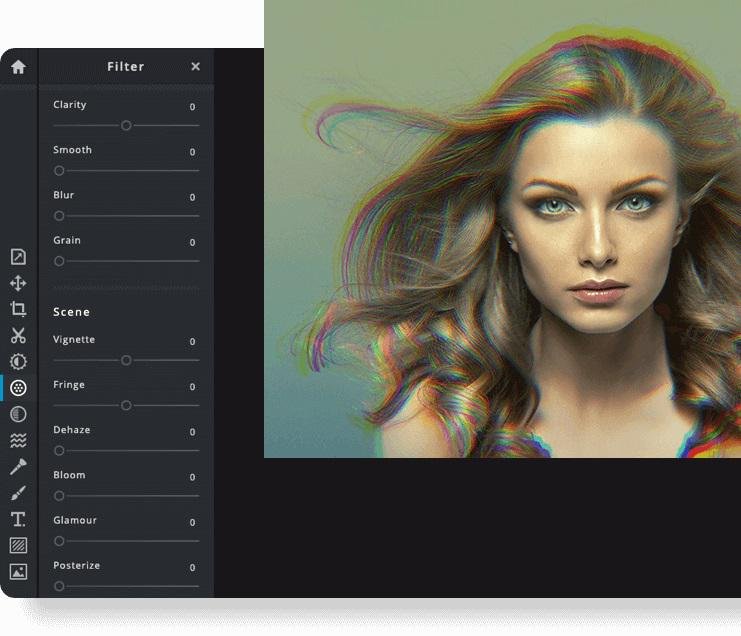
Pixlr is a free online photo editor that enables users to enhance images and create stunning designs directly in their browser. With advanced AI-powered tools, you can enjoy a seamless and intuitive photo editing experience that delivers professional results in no time. The editor supports a wide range of image formats, including PSD (Photoshop), PXD, JPEG, PNG (with transparency), WebP, SVG, and others. You have the option to start with a blank canvas or choose from our selection of expertly designed templates. Thanks to our innovative AI design tools, tedious editing tasks are a thing of the past; you can effortlessly remove backgrounds from images with just one click, capturing even the finest details like individual strands of hair. Let the power of AI and machine learning elevate your photo editing and background removal to unprecedented heights! With straightforward controls, such as toggles and adjustable sliders, achieving stunning and unique photo effects has never been easier. Explore endless creative possibilities and transform your images with Pixlr today!
API Access
Has API
Yes
API Access
Has API
No




Integrations
Gmail
No
Google Drive
No
Prodia
No
YouTube
No
Pricing Details
$5 per month
Free Trial
No
Free Version
Yes
Pricing Details
$2.49 per month
$1.49/month if billed annually
Free Trial
Yes
Free Version
No
Deployment
Web-Based
Yes
On-Premises
No
iPhone App
No
iPad App
No
Android App
No
Windows
No
Mac
No
Linux
No
Chromebook
No
Deployment
Web-Based
Yes
On-Premises
No
iPhone App
Yes
iPad App
Yes
Android App
Yes
Windows
No
Mac
No
Linux
No
Chromebook
No
Customer Support
Business Hours
No
Live Rep (24/7)
No
Online Support
No
Customer Support
Business Hours
No
Live Rep (24/7)
No
Online Support
Yes
Types of Training
Training Docs
Yes
Webinars
No
Live Training (Online)
No
In Person
No
Types of Training
Training Docs
Yes
Webinars
No
Live Training (Online)
Yes
In Person
No
Vendor Details
Company Name
Photopea
Website
www.photopea.com
Vendor Details
Company Name
Pixlr
Founded
2008
Country
Sweden
Website
pixlr.com
Product Features
Graphic Design
Collaboration
No
Data Visualization
No
Filtering
No
Image Database
No
Image Editor
No
Templates
No
Vector Graphics
2D Drawing
No
Animation
No
Data Import / Export
No
Drag & Drop
No
Image Editor
No
Image Tracing
No
Rendering
No
Templates
No
Product Features
Business Card
Contact Management
No
Data Extraction
No
Design Templates
No
Image Editor
No
Print Management
No
Step-by-Step Wizard
No
Graphic Design
Collaboration
No
Data Visualization
No
Filtering
No
Image Database
No
Image Editor
No
Templates
No
