Average Ratings 1 Rating
Average Ratings 2 Ratings
Similar Products
-
Wave BrowserWave Browser is designed for people who want a safer, faster, and more meaningful way to explore the web. Built on strong security principles, Wave puts you in control of your privacy with customizable cookie and tracker blocking, incognito mode, and clear permission choices. AppEsteem Certification ensures Wave meets strict, independently verified standards for clean installation, transparent behavior, and responsible software practices, giving you confidence every time you browse. Wave is also built for productivity, offering tools that help you stay organized and move through information with purpose. Tab grouping, bookmarks, and a reading list keep ideas within reach, while split screen let you research, compare, or watch without switching between windows. Memory Saver mode helps your device stay fast during heavy sessions, and the built-in AI Assistant and messaging integrations bring your favorite tasks closer to a single click. Designed to be simple and user-friendly, Wave Browser removes friction from everyday browsing. The free ad blocker keeps pages clean, and built-in tools—like the converter, package tracker, price tracker, translation tool, stock tracker, and content notifier—help you get things done without extra extensions. Most importantly, Wave is a browser with real ocean impact built in. Through a certified partnership with 4ocean, Wave helps fund the removal of 100,000 pounds of trash from our ocean, rivers, and coastlines every year. A live impact tracker shows exactly how much waste the Wave community has helped remove, with verified monthly updates from cleanup crews in the U.S., Indonesia, and the Dominican Republic. With Wave Browser, your everyday browsing directly supports a cleaner planet and the people working to protect it.
-
ShiftShift puts you in control of your browser. Arrange apps, bars, and controls exactly where you want them, building a personalized workspace that works around you — not the other way around. Connect over 1,500 web apps, jump between dedicated Spaces for work, side hustles, and personal browsing, and manage multiple accounts without ever logging in and out. As a pioneer in carbon-neutral browsing, Shift is committed to rethinking what a browser can be — for the people who use it and the world they live in. Started in Victoria, British Columbia in 2016, Shift is a Certified B Corp and proud member of the Redbrick portfolio. What you can do with Shift: - Build your browser: Design a layout tailored to how you use the internet. - Create Spaces: Keep work, side hustles, and passion projects in their own lane. - Integrate Apps: Bring your favorite web apps together in one place. - Templates: Pick from 6 ready-made layouts to get started fast. - Shift AI: A built-in AI assistant that helps you get more done across every tab and app.
-
CrankWheelCrankWheel allows you to share your screen while on a call. This makes it easy to create engaging presentations. You can send a link via email or SMS to the viewer and they will be able to view it in any browser on any device. CrankWheel was designed for simplicity and can be shared with customers to facilitate business deals. CrankWheel can be used to complement calls from insurance agents, mortgage advisors and solar advisors as well as educators and customer support specialists. CrankWheel is easy to integrate with websites and allows users to add a Demo button to receive quick notifications. We can show you if they are paying attention. Our Chrome Extension has enabled over 50,000 users to share their screens with prospects, regardless of their technical skills or device choice. CrankWheel can be used on old browsers and obscure devices, even with poor network connections. It works on Mac, Android, iOS, Blackberries, Internet Explorer, and Android.
-
Bitdefender Ultimate Small Business SecurityBitdefender Small Business Security provides robust, enterprise-level cyber-defense tailored for smaller companies, ensuring protection across various platforms including Windows, macOS, iOS, and Android. With a centralized management system that is user-friendly, it allows organizations lacking dedicated IT personnel to efficiently implement and oversee their security measures from a single interface. The solution features a multi-layered approach to endpoint protection, incorporating machine learning, behavioral analysis, real-time monitoring, process termination, and rollback capabilities to safeguard against both known and emerging threats. Additionally, it includes ransomware prevention and remediation strategies that detect unusual encryption activities and facilitate file recovery from backups. Users are also protected against fileless attacks, with measures like memory and back-injection interference as well as script blocking. The software further enhances security by preventing phishing and fraud through the blocking of malicious websites and alerting users accordingly, while offering advanced exploit protection with real-time shields for common applications such as browsers, Office software, and Adobe Reader, thus ensuring all-encompassing endpoint security. This comprehensive suite of features makes it an ideal choice for small businesses seeking to fortify their cybersecurity defenses.
-
Kasm WorkspacesKasm Workspaces streams your workplace environment directly to your web browser…on any device and from any location. Kasm is revolutionizing the way businesses deliver digital workspaces. We use our open-source web native container streaming technology to create a modern devops delivery of Desktop as a Service, application streaming, and browser isolation. Kasm is more than a service. It is a platform that is highly configurable and has a robust API that can be customized to your needs at any scale. Workspaces can be deployed wherever the work is. It can be deployed on-premise (including Air-Gapped Networks), in the cloud (Public and Private), or in a hybrid.
-
HERE Enterprise BrowserEverything works right here™. The product of years of collaboration with the world’s largest financial institutions, HERE Enterprise Browser is the first and only browser that solves both enterprise security and workforce productivity. Built on Google Chromium, HERE streamlines workflow and improves employee experience.
-
Buddy PunchA cloud-based time clock solution simplifies payroll by automatically generating reports. Employees can easily clock in from their desktop or mobile devices, making the process user-friendly and accessible. The intuitive interface allows for straightforward punching in and out, while managers can effortlessly monitor and export employee hours. Workers have the option to clock in via a web browser or through our apps available on Google, iOS, and Android platforms. You can check who is currently on the clock, view their GPS location, and even set limitations on where they can punch in. Our system seamlessly integrates with QuickBooks, ADP, Paychex, and SurePayroll, and we also provide options for Excel exports. Additionally, our cloud-based time clock comes packed with advanced functionalities, including PTO Accrual Tracking, Punch Rounding, Job Codes, QR Codes, Automatic Breaks, and Single Sign-On (SSO). With these features, managing employee time becomes more efficient and streamlined, ensuring your payroll process is both accurate and hassle-free.
-
GaffaGaffa is a REST API built for web scraping and browser automation, allowing developers to run real, full browsers at scale with a single API call. It removes the difficulty of managing headless browser frameworks, rotating proxies, CAPTCHA solving, and scaling infrastructure, all of which are handled automatically. JavaScript-heavy and dynamic websites render exactly as they would for a human visitor by default. Beyond standard scraping, Gaffa supports AI-driven structured data extraction (extract data into a defined schema without writing CSS selectors), screenshot and PDF capture, infinite-scroll and form-filling automation, and clean Markdown conversion for feeding webpages directly into LLM and RAG pipelines. A rotating residential proxy network keeps access reliable across regions, and a credit-based pricing model means teams pay only for the browser time and bandwidth they actually use. Gaffa is designed for AI engineers, data teams, and developers who want production-grade web data extraction without having to build and maintain their own infrastructure.
-
Notifii TrackNotifii Track, a cloud-based package tracker software, is available for apartment offices, university mailrooms and corporate mailrooms. You can quickly and easily log packages as they arrive. Notify the recipient automatically via email or text message. Capture signature proof-of-pickup/delivery. Notifii Track is a time-saver. It takes just a few seconds for a package to be scanned and increases package accountability. You can use Notifii Track via your web browser or any iOS/Android device. 30-day free trial.
-
TimeControlTimeControl is a timesheet system that can be used for both finance and project management. TimeControl was designed to serve multiple purposes at once. TimeControl tracks time task-bytask and project-byproject. Despite its project-based controls it is still a financial timesheet that meets all the requirements of payroll, human resource, billing, and finance. TimeControl is available for subscription in the cloud and for purchase for an installation on-premise. It includes both a browser interface as well as the TimeControl Mobile App for iOS or Android.
Description
Naked Browser offers the right permissions without any invasive tracking, featuring options like crash recovery, the ability to undo closed tabs, and support for unlimited tabs, all while prioritizing efficiency. With a streamlined user interface that minimizes resource usage, it avoids bloat and focuses on delivering a fast browsing experience. Notably, Naked Browser does not engage in data collection for spying, monitoring, or advertising purposes; all data transfers occur solely at your request. Its design ensures that while you might use more data due to increased browsing speeds, the handling of all data requests, cookies, and passwords is managed by the Android WebView on your device, without interference from the browser itself. However, it is important to note that devices running Android versions prior to 5.0 do not receive System WebView updates through the Play Store, which can lead to issues with older versions of WebView, while Android 7 and later typically utilize Chrome Browser as WebView if it is installed. This means that users can enjoy a straightforward, efficient browsing experience without unnecessary distractions or privacy concerns.
Description
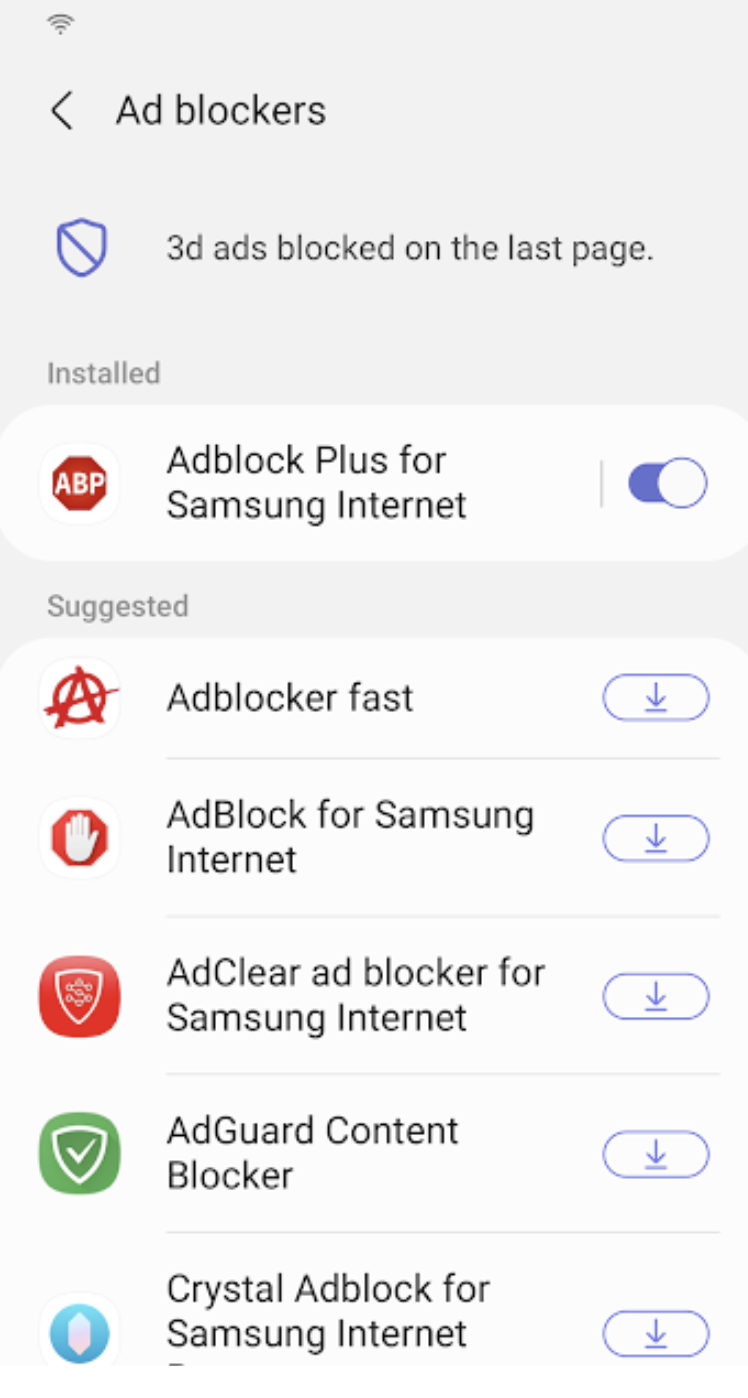
Samsung Internet for Android is an efficient and dependable web browser designed for mobile devices such as phones and tablets. It enhances your online experience with features like secret mode for privacy, biometric login for secure access, and a content blocker to minimize distractions. This browser also supports third-party applications that can offer additional filtering for unwanted content, ensuring a streamlined browsing experience. Online shopping becomes safer and more convenient with the integration of the Web Payments API, allowing for secure checkouts with just a few taps. Progressive Web Apps provide the flexibility to be installed like traditional apps or accessed directly through the browser, with a badge appearing in the URL bar when available. The Video Assistant feature allows users to easily toggle between different viewing modes for an optimized video experience, while the pop-up player enables seamless browsing without interrupting video playback. Overall, Samsung Internet for Android prioritizes user convenience and security in its design.
API Access
Has API
No
API Access
Has API
No




Integrations
8th Wall
No
AdAway
No
Adblock Fast
No
Adblock Plus
No
Block This
No
Crystal Adblock
No
Disconnect
No
Guard My Web
No
Hololink
No
Momentum IoT
No
Integrations
8th Wall
Yes
AdAway
Yes
Adblock Fast
Yes
Adblock Plus
Yes
Block This
Yes
Crystal Adblock
Yes
Disconnect
Yes
Guard My Web
Yes
Hololink
Yes
Momentum IoT
Yes
Pricing Details
Free
Free Trial
No
Free Version
Yes
Pricing Details
No price information available.
Free Trial
No
Free Version
No
Deployment
Web-Based
No
On-Premises
No
iPhone App
No
iPad App
No
Android App
Yes
Windows
No
Mac
No
Linux
No
Chromebook
No
Deployment
Web-Based
No
On-Premises
No
iPhone App
No
iPad App
No
Android App
Yes
Windows
No
Mac
No
Linux
No
Chromebook
No
Customer Support
Business Hours
No
Live Rep (24/7)
No
Online Support
Yes
Customer Support
Business Hours
No
Live Rep (24/7)
No
Online Support
Yes
Types of Training
Training Docs
No
Webinars
No
Live Training (Online)
No
In Person
No
Types of Training
Training Docs
No
Webinars
No
Live Training (Online)
No
In Person
No
Vendor Details
Company Name
Feverish Development
Website
nakedbrowser.com/android/
Vendor Details
Company Name
Samsung
Founded
1938
Country
South Korea
Website
www.samsung.com/us/support/owners/app/samsung-internet
