Average Ratings 5 Ratings
Average Ratings 1 Rating
Similar Products
-
MonkMost enterprise invoices are never paid from an emailed invoice. Across the $2B+ in receivables Monk manages, 92% have to be submitted through the buyer accounts payable portal instead, and a failed submission is usually silent. Monk is an AI-native accounts receivable platform built around that problem. It files invoices into more than 600 corporate AP portals, including Coupa, Ariba and SAP Business Network, uploads 87% without a person, and brings each rejection back onto the invoice record with the reason attached. Collections runs on the same data. Julia, the Monk agent for Intelligent Collections, reads inbound replies and answers what the customer wrote instead of advancing a dunning schedule, clearing 90% of invoices without escalation. Outbound mail sends through your existing Gmail or Microsoft 365 mailbox. Payments match at 80%, rising to 95% once rules are added. Runs on QuickBooks, NetSuite or Dynamics 365 Business Central. SOC 2 Type II. Live in one to three days.
-
ONLYOFFICE DocsONLYOFFICE Docs is a secure online office suite for teams and businesses of all sizes. Create and edit docs, sheets, slides, fillable forms and PDFs. Collaborate with your teammates in real time using two co-editing modes, version history and other tools. Enable the AI assistant of your choice — ChatGPT, DeepSeek, Mistral, Groq AI, etc. Generate new content, summarize, translate and do more with your favourite AI tool while working on office files. Integrate ONLYOFFICE Docs into your business platform, whether it be Odoo, Alfresco, Confluence, Pipedrive, Nextcloud, Redmine, SuiteCRM, etc., via an integration app (40+ available integrations). Use Docs within ONLYOFFICE DocSpace, a room-based document collaboration platform equipped with the online office suite. Create dedicated spaces for different purposes, invite your teammates, assign access permissions and collaborate the way you like. With DocSpace, you can store, share and co-edit office files, and even interact with third parties.
-
RAD PDFInstall-free PDF editing, form filling, redaction, signing, viewing, and more on your website with RAD PDF! Packaged as an easy to use library / WebControl (compatible with .NET 3.5+, .NET Core, and .NET 5+), RAD PDF can be used with just about any flavor of ASP.NET including MVC, Razor, Blazor, WebForms, and more. RAD PDF is compatible with 99% of internet browsers, including those on Linux, Mac OS X, Microsoft Windows, and mobile. No plugins. No Adobe Reader. RAD PDF is more than a PDF to HTML converter. It natively supports all the most common PDF features including annotations, bookmarks, form fields, page labels, and more. With advanced PDF options, RAD PDF allows you to selectively enable and disable features not available with Adobe Acrobat Reader, like protecting a PDF from being downloaded while still viewable online. RAD PDF users can use PDF form fields directly from the web browser by enabling PDF form filling and PDF form saving without having to install any software. Integrating directly with ASP.NET, RAD PDF allows your web application to capture input data, build custom workflows, and provide an intuitive graphical user interface (GUI) for just about any online PDF interaction imaginable!
-
AnalyticsCreatorAnalyticsCreator is a metadata-driven design application for data warehouse automation and data product engineering across the Microsoft data stack. Its Governed Control Model connects business meaning, data structures, transformation rules, dependencies, lineage and technical implementation in one controlled project model. Data teams design the required architecture in AnalyticsCreator, then generate native Microsoft assets from that design. Generated outputs can include SQL Server objects, SSIS packages, Azure Data Factory pipelines, supported Microsoft Fabric components, deployment artefacts and Power BI semantic models. AnalyticsCreator supports dimensional, 3NF and hybrid modelling approaches together with ingestion, transformations, delta loading, historisation, Slowly Changing Dimensions, snapshots and repeatable data-processing patterns. Because generated outputs are native Microsoft technology, no AnalyticsCreator runtime is required in production. Organisations retain ownership of the resulting implementation and can integrate generated assets into Git, Azure DevOps and CI/CD workflows. Lineage, documentation and dependency information remain connected to the design, helping teams understand change impact before regenerating affected assets. Design Intelligence extends this governed project context into AI-assisted data engineering by providing authorised AI tools and agents with structured access to metadata, lineage, dependencies and design rules. Typical use cases include enterprise data warehouse development, Microsoft Fabric adoption, SQL Server and SSIS modernisation, governed Power BI delivery and repeatable data product engineering.
-
OxylabsOxylabs is a market leader in web intelligence, helping businesses worldwide turn public web data into actionable insights with enterprise-grade, ethical, and compliant solutions. Its proxy infrastructure spans one of the largest global networks, offering residential, ISP, mobile, datacenter, and dedicated datacenter proxies, along with Web Unblocker – an AI-driven tool that ensures seamless, block-free access to even the most protected sites. On the scraping side, Oxylabs provides a complete ecosystem. The Web Scraper API manages every stage of large-scale data extraction, from proxy management to parsing, while OxyCopilot, an AI-powered assistant, generates parsing requests from simple natural language prompts. For dynamic, bot-protected websites, the Headless Browser, a headless browser designed to mimic human behavior, ensures uninterrupted access. Oxylabs also pioneers AI-driven tools like AI Studio, which enables natural language scraping and crawling so anyone can extract data without writing code. Its ready-made datasets provide instant, structured information across industries such as e-commerce, real estate, travel, and more – accelerating data projects without custom scraping. With the largest proxy services in the market, Oxylabs offers 177M+ IPs across 195 countries and is trusted by 4,000+ clients worldwide, including Fortune 500 companies. Plus, their 24/7 customer service ensures businesses get support whenever it’s needed.
-
DbVisualizerDbVisualizer is a universal database client for anyone who works with data, from indie developers and startups to professional teams managing complex database environments, including developers, DBAs, analysts, and data engineers working across relational and NoSQL databases. Key features: - SQL editor with intelligent autocomplete, visual query builders, variables, and execution tools - AI Assistant for answering questions, explaining errors, and analyzing code - Git integration for managing SQL scripts and team collaboration - Customizable layouts, key bindings, and UI themes - Favorites for frequently used scripts and database objects - Configurable security settings for organizational requirements Connects via JDBC to MySQL, PostgreSQL, SQL Server, Oracle, Snowflake, SQLite, Cassandra, BigQuery, and more. Runs on Windows, macOS, and Linux. Nearly 7 million downloads, with Pro users in 150 countries, scaling from solo projects to enterprise database management.
-
RunMyJobs by RedwoodRunMyJobs by Redwood is the only SAP endorsed and premium-certified and the most awarded SAP-certified SaaS workload automation platform and only allowing enterprises to achieve end-to-end IT process automation and unify complex across any application, system or environment without limits and with high availability as you scale. We're the #1 job scheduling choice for SAP customers with seamless integration to S/4HANA, BTP, RISE, ECC and more while maintaining a clean core. Empower teams with seamless integration with any present and future tech stack, a low-code editor and a rich library of templates. Monitor processes in real-time with predictive SLA management and get proactive notifications via email or SMS on performance issues or delays in all your processes. Redwood team provides 24/7/365 day global support with the industry’s strongest SLAs and 15-minute response times and a proven approach to migration that secures continuous operations, including team training, on-demand learning and more.
-
Planview AdaptiveWorkPlanview AdaptiveWork, previously known as Clarizen, empowers PMOs and professional services teams of various sizes to achieve instant visibility across their operations, streamline workflows, proactively address potential risks, and enhance overall business outcomes. By aligning with the company’s strategic objectives, organizations can maximize workforce effectiveness, ensuring that teams concentrate on delivering the most critical tasks timely. It facilitates the tracking, management, and prioritization of work requests, guaranteeing that each request automatically encompasses all necessary information for execution. With bi-directional integration with your CRM and custom triggers in place, opportunity details can be effortlessly captured to aid in planning client projects. The platform automates and governs the various phases of the request lifecycle, including submission, scoring, prioritization, routing, and approval, thereby streamlining the pathway for converting requests into actionable projects, tasks, or work items. This comprehensive approach not only boosts efficiency but also fosters a culture of accountability and transparency within the organization.
-
Wave BrowserWave Browser is designed for people who want a safer, faster, and more meaningful way to explore the web. Built on strong security principles, Wave puts you in control of your privacy with customizable cookie and tracker blocking, incognito mode, and clear permission choices. AppEsteem Certification ensures Wave meets strict, independently verified standards for clean installation, transparent behavior, and responsible software practices, giving you confidence every time you browse. Wave is also built for productivity, offering tools that help you stay organized and move through information with purpose. Tab grouping, bookmarks, and a reading list keep ideas within reach, while split screen let you research, compare, or watch without switching between windows. Memory Saver mode helps your device stay fast during heavy sessions, and the built-in AI Assistant and messaging integrations bring your favorite tasks closer to a single click. Designed to be simple and user-friendly, Wave Browser removes friction from everyday browsing. The free ad blocker keeps pages clean, and built-in tools—like the converter, package tracker, price tracker, translation tool, stock tracker, and content notifier—help you get things done without extra extensions. Most importantly, Wave is a browser with real ocean impact built in. Through a certified partnership with 4ocean, Wave helps fund the removal of 100,000 pounds of trash from our ocean, rivers, and coastlines every year. A live impact tracker shows exactly how much waste the Wave community has helped remove, with verified monthly updates from cleanup crews in the U.S., Indonesia, and the Dominican Republic. With Wave Browser, your everyday browsing directly supports a cleaner planet and the people working to protect it.
-
Adobe AcrobatAdobe Acrobat is an all-in-one PDF productivity and e-signature platform and one of the leading enterprise document platforms that scales for global teams — designed to simplify document creation, editing, collaboration, and protection. Users can edit text and images directly within PDFs, reorganize pages, and compare file versions to quickly identify changes. The software enables fast conversion between PDFs and common file formats such as Microsoft Word, Excel, PowerPoint, and image files. Integrated e-signature capabilities allow businesses to collect legally binding signatures and track responses securely. With Acrobat Studio, Adobe Acrobat expands beyond core PDF and e‑signature tasks into an AI‑powered workspace for document insight, content creation, and collaboration.Acrobat AI Assistant adds intelligent document support by summarizing content, generating insights, and answering contextual questions with cited references. PDF Spaces creates a collaborative workspace where teams can centralize files, comments, and AI-driven guidance. Built-in protection tools safeguard documents with encryption, permissions, and redaction features. Mobile apps such as Acrobat Reader and Adobe Scan ensure access and editing capabilities from anywhere. Designed for individuals, students, and enterprises, Adobe Acrobat helps reduce document processing time and improve overall productivity.
Description
Enhance your writing skills online with Microsoft Editor, your smart writing companion. This tool travels with you as you navigate various websites, allowing you to write clear and concise content with assurance. By installing this browser extension, you gain free access to essential support for spelling, grammar, and punctuation. For those seeking more comprehensive feedback, the premium version offers advanced insights into clarity, conciseness, formality, vocabulary, and additional elements. You can receive constructive input on popular platforms such as LinkedIn, Gmail, and Facebook, among others, thanks to this handy extension. Additionally, if you require assistance beyond web writing, simply open Word and locate the Editor icon to discover how it can enhance your documents, emails, and more. Write confidently across all formats and platforms. With tools designed to refine your spelling, grammar, and overall style, let Microsoft Editor be your trusted partner in all your writing endeavors. Ultimately, it empowers you to express your ideas with greater clarity and precision.
Description
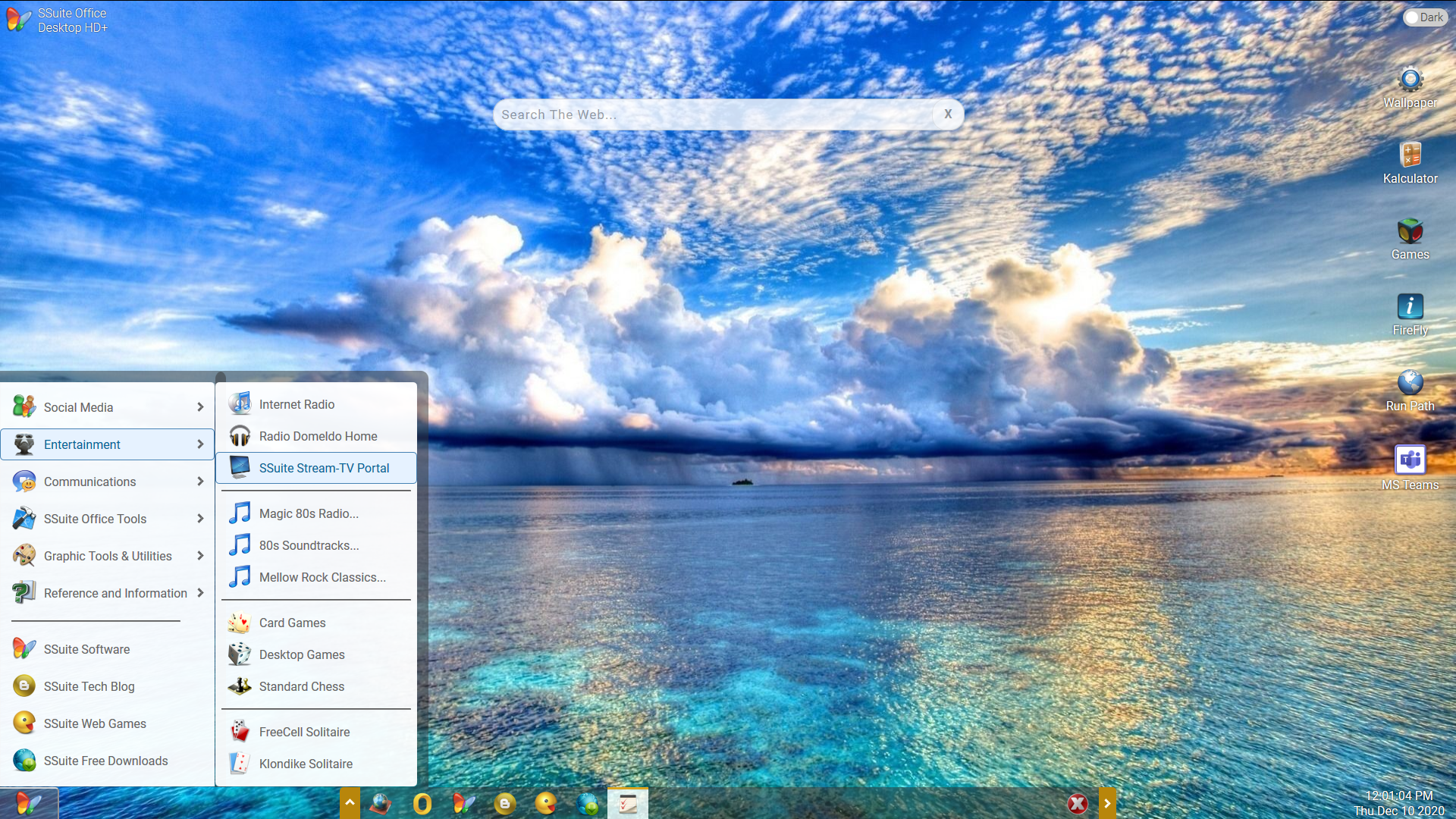
Our core philosophy, "Pure Visual Simplicity", is the foundation of all our software creations. Software that is both useful and pleasing to the eye, as well as efficient, can be run on any computer system. Our software is the most efficient and lightweight available, and they consume very little resources. There are no trial versions, no recurring subscription fees or subscription fees to pay, and there is no registration of personal data. We only create Green Energy Software, so Java and DotNet are not required on your computer. We are saving the world one step at a time.
API Access
Has API
No
API Access
Has API
No




Integrations
Google Chrome
Yes
Microsoft 365
Yes
Microsoft Edge
Yes
Microsoft Outlook
Yes
Microsoft Power Platform
Yes
Microsoft PowerPoint
Yes
Microsoft Word
Yes
SSuite NetSurfer
No
SSuite NetSurfer Prometheus
No
Zest
Yes
Integrations
Google Chrome
No
Microsoft 365
No
Microsoft Edge
No
Microsoft Outlook
No
Microsoft Power Platform
No
Microsoft PowerPoint
No
Microsoft Word
No
SSuite NetSurfer
Yes
SSuite NetSurfer Prometheus
Yes
Zest
No
Pricing Details
$6.99 per month
Free Trial
No
Free Version
Yes
Pricing Details
Free
Free Full Edition
Free Trial
No
Free Version
Yes
Deployment
Web-Based
Yes
On-Premises
No
iPhone App
No
iPad App
No
Android App
No
Windows
Yes
Mac
Yes
Linux
No
Chromebook
No
Deployment
Web-Based
No
On-Premises
No
iPhone App
Yes
iPad App
Yes
Android App
Yes
Windows
Yes
Mac
No
Linux
No
Chromebook
Yes
Customer Support
Business Hours
No
Live Rep (24/7)
No
Online Support
Yes
Customer Support
Business Hours
No
Live Rep (24/7)
No
Online Support
Yes
Types of Training
Training Docs
Yes
Webinars
No
Live Training (Online)
No
In Person
No
Types of Training
Training Docs
Yes
Webinars
No
Live Training (Online)
No
In Person
No
Vendor Details
Company Name
Microsoft
Founded
1975
Country
United States
Website
www.microsoft.com/en-us/microsoft-365/microsoft-editor
Vendor Details
Company Name
SSuite Office Software
Founded
2002
Country
South Africa
Website
www.ssuiteoffice.com
Product Features
Productivity
Collaboration
No
Database Creation
No
Document Creation
No
File Sharing
No
Notes Management
No
Office Suite
Yes
Presentation Tools
No
Project Management
No
Task Management
No
Team Chat
No
Product Features
Office Suites
Calendar & Scheduling
Yes
Charts / Graphs
Yes
Collaboration Tools
Yes
File Management
Yes
PDF
Yes
Presentations
Yes
Spreadsheets
Yes
Text Chat
Yes
To-Do List / Notes
Yes
Web/Video Conferencing
Yes
Word Processing
Yes
Productivity
Collaboration
Yes
Database Creation
Yes
Document Creation
Yes
File Sharing
Yes
Notes Management
Yes
Office Suite
Yes
Presentation Tools
Yes
Project Management
No
Task Management
No
Team Chat
No
