Average Ratings 0 Ratings
Average Ratings 0 Ratings
Similar Products
-
JetBrains JunieJetBrains Junie is an innovative AI coding assistant that works inside many JetBrains IDEs to streamline programming efforts and boost efficiency. This agent leverages advanced AI to help developers write, test, and inspect code without leaving their familiar development environment. Junie offers both code execution and interactive collaboration, allowing programmers to switch between automated code writing and brainstorming sessions for features and improvements. By deeply understanding the codebase, Junie identifies the best ways to tackle tasks and ensures all changes meet quality standards through syntax and semantic checks. It also runs tests to minimize errors and keep the project healthy, freeing developers from routine tasks. Many developers have successfully built complex applications and games using Junie, highlighting its flexibility across different languages and frameworks. The AI adapts to each task’s complexity and workflow, making coding less tedious and more focused on creativity. Whether you are building a simple web app or a complex game, Junie offers smart support throughout the development cycle.
-
RetoolRetool is a modern AI-native application development platform designed to help teams build internal software quickly and efficiently. It enables users to create agents, workflows, dashboards, and full-stack apps using natural language prompts and visual tools. Retool connects directly to databases, APIs, vector stores, and AI models to ensure applications work seamlessly with existing systems. The platform allows teams to transform raw data into actionable tools such as dashboards, admin panels, and monitoring systems. With drag-and-drop UI building, code-level customization, and AI-assisted generation, Retool supports multiple development styles. Built-in workflows automate complex processes while maintaining auditability and security. Retool fits naturally into standard engineering stacks with support for CI/CD and version control. Enterprise-grade permissions and hosting options ensure sensitive data stays protected. Used by thousands of companies worldwide, Retool helps teams ship AI-powered software faster. It bridges the gap between idea and production with speed and control.
-
Google AI StudioGoogle AI Studio is an all-in-one environment designed for building AI-first applications with Google’s latest models. It supports Gemini, Imagen, Veo, and Gemma, allowing developers to experiment across multiple modalities in one place. The platform emphasizes vibe coding, enabling users to describe what they want and let AI handle the technical heavy lifting. Developers can generate complete, production-ready apps using natural language instructions. One-click deployment makes it easy to move from prototype to live application. Google AI Studio includes a centralized dashboard for API keys, billing, and usage tracking. Detailed logs and rate-limit insights help teams operate efficiently. SDK support for Python, Node.js, and REST APIs ensures flexibility. Quickstart guides reduce onboarding time to minutes. Overall, Google AI Studio blends experimentation, vibe coding, and scalable production into a single workflow.
-
DbVisualizerDbVisualizer is a universal database client for anyone who works with data, from indie developers and startups to professional teams managing complex database environments, including developers, DBAs, analysts, and data engineers working across relational and NoSQL databases. Key features: - SQL editor with intelligent autocomplete, visual query builders, variables, and execution tools - AI Assistant for answering questions, explaining errors, and analyzing code - Git integration for managing SQL scripts and team collaboration - Customizable layouts, key bindings, and UI themes - Favorites for frequently used scripts and database objects - Configurable security settings for organizational requirements Connects via JDBC to MySQL, PostgreSQL, SQL Server, Oracle, Snowflake, SQLite, Cassandra, BigQuery, and more. Runs on Windows, macOS, and Linux. Nearly 7 million downloads, with Pro users in 150 countries, scaling from solo projects to enterprise database management.
-
Descartes Fleet Performance ManagementDescartes Fleet Performance Management is purpose-built for enterprise fleets and complex delivery operations. Designed for organizations managing high-volume, multi-stop, and time-sensitive logistics networks, it helps businesses improve operational control, maximize fleet utilization, and deliver more efficiently at scale. The platform combines advanced route optimization, intelligent dispatch, and real-time mobile workforce management to reduce mileage, lower transportation costs, and improve productivity across drivers and vehicles. Businesses can complete more deliveries with fewer resources while reducing environmental impact and maintaining high service levels. With seamless mobile integration, Descartes provides real-time tracking, performance visibility, regulatory compliance monitoring, and dynamic appointment scheduling to keep delivery operations agile and responsive in the field. The solution also improves delivery accuracy and timeliness, helping organizations enhance customer satisfaction and operational consistency. Built to support scalable, data-driven delivery execution, Descartes gives enterprises the tools to streamline dispatch, reduce wasted resources, and manage increasingly complex delivery networks with confidence.
-
MediRoutesMediRoutes is a cloud-based fleet management software designed for managing Non-Emergency Medical Transportation (NEMT) fleets. The software features real-time dispatch, automated scheduling, billing, reporting, and API integrations. Created for transportation providers, it ensures efficient route planning, real-time fleet visibility, and payer integration. MediRoutes reduces wait times for passengers and increases operational efficiency for NEMT transportation providers while providing on-time performance with advanced scheduling algorithms. It facilitates smooth patient transportation coordination and partners with all major US brokers, maintaining its leadership in the NEMT software industry since 2008.
-
RouteGenieRouteGenie is non-emergency medical transportation software for operations running 25 to 500+ vehicles. It combines NEMT scheduling software and route optimization with native multiload, real-time NEMT dispatch software, Medicaid and broker billing with CMS 1500 and claim scrubbing, and fleet compliance in one single-tenant platform. Multi-site operators run every location in one instance with role-based access and a full audit trail on every trip change. ImportGenie automates trip intake and status return across 28 live broker and payer integrations, including ModivCare, MTM, Veyo, Verida, SafeRide Health, Alivi, New York MAS, Uber Health and transit authorities. Subcontractor vehicles are visible on the same live map as owned fleet. SAML2 SSO (Entra ID, Okta, OneLogin, Google Workspace), SOC 2 Type 1, open REST API, iOS and Android driver apps, passenger app, and a payer and facility portal. Flat per-vehicle pricing with unlimited trips and unlimited users. 600+ fleets, 20,000+ vehicles, ~50,000 trips daily.
-
LinxupLinxup is an ideal GPS tracking and dash cam solution for small and medium-sized businesses with fleets that want a powerful, easy-to-use system without overpaying for technology they don't need. Linxup's live, U.S.-based support and coaching team is dedicated to ensuring customers get maximum value to help improve safety, reduce risk and costs, and get the most out of their teams in the field.
-
JOpt.TourOptimizerJOpt.TourOptimizer is an enterprise optimization engine for route planning, scheduling, and resource allocation across logistics, transportation, dispatch, and field service operations. It is built for organizations that need to solve complex planning problems under real-world business constraints rather than simple consumer-grade route calculation. The platform supports vehicle routing and scheduling scenarios such as VRP, CVRP, VRPTW, pickup and delivery, multi-depot planning, heterogeneous fleets, and workforce scheduling. JOpt.TourOptimizer can model time windows, working hours, visit durations, capacities, skills and expertise levels, territories, zone governance, overnight stays, alternate destinations, and custom business rules. This makes it suitable for production deployments where feasibility, transparency, and operational reliability matter. It is designed to generate practical plans that help teams balance travel time, service commitments, workload distribution, and operational cost in demanding enterprise environments. The solution is available both as an embedded Java SDK and as a Docker-based REST API with OpenAPI and Swagger support. This allows software vendors, enterprise developers, and system integrators to embed advanced optimization into TMS, ERP, CRM, WMS, dispatch systems, customer platforms, and field service applications. With support for scalable integration and modern service architectures, JOpt.TourOptimizer helps organizations improve planning efficiency, service quality, SLA compliance, transparency, and operational resilience at scale. It also supports enterprise integration strategies that require reproducible optimization runs, structured outputs, and flexible deployment models.
-
iVerifyUtilize iVerify to enhance the security of your iOS device and identify any alterations made to your smartphone. With straightforward instructional guides, iVerify simplifies the management of your online presence and account security. By safeguarding your team's mobile devices, you can effectively stay ahead of potential vulnerabilities; the platform provides metrics that display the progress on security guides, ensures your operating system is current, and reveals any signs of compromise. iVerify works to protect your devices and online accounts from threats and detects security breaches by monitoring for indicators of iOS exploitation and by scanning for known harmful files and directories. While it can identify many instances of compromise, it does not guarantee the detection of every threat. Therefore, it remains crucial to minimize your risk of attacks and restrict the amount of sensitive information accessible on your phone and through your online accounts. Furthermore, regularly reviewing your security practices can further enhance your overall protection against emerging threats.
Description
Developed entirely from the ground up, JetBrains Fleet draws on two decades of experience in creating integrated development environments (IDEs). It utilizes the robust IntelliJ code-processing engine, featuring a distributed architecture and a fresh user interface designed for modern developers. Our aim with Fleet was to create a swift and efficient text editor that allows for quick code browsing and editing. It launches almost instantaneously, enabling you to start your work without delay, and has the capability to seamlessly evolve into a full-fledged IDE, with the IntelliJ engine operating independently from the editing interface. Fleet encompasses all the beloved features of IntelliJ-based IDEs, such as code completion tailored to your project context, easy navigation to definitions and usages, real-time code quality assessments, and convenient quick-fixes. The architecture of Fleet is thoughtfully designed to accommodate various configurations and workflows, allowing it to run locally on your machine or to offload some processes to the cloud, showcasing its versatility and adaptability for different development needs. This flexibility ensures that developers can choose the setup that best fits their workflow requirements.
Description
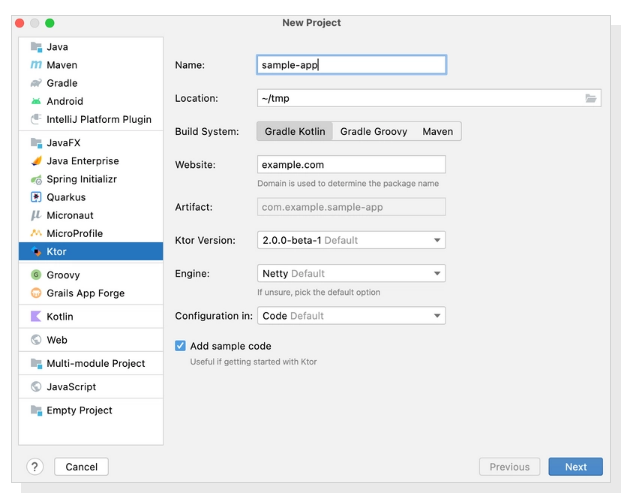
Developing asynchronous client and server applications can be a breeze, whether you're working on microservices or cross-platform HTTP client apps, all while keeping it open source, free, and enjoyable! Ktor is uniquely designed from the ground up with Kotlin and Coroutines, enabling you to harness a clear, multiplatform language along with the advantages of asynchronous programming in an easy-to-follow imperative style. With Ktor, you can select only the components you require and arrange your application according to your specific needs. Furthermore, extending Ktor with custom plugins is a straightforward process, allowing for added flexibility. Created by JetBrains, the minds behind IntelliJ IDEA, Kotlin, and other powerful tools, Ktor not only serves a wide array of customers but is also utilized internally within JetBrains itself. Plus, you’ll benefit from exceptional tooling support, making your development experience even more efficient and enjoyable! This combination of features makes Ktor an excellent choice for modern application development.
API Access
Has API
No
API Access
Has API
No


Integrations
Kotlin
Yes
Apache Groovy
Yes
Apache Maven
Yes
C#
Yes
C++
Yes
CSS
Yes
Code With Me
Yes
Gradle
Yes
HTML
Yes
IntelliJ IDEA
No
Integrations
Kotlin
Yes
Apache Groovy
No
Apache Maven
No
C#
No
C++
No
CSS
No
Code With Me
No
Gradle
No
HTML
No
IntelliJ IDEA
Yes
Pricing Details
No price information available.
Free Trial
Yes
Free Version
Yes
Pricing Details
No price information available.
Free Trial
No
Free Version
No
Deployment
Web-Based
No
On-Premises
No
iPhone App
No
iPad App
No
Android App
No
Windows
Yes
Mac
Yes
Linux
Yes
Chromebook
No
Deployment
Web-Based
Yes
On-Premises
No
iPhone App
No
iPad App
No
Android App
No
Windows
No
Mac
No
Linux
No
Chromebook
No
Customer Support
Business Hours
No
Live Rep (24/7)
No
Online Support
Yes
Customer Support
Business Hours
No
Live Rep (24/7)
No
Online Support
Yes
Types of Training
Training Docs
Yes
Webinars
No
Live Training (Online)
No
In Person
No
Types of Training
Training Docs
Yes
Webinars
No
Live Training (Online)
No
In Person
No
Vendor Details
Company Name
JetBrains
Founded
2000
Country
Czech Republic
Website
www.jetbrains.com/fleet/
Vendor Details
Company Name
JetBrains
Founded
2000
Country
Czech Republic
Website
ktor.io
Product Features
Code Editors
API
No
Auto-Complete
No
Code Folding
No
Column Editing
No
Customizable Themes
No
Debugging
No
Formatting / Table Editing
No
Keyboard Shortcuts
No
Multi-Monitor Editing
No
Syntax Highlighting
No
WYSIWYG
No
IDE
Code Completion
No
Compiler
No
Cross Platform Support
No
Debugger
No
Drag and Drop UI
No
Integrations and Plugins
No
Multi Language Support
No
Project Management
No
Text Editor / Code Editor
No
Text Editors
API
No
Auto-Complete
No
Code Folding
No
Column Editing
No
Customizable Themes
No
Debugging
No
Formatting / Table Editing
No
Keyboard Shortcuts
No
Multi-Monitor Editing
No
Syntax Highlighting
No
WYSIWYG
No
