Average Ratings 21 Ratings
Average Ratings 0 Ratings
Similar Products
-
JetBrains JunieJetBrains Junie is an innovative AI coding assistant that works inside many JetBrains IDEs to streamline programming efforts and boost efficiency. This agent leverages advanced AI to help developers write, test, and inspect code without leaving their familiar development environment. Junie offers both code execution and interactive collaboration, allowing programmers to switch between automated code writing and brainstorming sessions for features and improvements. By deeply understanding the codebase, Junie identifies the best ways to tackle tasks and ensures all changes meet quality standards through syntax and semantic checks. It also runs tests to minimize errors and keep the project healthy, freeing developers from routine tasks. Many developers have successfully built complex applications and games using Junie, highlighting its flexibility across different languages and frameworks. The AI adapts to each task’s complexity and workflow, making coding less tedious and more focused on creativity. Whether you are building a simple web app or a complex game, Junie offers smart support throughout the development cycle.
-
RetoolRetool is a modern AI-native application development platform designed to help teams build internal software quickly and efficiently. It enables users to create agents, workflows, dashboards, and full-stack apps using natural language prompts and visual tools. Retool connects directly to databases, APIs, vector stores, and AI models to ensure applications work seamlessly with existing systems. The platform allows teams to transform raw data into actionable tools such as dashboards, admin panels, and monitoring systems. With drag-and-drop UI building, code-level customization, and AI-assisted generation, Retool supports multiple development styles. Built-in workflows automate complex processes while maintaining auditability and security. Retool fits naturally into standard engineering stacks with support for CI/CD and version control. Enterprise-grade permissions and hosting options ensure sensitive data stays protected. Used by thousands of companies worldwide, Retool helps teams ship AI-powered software faster. It bridges the gap between idea and production with speed and control.
-
Google AI StudioGoogle AI Studio is an all-in-one environment designed for building AI-first applications with Google’s latest models. It supports Gemini, Imagen, Veo, and Gemma, allowing developers to experiment across multiple modalities in one place. The platform emphasizes vibe coding, enabling users to describe what they want and let AI handle the technical heavy lifting. Developers can generate complete, production-ready apps using natural language instructions. One-click deployment makes it easy to move from prototype to live application. Google AI Studio includes a centralized dashboard for API keys, billing, and usage tracking. Detailed logs and rate-limit insights help teams operate efficiently. SDK support for Python, Node.js, and REST APIs ensures flexibility. Quickstart guides reduce onboarding time to minutes. Overall, Google AI Studio blends experimentation, vibe coding, and scalable production into a single workflow.
-
ParasoftParasoft's mission is to provide automated testing solutions and expertise that empower organizations to expedite delivery of safe and reliable software. A powerful unified C and C++ test automation solution for static analysis, unit testing and structural code coverage, Parasoft C/C++test helps satisfy compliance with industry functional safety and security requirements for embedded software systems.
-
MuukTestYou know that you could be testing more to catch bugs earlier, but QA testing can take a lot of time, effort and resources to do it right. MuukTest can get growing engineering teams up to 95% coverage of end-to-end tests in just 3 months. Our QA experts create, manage, maintain, and update E2E tests on the MuukTest Platform for your web, API, and mobile apps at record speed. We begin exploratory and negative tests after achieving 100% regression coverage within 8 weeks to uncover bugs and increase coverage. The time you spend on development is reduced by managing your testing frameworks, scripts, libraries and maintenance. We also proactively identify flaky tests and false test results to ensure the accuracy of your tests. Early and frequent testing allows you to detect errors in the early stages your development lifecycle. This reduces the burden of technical debt later on.
-
DbVisualizerDbVisualizer is a universal database client for anyone who works with data, from indie developers and startups to professional teams managing complex database environments, including developers, DBAs, analysts, and data engineers working across relational and NoSQL databases. Key features: - SQL editor with intelligent autocomplete, visual query builders, variables, and execution tools - AI Assistant for answering questions, explaining errors, and analyzing code - Git integration for managing SQL scripts and team collaboration - Customizable layouts, key bindings, and UI themes - Favorites for frequently used scripts and database objects - Configurable security settings for organizational requirements Connects via JDBC to MySQL, PostgreSQL, SQL Server, Oracle, Snowflake, SQLite, Cassandra, BigQuery, and more. Runs on Windows, macOS, and Linux. Nearly 7 million downloads, with Pro users in 150 countries, scaling from solo projects to enterprise database management.
-
Google Cloud RunFully managed compute platform to deploy and scale containerized applications securely and quickly. You can write code in your favorite languages, including Go, Python, Java Ruby, Node.js and other languages. For a simple developer experience, we abstract away all infrastructure management. It is built upon the open standard Knative which allows for portability of your applications. You can write code the way you want by deploying any container that listens to events or requests. You can create applications in your preferred language with your favorite dependencies, tools, and deploy them within seconds. Cloud Run abstracts away all infrastructure management by automatically scaling up and down from zero almost instantaneously--depending on traffic. Cloud Run only charges for the resources you use. Cloud Run makes app development and deployment easier and more efficient. Cloud Run is fully integrated with Cloud Code and Cloud Build, Cloud Monitoring and Cloud Logging to provide a better developer experience.
-
ApifyApify provides the infrastructure developers need to build, deploy, and monetize web automation tools. The platform centers on Apify Store, a marketplace featuring 10,000+ community-built Actors. These are serverless programs that scrape websites, automate browser tasks, and power AI agents. Developers create Actors using JavaScript, Python, or Crawlee (Apify's open-source crawling library), then publish them to the Store. When other users run your Actor, you earn money. Apify manages the infrastructure, handles payments, and processes monthly payouts to thousands of active developers. Apify Store offers ready-to-use solutions for common use cases: extracting data from Amazon, Google Maps, and social platforms; monitoring prices; generating leads; and much more. Under the hood, Actors automatically manage proxy rotation, CAPTCHA solving, JavaScript-heavy pages, and headless browser orchestration. The platform scales on demand with 99.95% uptime and maintains SOC2, GDPR, and CCPA compliance. For workflow automation, Apify connects to Zapier, Make, n8n, and LangChain. The platform also offers an MCP server, enabling AI assistants like Claude to discover and invoke Actors programmatically.
-
NMI PaymentsNMI Payments gives developers, SaaS builders, ISVs and ISOs a simple path to embedded payments. As a full-stack processor, acquirer, and technology partner, NMI enables you to integrate, brand, and manage payment acceptance within your platform—without becoming a PayFac or building complex infrastructure. The platform combines flexibility, scalability, and speed, offering white-labeled payments infrastructure that keeps your brand front and center. With omnichannel support for in-store, online, in-app, and unattended payments, you can deliver a consistent merchant experience across every touchpoint. NMI also manages onboarding, compliance, and risk, freeing your team to focus on innovation and customer growth. Developer-First Experience NMI’s developer-first environment puts full control in your hands. Build, test, and launch payments in a modern sandbox with clear documentation and ready-to-use code snippets. Guided onboarding flows and API recipes simplify integration, while low-code and no-code tools accelerate deployment. Business users can evaluate monetization options with instant revenue calculators and self-service sign-up. Whether you’re embedding payments for the first time or scaling across channels, NMI helps you go live faster, stay compliant, and grow with confidence
-
JOpt.TourOptimizerJOpt.TourOptimizer is an enterprise optimization engine for route planning, scheduling, and resource allocation across logistics, transportation, dispatch, and field service operations. It is built for organizations that need to solve complex planning problems under real-world business constraints rather than simple consumer-grade route calculation. The platform supports vehicle routing and scheduling scenarios such as VRP, CVRP, VRPTW, pickup and delivery, multi-depot planning, heterogeneous fleets, and workforce scheduling. JOpt.TourOptimizer can model time windows, working hours, visit durations, capacities, skills and expertise levels, territories, zone governance, overnight stays, alternate destinations, and custom business rules. This makes it suitable for production deployments where feasibility, transparency, and operational reliability matter. It is designed to generate practical plans that help teams balance travel time, service commitments, workload distribution, and operational cost in demanding enterprise environments. The solution is available both as an embedded Java SDK and as a Docker-based REST API with OpenAPI and Swagger support. This allows software vendors, enterprise developers, and system integrators to embed advanced optimization into TMS, ERP, CRM, WMS, dispatch systems, customer platforms, and field service applications. With support for scalable integration and modern service architectures, JOpt.TourOptimizer helps organizations improve planning efficiency, service quality, SLA compliance, transparency, and operational resilience at scale. It also supports enterprise integration strategies that require reproducible optimization runs, structured outputs, and flexible deployment models.
Description
IntelliJ IDEA is a powerful and versatile IDE tailored for professional Java and Kotlin developers who want to maximize their productivity and code quality. It provides comprehensive support across the entire development process, including design, coding, debugging, testing, and deployment. With smart code analysis, safe refactoring, and error detection, IntelliJ IDEA minimizes bugs and technical debt so developers can focus on innovation. The latest version adds full support for Java 24 features and enables Kotlin’s K2 mode by default, improving performance and memory efficiency. New interactive Kotlin notebooks allow real-time prototyping and data visualization within the IDE. IntelliJ IDEA also includes advanced debugging tools like the Spring Debugger for managing dynamic database connections. JetBrains prioritizes developer comfort with an intuitive interface and customizable settings. The IDE adheres to strict privacy and security standards, ensuring developers’ data remains protected.
Description
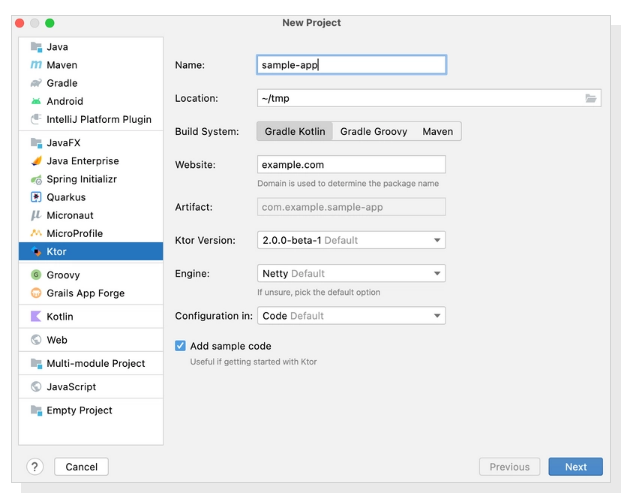
Developing asynchronous client and server applications can be a breeze, whether you're working on microservices or cross-platform HTTP client apps, all while keeping it open source, free, and enjoyable! Ktor is uniquely designed from the ground up with Kotlin and Coroutines, enabling you to harness a clear, multiplatform language along with the advantages of asynchronous programming in an easy-to-follow imperative style. With Ktor, you can select only the components you require and arrange your application according to your specific needs. Furthermore, extending Ktor with custom plugins is a straightforward process, allowing for added flexibility. Created by JetBrains, the minds behind IntelliJ IDEA, Kotlin, and other powerful tools, Ktor not only serves a wide array of customers but is also utilized internally within JetBrains itself. Plus, you’ll benefit from exceptional tooling support, making your development experience even more efficient and enjoyable! This combination of features makes Ktor an excellent choice for modern application development.
API Access
Has API
No
API Access
Has API
No


Integrations
Kotlin
Yes
Archipelo
Yes
Auggie CLI
Yes
Augment Code
Yes
Claude Opus 4
Yes
EverSQL
Yes
GPT-5.6 Sol Ultrafast
Yes
GoCodeo
Yes
Google Antigravity
Yes
Helidon
Yes
Integrations
Kotlin
Yes
Archipelo
No
Auggie CLI
No
Augment Code
No
Claude Opus 4
No
EverSQL
No
GPT-5.6 Sol Ultrafast
No
GoCodeo
No
Google Antigravity
No
Helidon
No
Pricing Details
$19.90 per user per month
• For Individual Developers yearly subscription $199
• For Businesses and Organizations yearly subscription $719 or $71.90 per user per month
• For Businesses and Organizations yearly subscription $719 or $71.90 per user per month
Free Trial
Yes
Free Version
Yes
Pricing Details
No price information available.
Free Trial
No
Free Version
No
Deployment
Web-Based
No
On-Premises
No
iPhone App
No
iPad App
No
Android App
No
Windows
Yes
Mac
Yes
Linux
Yes
Chromebook
No
Deployment
Web-Based
Yes
On-Premises
No
iPhone App
No
iPad App
No
Android App
No
Windows
No
Mac
No
Linux
No
Chromebook
No
Customer Support
Business Hours
No
Live Rep (24/7)
No
Online Support
Yes
Customer Support
Business Hours
No
Live Rep (24/7)
No
Online Support
Yes
Types of Training
Training Docs
Yes
Webinars
Yes
Live Training (Online)
No
In Person
No
Types of Training
Training Docs
Yes
Webinars
No
Live Training (Online)
No
In Person
No
Vendor Details
Company Name
JetBrains
Founded
2000
Country
Czech Republic
Website
www.jetbrains.com/idea/
Vendor Details
Company Name
JetBrains
Founded
2000
Country
Czech Republic
Website
ktor.io
Product Features
Application Development
Access Controls/Permissions
Yes
Code Assistance
Yes
Code Refactoring
Yes
Collaboration Tools
Yes
Compatibility Testing
Yes
Data Modeling
Yes
Debugging
Yes
Deployment Management
Yes
Graphical User Interface
Yes
Mobile Development
No
No-Code
Yes
Reporting/Analytics
Yes
Software Development
Yes
Source Control
Yes
Testing Management
Yes
Version Control
Yes
Web App Development
Yes
Code Editors
API
Yes
Auto-Complete
Yes
Code Folding
Yes
Column Editing
Yes
Customizable Themes
Yes
Debugging
Yes
Formatting / Table Editing
Yes
Keyboard Shortcuts
Yes
Multi-Monitor Editing
No
Syntax Highlighting
Yes
WYSIWYG
Yes
IDE
Code Completion
Yes
Compiler
Yes
Cross Platform Support
Yes
Debugger
Yes
Drag and Drop UI
Yes
Integrations and Plugins
Yes
Multi Language Support
Yes
Project Management
No
Text Editor / Code Editor
Yes
Text Editors
API
Yes
Auto-Complete
Yes
Code Folding
Yes
Column Editing
Yes
Customizable Themes
Yes
Debugging
Yes
Formatting / Table Editing
Yes
Keyboard Shortcuts
Yes
Multi-Monitor Editing
No
Syntax Highlighting
Yes
WYSIWYG
Yes
