Average Ratings 0 Ratings
Average Ratings 2 Ratings
Similar Products
-
Wave BrowserWave Browser is designed for people who want a safer, faster, and more meaningful way to explore the web. Built on strong security principles, Wave puts you in control of your privacy with customizable cookie and tracker blocking, incognito mode, and clear permission choices. AppEsteem Certification ensures Wave meets strict, independently verified standards for clean installation, transparent behavior, and responsible software practices, giving you confidence every time you browse. Wave is also built for productivity, offering tools that help you stay organized and move through information with purpose. Tab grouping, bookmarks, and a reading list keep ideas within reach, while split screen let you research, compare, or watch without switching between windows. Memory Saver mode helps your device stay fast during heavy sessions, and the built-in AI Assistant and messaging integrations bring your favorite tasks closer to a single click. Designed to be simple and user-friendly, Wave Browser removes friction from everyday browsing. The free ad blocker keeps pages clean, and built-in tools—like the converter, package tracker, price tracker, translation tool, stock tracker, and content notifier—help you get things done without extra extensions. Most importantly, Wave is a browser with real ocean impact built in. Through a certified partnership with 4ocean, Wave helps fund the removal of 100,000 pounds of trash from our ocean, rivers, and coastlines every year. A live impact tracker shows exactly how much waste the Wave community has helped remove, with verified monthly updates from cleanup crews in the U.S., Indonesia, and the Dominican Republic. With Wave Browser, your everyday browsing directly supports a cleaner planet and the people working to protect it.
-
ShiftShift puts you in control of your browser. Arrange apps, bars, and controls exactly where you want them, building a personalized workspace that works around you — not the other way around. Connect over 1,500 web apps, jump between dedicated Spaces for work, side hustles, and personal browsing, and manage multiple accounts without ever logging in and out. As a pioneer in carbon-neutral browsing, Shift is committed to rethinking what a browser can be — for the people who use it and the world they live in. Started in Victoria, British Columbia in 2016, Shift is a Certified B Corp and proud member of the Redbrick portfolio. What you can do with Shift: - Build your browser: Design a layout tailored to how you use the internet. - Create Spaces: Keep work, side hustles, and passion projects in their own lane. - Integrate Apps: Bring your favorite web apps together in one place. - Templates: Pick from 6 ready-made layouts to get started fast. - Shift AI: A built-in AI assistant that helps you get more done across every tab and app.
-
Kasm WorkspacesKasm Workspaces streams your workplace environment directly to your web browser…on any device and from any location. Kasm is revolutionizing the way businesses deliver digital workspaces. We use our open-source web native container streaming technology to create a modern devops delivery of Desktop as a Service, application streaming, and browser isolation. Kasm is more than a service. It is a platform that is highly configurable and has a robust API that can be customized to your needs at any scale. Workspaces can be deployed wherever the work is. It can be deployed on-premise (including Air-Gapped Networks), in the cloud (Public and Private), or in a hybrid.
-
HERE Enterprise BrowserEverything works right here™. The product of years of collaboration with the world’s largest financial institutions, HERE Enterprise Browser is the first and only browser that solves both enterprise security and workforce productivity. Built on Google Chromium, HERE streamlines workflow and improves employee experience.
-
Apryse PDF SDKApryse (formerly PDFTron) makes documents work harder for you. We give organizations the power to handle the full document lifecycle — from secure server-side processing to smooth web-based collaboration — without relying on third-party services. With Apryse, you can: Integrate advanced document capabilities like viewing, editing, annotation, and e-signature directly into your applications. Deploy on your own infrastructure for maximum control, privacy, and compliance. Scale effortlessly with technology built for high-volume, enterprise-grade workflows. Deliver modern web experiences that are fast, accessible, and reliable across browsers and devices. Trusted worldwide, Apryse helps enterprises, developers, and small businesses simplify workflows, cut costs, and deliver better digital document experiences.
-
GaffaGaffa is a REST API built for web scraping and browser automation, allowing developers to run real, full browsers at scale with a single API call. It removes the difficulty of managing headless browser frameworks, rotating proxies, CAPTCHA solving, and scaling infrastructure, all of which are handled automatically. JavaScript-heavy and dynamic websites render exactly as they would for a human visitor by default. Beyond standard scraping, Gaffa supports AI-driven structured data extraction (extract data into a defined schema without writing CSS selectors), screenshot and PDF capture, infinite-scroll and form-filling automation, and clean Markdown conversion for feeding webpages directly into LLM and RAG pipelines. A rotating residential proxy network keeps access reliable across regions, and a credit-based pricing model means teams pay only for the browser time and bandwidth they actually use. Gaffa is designed for AI engineers, data teams, and developers who want production-grade web data extraction without having to build and maintain their own infrastructure.
-
TRACTIANTractian is the Industrial Copilot for maintenance and reliability, combining hardware and software solutions to monitor asset performance, manage industrial operations, and implement predictive maintenance strategies. Its AI-driven platform empowers businesses to prevent unplanned equipment downtime and boost production output. The company is headquartered in Atlanta, GA, and extends its presence globally with offices in Mexico City and Sao Paulo. Learn more at tractian.com.
-
IPVanishIPVanish VPN protects personal data in the face of privacy threats. Protect your connection over hotspots or unsecured networks today. We have the solution for you, whether you need a Wi Fi hotspot shield or safe file access. IPVanish VPN and storage solutions simplify online security for the entire home. There are setups for mobile, desktop, consoles, routers, and routers. VPN privacy can protect your internet activity. You can also pair VPN + storage to provide complete online protection. To go incognito, you need more than a private internet browser. Our anonymous IP addresses will keep your internet activity secretive and help keep hackers, ISPs and advertisers away from your connection. VPN can protect your Wi-Fi connection as well as your location data. The best data defense combines security and convenience. Secure your most valuable files with remote wiping, automated syncing and encrypted backup.
-
RedlistRedlist is a reliability centered maintenance platform built for industrial teams that need more from their CMMS. Where traditional maintenance software stops at the work order, Redlist continues to the shop floor, tracking every lubrication point, inspection task, and operator action. The platform runs on web, iOS, and Android with full offline functionality, purpose-built for technicians in plants, mines, and refineries where connectivity is unreliable. Lubrication Management Redlist manages lubrication at the individual point level, assigning the correct lubricant, volume, and frequency to every grease fitting, oil drain, and sample port. Routes are executed digitally, replacing paper-based systems and eliminating the pencil-whipping that hides missed tasks. Oil analysis results from labs integrate directly so technicians see condition data alongside their route. CMMS and Asset Management Manage assets from the enterprise level down to individual components. Create work orders, build PM templates, track parts inventory, and schedule predictive maintenance. Connects to existing ERP and CMMS systems including SAP, Oracle EAM, JDE, and Maximo, bridging the gap between enterprise software and field execution. Operator Basic Care Enable frontline operators to perform guided daily inspections and basic maintenance tasks, building a digital record of institutional knowledge that would otherwise be lost when experienced technicians retire. AI Agents Nine purpose-built agents for FMEA analysis, RCM-based PM development, oil analysis interpretation, vibration diagnostics, and lubrication optimization. Serving mining, oil and gas, chemical processing, food and beverage, packaging, paper and corrugated, and manufacturing. Deployed under 100 days.
-
Time Management from ISGUSReliable and transparent time recording is vital for flexible working models, hybrid teams, and complex collective agreements or legal requirements. ZEUS® Time and Attendance from ISGUS is a smart digital solution that seamlessly integrates into your business processes, providing employees and managers with maximum transparency, flexibility, and efficiency. ZEUS® Time and Attendance enables your employees to record working hours, breaks, shifts, and home office hours legally, flexibly, and regardless of location—via terminal, web browser, or mobile app. The data is processed in real time and is immediately available for evaluation, approval, and further use. ZEUS® Time and Attendance covers all legal, collective, and company regulations, including rest periods, overtime, and core working hours.
Description
Habit Browser is an advanced web browser packed with a variety of features designed for user convenience. You can easily utilize its numerous functions while enjoying extensive customization options to tailor the browser to your preferences. Now is the perfect opportunity to craft a powerful and personalized browsing experience! A dedicated page has been established by volunteers, and contributions for translation are welcome, although the current translations are machine-generated. If you have Flash enabled, please be aware that it might cause the browser to malfunction; in such cases, disabling or uninstalling Flash is recommended. A quick menu can be accessed by tapping and holding from the center of the screen, which enhances usability. The browser utilizes network and WiFi states for efficient preloading of web pages, while GPS access is utilized for location services through the browser's API. Additionally, the status bar can be expanded to reveal more options, and the vibrate feature is activated during long-press settings. Furthermore, NFC technology is employed for functions like Android Beam, offering seamless interaction with other devices. With all these capabilities, Habit Browser stands out as a versatile tool for modern web users.
Description
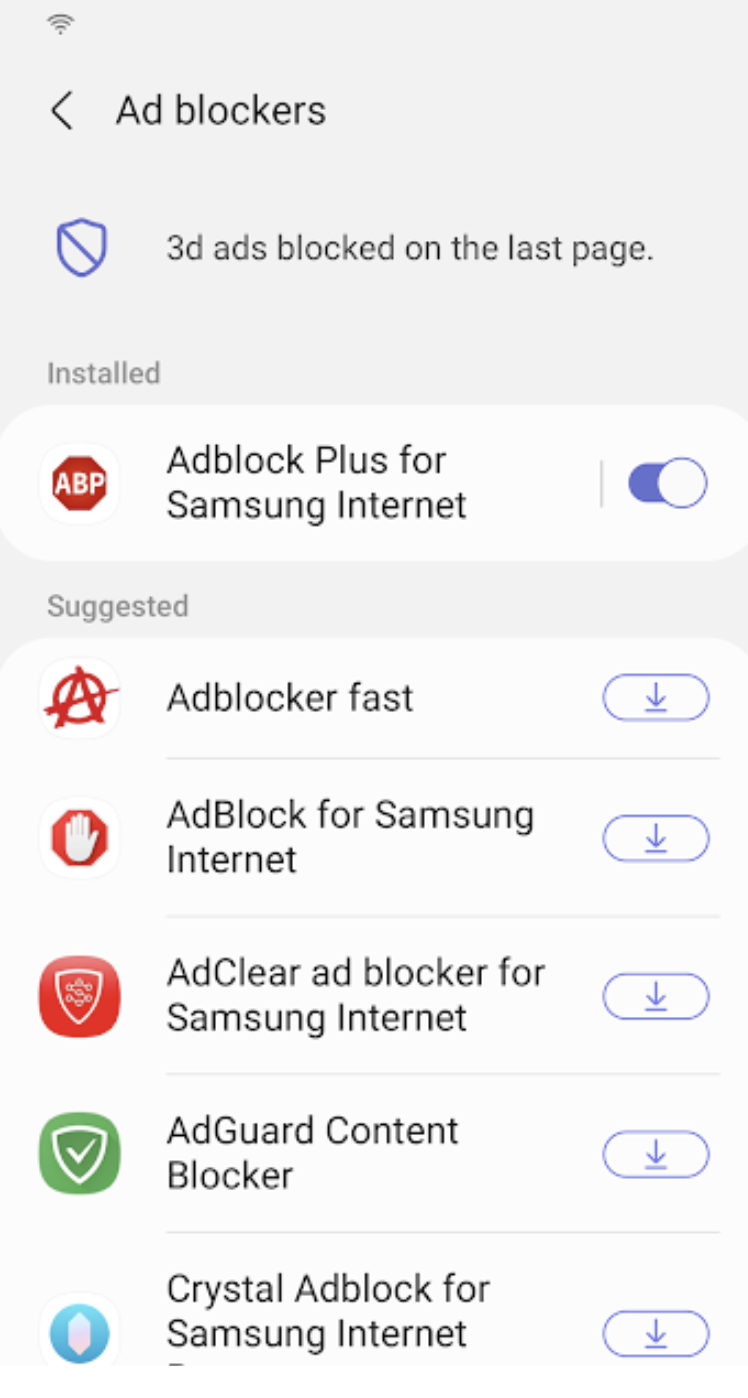
Samsung Internet for Android is an efficient and dependable web browser designed for mobile devices such as phones and tablets. It enhances your online experience with features like secret mode for privacy, biometric login for secure access, and a content blocker to minimize distractions. This browser also supports third-party applications that can offer additional filtering for unwanted content, ensuring a streamlined browsing experience. Online shopping becomes safer and more convenient with the integration of the Web Payments API, allowing for secure checkouts with just a few taps. Progressive Web Apps provide the flexibility to be installed like traditional apps or accessed directly through the browser, with a badge appearing in the URL bar when available. The Video Assistant feature allows users to easily toggle between different viewing modes for an optimized video experience, while the pop-up player enables seamless browsing without interrupting video playback. Overall, Samsung Internet for Android prioritizes user convenience and security in its design.
API Access
Has API
No
API Access
Has API
No




Integrations
8th Wall
No
AdAway
No
Adblock Fast
No
Adblock Plus
No
Block This
No
Crystal Adblock
No
Disconnect
No
Guard My Web
No
Hololink
No
Momentum IoT
No
Integrations
8th Wall
Yes
AdAway
Yes
Adblock Fast
Yes
Adblock Plus
Yes
Block This
Yes
Crystal Adblock
Yes
Disconnect
Yes
Guard My Web
Yes
Hololink
Yes
Momentum IoT
Yes
Pricing Details
$1.94 per item
Free Trial
No
Free Version
Yes
Pricing Details
No price information available.
Free Trial
No
Free Version
No
Deployment
Web-Based
No
On-Premises
No
iPhone App
No
iPad App
No
Android App
Yes
Windows
No
Mac
No
Linux
No
Chromebook
No
Deployment
Web-Based
No
On-Premises
No
iPhone App
No
iPad App
No
Android App
Yes
Windows
No
Mac
No
Linux
No
Chromebook
No
Customer Support
Business Hours
No
Live Rep (24/7)
No
Online Support
Yes
Customer Support
Business Hours
No
Live Rep (24/7)
No
Online Support
Yes
Types of Training
Training Docs
No
Webinars
No
Live Training (Online)
No
In Person
No
Types of Training
Training Docs
No
Webinars
No
Live Training (Online)
No
In Person
No
Vendor Details
Company Name
mura.k
Website
www.appbrain.com/dev/mura.k/
Vendor Details
Company Name
Samsung
Founded
1938
Country
South Korea
Website
www.samsung.com/us/support/owners/app/samsung-internet
