Average Ratings 3 Ratings
Average Ratings 0 Ratings
Similar Products
-
ManageEngine ADSelfService PlusBoth IT teams and end users are afflicted by password reset tickets. IT teams will often push more urgent issues down the queue to ensure that users don't have their work put on hold while their passwords reset. Password reset tickets can be costly if they aren't addressed promptly. Nearly 30 percent of all help desk tickets were caused by forgotten passwords. It is not surprising that large companies have spent more than $1 million to resolve password-related help desk requests. It is a good habit to change passwords regularly, as it helps prevent cyberattacks caused by stolen credentials. Security experts recommend that administrators ensure that users change their passwords regularly and have password expiration policies in place.
-
1Password1Password is a password manager that's secure, scalable, easy-to-use, and trusted by some of the most prestigious companies in the world. 1Password makes it easy to keep your employees safe online with its simple interface. Good security habits will become second nature once 1Password is a part of your employees' workflow. 1Password Advanced Protection now available with 1Password Business You can set Master Password policies, enforce two factor authentication across the entire team, limit access with firewall rules, review sign in attempts, and require that your team use the latest version 1Password. Our award-winning apps can be downloaded for Mac, iOS and Linux as well as Windows, Android, and Windows. 1Password syncs seamlessly between devices so that your employees have access to their passwords at all times. Your risk is reduced and your productivity increases when everyone uses 1Password.
-
FusionAuthFusionAuth is the authentication and authorization platform engineered for developers who demand flexibility and control. Built from the ground up to integrate with any stack, every feature — from user registration to MFA and SSO — is exposed via a modern, well-documented API. Support for every major identity protocol is included out of the box: OIDC, SAML, OAuth2, JWT, passwordless login, social sign-on, and more. Whether you’re building a greenfield app or retrofitting auth into a legacy system, FusionAuth adapts to your use case — not the other way around. Need compliance? FusionAuth helps you meet GDPR, HIPAA, and COPPA standards quickly and reliably. Deploy it your way: install on Linux, Windows, macOS, Docker, or Kubernetes — or go with FusionAuth Cloud, our managed SaaS hosting. No black boxes. No vendor lock-in. Just powerful, customizable auth that works the way you do.
-
UniqkeyUniqkey is Europe’s leading password and access manager. It simplifies employee security while empowering companies with enhanced control over their cloud infrastructure, access security, and employee management. Uniqkey combats the most significant threats to company infrastructure by safeguarding critical systems and company credentials with state-of-the-art encryption. It also offers unique insights and a comprehensive view of IT infrastructure, employee access, and security scores, making it a valuable tool for IT teams to monitor security policies and assess the impact of awareness campaigns with confidence. With powerful integrations and synergies with existing infrastructure such as Microsoft, IT managers can quickly provision or de-provision users for seamless onboarding and offboarding, all while protecting their entire IT infrastructure with advanced encryption. Engineered by leading European security experts, we leverage the latest encryption methodologies and technology, including offline encryption of all our data. Our modern tech stack and servers, hosted locally in Denmark, ensure maximum security, data integrity, and compliance with European regulations, providing our customers with peace of mind.
-
Securden Password Vault for EnterprisesSecurden Password Vault is an enterprise-grade password management solution that allows you to securely store, organize, share, manage, and keep track of all human and machine identities. With a sleek access management system, Securden lets your IT teams share administrator credentials and effectively automate the management of privileged accounts in your organization. Securden seamlessly integrates with industry solutions like SIEM, SAML-based SSO, AD, and Azure AD among others to provide a smooth deployment in any organization. With Securden, organizations can rest easy as all their sensitive data is protected with strong encryption methods and supported by a robust high availability setup. Securden offers drilled-down granular access controls that allow users to grant access to accounts without revealing the underlying credentials in a just-in-time fashion. Securden Password Vault can be deployed both on-premise for self-hosting and on the cloud (SaaS).
-
Proton PassProton Pass for Business is a privacy-first password and identity manager that helps organizations secure access at scale without sacrificing usability. Built with end-to-end encryption and a strict zero-knowledge architecture, it ensures that passwords, passkeys, secure notes, and payment details remain accessible only to authorized users within your team. Not even Proton can view your data. Teams can securely create, store, and share credentials via encrypted vaults, enabling safe and efficient collaboration. Granular admin controls allow IT managers to oversee permissions, enforce strong password policies, monitor access, and manage users throughout the employee lifecycle from onboarding to offboarding. Built-in password generation, autofill, and cross-device syncing streamline everyday workflows while maintaining high security standards. Proton Pass for Business also includes advanced features such as email alias integration to protect employee identities, dark web monitoring to detect compromised credentials, and detailed activity logs for visibility and compliance. Its open-source foundation promotes transparency and trust, and independent audits reinforce its security model. Hosted in Switzerland and protected by strong privacy laws, Proton Pass offers organizations a secure alternative to traditional password managers. With seamless browser extensions, an intuitive design, and enterprise-ready controls, it empowers teams to reduce credential-related risks, prevent unauthorized access, and improve productivity, all within a secure, encrypted environment.
-
Auth0Auth0 takes a modern approach to Identity and enables organizations to provide secure access to any application, for any user. Auth0 is highly customizable, and simple yet flexible. Safeguarding billions of login transactions each month, Auth0 delivers convenience, privacy, and security so customers can focus on innovation. With Auth0, you can rapidly integrate authentication and authorization for web, mobile, and legacy applications, with new Fine Grained Authorization (FGA) that goes beyond role-based access control.
-
Securden Unified PAMSecurden Unified PAM is a comprehensive solution designed for privileged access security, enabling users to identify, store, categorize, share, manage, and monitor all privileged accounts, passwords, keys, documents, and various identities. This tool establishes a centralized system for managing passwords, automates procedures through approval workflows, governs access permissions, tracks and logs all interactions with essential IT resources, and promotes adherence to password security protocols. The primary components of Securden Unified PAM include modules for password management, privileged account oversight, secure remote access, application governance, endpoint privilege regulation, management of privileged sessions, and SSH key administration. Additionally, the platform is aligned with numerous compliance standards such as NIS2, DORA, NIST, PCI-DSS, HIPAA, and ISO-IEC 27001, ensuring rigorous security measures. Installation is generally rapid, often completed in mere minutes, and organizations can expect to have a fully operational privileged access management system set up in under a month using Securden Unified PAM. Furthermore, this efficiency allows businesses to quickly enhance their security posture while minimizing disruptions to their ongoing operations.
-
PassworkPasswork is a corporate password manager built for organizations that take security seriously, available as a self-hosted platform or a secure cloud service. Designed and headquartered in Barcelona, Spain, Passwork meets GDPR, NIS2, ENS, and other European regulatory standards by default. The self-hosted version keeps all credentials on your own server under the full control of your system administrators. The cloud option is hosted in secure German data centers. Both deployment models rely on client-side AES-256 encryption and zero-knowledge architecture, ensuring your data is never accessible to third parties. Passwork holds ISO/IEC 27001 certification. Enterprises rely on it for secure password sharing, privileged access management, and centralized credential governance.
-
Keeper SecurityPassword security is the foundation of cybersecurity. Keeper's powerful password security platform will protect your business from cyberthreats and data breaches related to passwords. Research shows that 81% of data breaches can be attributed to weak passwords. Password security platforms are an affordable and easy way for companies to address the root cause of most data breaches. Your business can significantly reduce the risk of data breaches by implementing Keeper. Keeper creates strong passwords for all websites and apps, then secures them on all devices. Each employee receives a private vault to store and manage their passwords, credentials and files, as well as private client data. Employees will save time and frustration by not having to remember, reset, reuse, or remember passwords. Industry compliance is achieved through strict and customizable role-based access controls. This includes 2FA, usage auditing, and event reporting.
Description
Passwordless, proximity login to desktop applications, Macs, PCs, Macs, websites and Macs. Active proximity-detection allows hands-free wireless 2FA and password management. IT administrators can allow users to log into their computers and websites dynamically using a physical key. This can be done either automatically, manually, by touch, pressing Enter, or with an PIN. You can easily log in, switch users, change computers, and log out without any passwords, touch, trouble, or hassle - all you need is a key. The computer locks automatically when a user leaves, preventing access to the computer or web passwords. Continuous authentication ensures that users are constantly being checked to make sure they have access. No more typing passwords.
Administrators and compliance can now automate password protection from a central admin console. This allows them to enforce stronger passwords and 2FA and gives employees the ability to log in without having to interrupt their workflow. Helpdesk tickets for forgotten passwords/password resets will be reduced. Login and autolock with proximity
Description
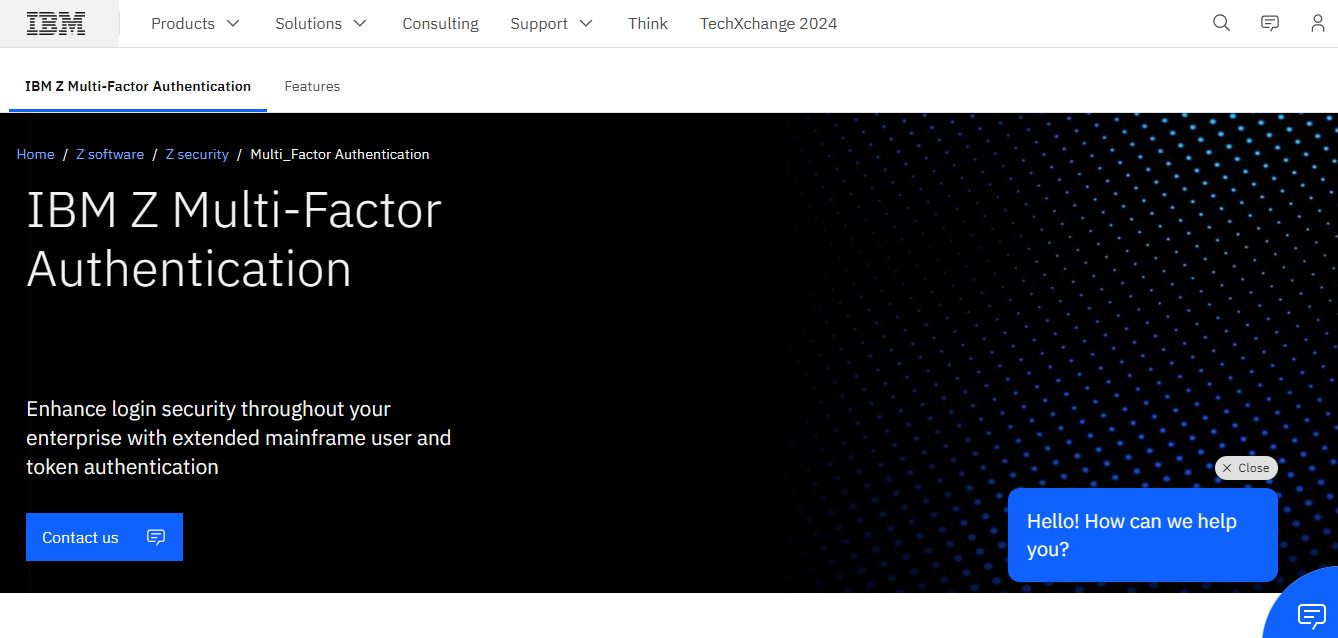
Mainframe systems serve as the backbone of reliable digital interactions for many of the globe’s largest enterprises and organizations. Despite their importance, the passwords that safeguard essential users, data, and applications are often a vulnerable point for cybercriminals to target, as their effectiveness largely depends on user awareness and adherence to security protocols. Through tactics like social engineering and phishing, hackers have successfully manipulated employees, partners, and everyday users to gain unauthorized access to even the most fortified platforms. IBM Z MFA significantly enhances the security of your critical systems by providing advanced authentication features and options for a thorough, user-focused strategy that reduces the risk of password breaches and system infiltrations. Additionally, our design team consists of IBM Z MFA users themselves, allowing us to integrate their valuable insights and experiences from real-world mainframe security challenges into every updated version we release. This continuous feedback loop ensures that our solutions remain relevant and effective in combating the evolving threats in the cybersecurity landscape.
API Access
Has API
Yes
API Access
Has API
No


Integrations
Active Directory
Yes
DigitalPersona
Yes
GateKeeper Password Manager
Yes
Hive Fabric
Yes
IBM Z
No
IBM z/OS
No
IBM z/VM
No
ReturnPro
Yes
Integrations
Active Directory
No
DigitalPersona
No
GateKeeper Password Manager
No
Hive Fabric
No
IBM Z
Yes
IBM z/OS
Yes
IBM z/VM
Yes
ReturnPro
No
Pricing Details
$3/user/month
Three subscription tiers are available depending on your needs ranging from security, auditing, to Active Directory management. Hardware (key fobs and sensors) sold separately.
Free Trial
Yes
Free Version
Yes
Pricing Details
No price information available.
Free Trial
No
Free Version
No
Deployment
Web-Based
Yes
On-Premises
No
iPhone App
Yes
iPad App
Yes
Android App
Yes
Windows
Yes
Mac
Yes
Linux
No
Chromebook
No
Deployment
Web-Based
Yes
On-Premises
No
iPhone App
No
iPad App
No
Android App
No
Windows
No
Mac
No
Linux
Yes
Chromebook
No
Customer Support
Business Hours
Yes
Live Rep (24/7)
No
Online Support
Yes
Customer Support
Business Hours
Yes
Live Rep (24/7)
Yes
Online Support
Yes
Types of Training
Training Docs
Yes
Webinars
Yes
Live Training (Online)
Yes
In Person
Yes
Types of Training
Training Docs
Yes
Webinars
Yes
Live Training (Online)
Yes
In Person
Yes
Vendor Details
Company Name
Untethered Labs, Inc.
Founded
2015
Country
United States
Website
www.gkaccess.com
Vendor Details
Company Name
IBM
Founded
1911
Country
United States
Website
www.ibm.com/products/ibm-multifactor-authentication-for-zos
Product Features
Authentication
Biometric
Yes
Credential Management
Yes
Knowledge-Based Authentication
Yes
Mobile Authentication
Yes
Multifactor Authentication
Yes
Out-of-Band Authentication
Yes
Policy Management
Yes
Self Service Portal
Yes
Single Sign On
No
Social Sign On
No
Identity Management
Access Certification
No
Compliance Management
Yes
Multifactor Authentication
Yes
Password Management
Yes
Privileged Account Management
Yes
Self-Service Access Request
No
Single Sign On
No
User Activity Monitoring
Yes
User Provisioning
Yes
Password Management
Credential Management
Yes
Multifactor Authentication
Yes
Password Generator
Yes
Password Reset
Yes
Password Synchronization
Yes
Single Sign On
No
User Management
Yes
