Average Ratings 0 Ratings
Average Ratings 0 Ratings
Similar Products
-
Foxit Document Workflow APIsFoxit delivers a robust set of cloud-native APIs that enable organizations to automate and modernize document-driven workflows at scale. Built on flexible REST architecture, these APIs allow developers to seamlessly create, convert, extract, sign, and display documents within their own applications—improving efficiency while reducing manual processes. The Foxit PDF Services API handles large-scale PDF processing, including conversion, extraction, optimization, and redaction. The Document Generation API streamlines the production of personalized PDFs and DOCX files using dynamic templates and live business data. The Foxit eSign API integrates secure, legally binding eSignature workflows with audit tracking and compliance capabilities. The PDF Embed API provides customizable in-app document viewing with support for annotations, forms, and secure user access. Combined, Foxit APIs give enterprises a secure and scalable platform for digital document automation and workflow transformation.
-
TinyPNGTinyPNG (by Tinify) is a free image optimization service built for developers and designers. It utilizes smart lossy compression to reduce the file sizes of JPEG, PNG, WebP, and AVIF files by up to 80% with no visible quality loss. That means faster load times, better SEO, and lower bandwidth. You can compress, convert, and resize images via a clean web interface or integrate it into your workflow with the API. The platform also provides an image CDN for fast global delivery of optimized assets. SDKs are available for Python, Node.js, PHP, Java, Ruby, and .NET. WordPress plugin included, plus plenty of community-driven integrations. No tuning, no noise, Tinify just works. Whether you're optimizing a handful of images or processing millions, it scales effortlessly. All plans include a generous free tier, and support is quick when you need it. George the panda 🐼 approves.
-
wp2printwp2print, an e-commerce web to print system, was created specifically for print providers to sell products online. Wp2print is able to sell digital, wide-format, and book products, as well as blueprints. wp2print comes with production management and proofing. WordPress-based wp2print has many strong advantages. 1. For accurate price calculations, use powerful pricing calculators 2. File uploader that can handle all file formats and unlimited file sizes 3. Online tool for award-winning design 4. Both public and private stores 5. 5. 6. Available for monthly rental or one-time purchase
-
MobiPDFMobiPDF (formerly PDF Extra) is an intuitive reader and editor that allows you to read, edit, create, OCR, organize, annotate, fill and sign, convert, and share any PDF. This makes MobiPDF an excellent choice for users seeking a budget-friendly alternative to Adobe Acrobat Pro. HERE’S WHAT YOU GET WITH MOBIPDF: Multiple Page View Modes: Enjoy a distraction-free "Read Mode". Advanced Editing Tools: Experience a Word-like PDF editing environment. Two-Way Conversions: Convert PDFs to and from Word, Excel, PowerPoint, or image formats. OCR Support: Make scanned documents searchable. Markup Tools: Highlight, comment, strikethrough, stamp, and more to enhance your documents. Effortless PDF Organizer: Reorder, compress, split, and combine PDFs with ease. Sign & Secure: Add signatures, create and fill forms, and protect your PDFs with passwords, encryption, and digital certificates. Offline Mode: Work freely on your projects, even offline. Seamless translation: One-click translate any PDF into 50+ languages.
-
PDFCreatorPDFCreator automates document output in Windows-based business environments, covering the whole creation pipeline from conversion to delivery. It converts print output from any application into PDF, JPG, PNG, or TIF via a virtual printer, so existing workflows don’t need to change. Businesses use PDFCreator to streamline repetitive document tasks: output is captured, formatted, named, secured, and routed according to configurable profiles. Typical use cases include automated report generation, batch processing of large document sets, and compliant document delivery in regulated industries. Key capabilities include encryption, password protection, digital signatures, watermarking, MSI-based deployment, Group Policy support, and centralized profile management. It works with Word, Excel, browsers, ERP platforms, and essentially any Windows application that can print. PDFCreator is available as a free edition for individual, non‑commercial use, alongside three paid editions tailored to business, terminal server, and broader enterprise deployments.
-
CrowdinGet quality translations for your app, website, game, supporting documentation, and on. Invite your own translation team or work with professional translation agencies within Crowdin. Features that ensure quality translations and speed up the process • Glossary – create a list of terms to get consistent translations • Translation Memory (TM) – no need to translate identical strings • Screenshots – tag source strings to get context-relevant translations • Integrations – set up integration with GitHub, Google Play, API, CLI, Android Studio, and on • QA checks – make sure that all the translations have the same meaning and functions as the source strings • In-Context – proofreading within the actual web application • Machine Translations (MT) – pre-translate via translation engine • Reports – get insights, plan and manage the project Crowdin supports more than 30 file formats for mobile, software, documents, subtitles, graphics and assets: .xml, .strings, .json, .html, .xliff, .csv, .php, .resx, .yaml, .xml, .strings and on.
-
MobiOfficeMobiOffice (formerly OfficeSuite) is an easy-to-use office suite alternative, used by over 250 million users across 195 countries. Available on Windows, Android, iOS, and macOS, MobiOffice includes MobiDocs, MobiSheets, and MobiSlides. MobiOffice helps you manage text documents, spreadsheets, and presentations with ease. It's compatible with all major file formats including Microsoft Office (DOCX, ODT, PPTX), Google (Docs, Sheets, Slides), Apple iWork, and more. Explore each component: MobiDocs: Create and modify documents with comprehensive formatting options. MobiSheets: Simplify data management and analysis to visualize insights and generate reports effortlessly. MobiSlides: Craft impressive presentations with customizable templates and multimedia capabilities. MobiOffice integrates with MobiDrive, MobiSystems’ cloud storage solution for easy document saving and synchronization. Try it free for 7 days to see how this office suite meets your needs. Optimized for all major platforms, MobiOffice’s components - MobiDocs, MobiSheets, and MobiSlides - are available as a complete suite or as standalone apps on Windows, delivering tailored and affordable solutions that suit individual needs.
-
OkylineOkyline is an Executable Data Design (EDD) platform focused on executable validation contracts and operational data quality control. Rather than managing separate specifications, validation code, tests, and monitoring dashboards, Okyline centralizes validation and quality supervision around a single readable executable contract acting as the operational reference for enterprise data flows. The same contract powers deterministic validation, advanced business invariant checks, multi-format execution, data quality gates, and historical quality analytics across APIs, events, files, LLM structured outputs, and distributed operational systems. Contracts are designed directly from annotated sample data, making validation rules immediately understandable for developers, architects, QA teams, and business analysts. The Community Edition includes the public specification, a free Java runtime engine, a Claude AI assistant for contract generation, and an online studio supporting executable JSON validation contracts and JSON Schema transpilation. The Enterprise Edition adds native validation for JSONL, XML, CSV, FIXED, and EDI flows together with operational quality dashboards and data quality gates, without requiring databases or centralized infrastructure.erprise Edition supports direct validation of JSON, JSONL, XML, CSV, FIXED, and EDI flows with operational quality dashboards and analytics, without databases.
-
PDF GuruEasily convert, edit, merge, and compress your PDF files with just a few simple clicks. You can quickly download your document without any hassle, as our PDF converter generates files in mere seconds! To ensure the safety of your digital information, we implement HTTPS encryption while you create PDF files on our site. You can redact PDFs, alter text, insert new elements, and engage in various other tasks, all from a single platform. Our user-friendly interface is designed for seamless navigation, allowing you to utilize our PDF creator with minimal effort. Compatible with every major operating system, our online PDF maker functions flawlessly on Windows, Mac OS, Linux, iOS, and Android. For those who wish to maintain privacy, you have the option to secure your file by locking or restricting access, preventing others from opening, editing, or printing it. This comprehensive tool simplifies your document management and enhances your productivity.
-
LetsignitLetsignit serves as a centralized platform for managing email signatures within organizations, regardless of their size. It allows for the creation, assignment, and oversight of signatures for every employee, ensuring uniformity across the company and minimizing the need for manual update requests, which are informed by directory data like Active Directory. Tailored for environments using Microsoft 365 and Exchange, it is compatible with prevalent email clients, promoting brand consistency and regulatory compliance while enabling Marketing and Communications teams to easily execute targeted banner campaigns. Furthermore, Letsignit is hosted on Microsoft Azure and adheres to the ISO 27001 and ISO 27018 certifications, ensuring it meets the security standards required by enterprises, all while simplifying signature management on a large scale. This comprehensive approach empowers organizations to enhance their professional image through consistent email branding.
Description
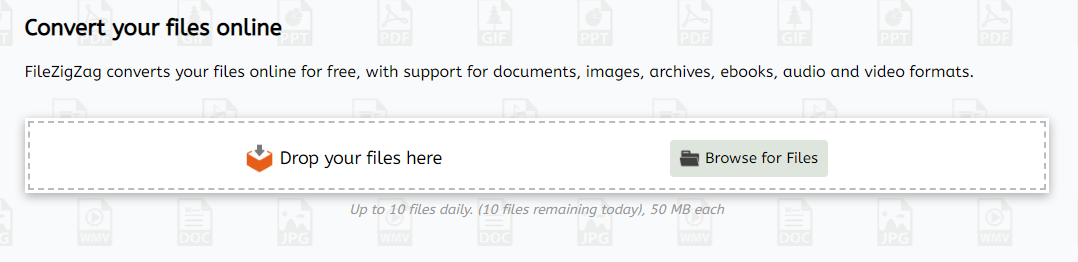
FileZigZag is a complimentary online converter that accommodates an extensive array of formats, such as audio, video, images, documents, ebooks, and archives. Utilizing an advanced conversion engine, it ensures high-quality results without requiring any software installation on your computer. Users can effortlessly convert their files online at no cost, with support for a multitude of formats across documents, images, archives, ebooks, and both audio and video categories. The platform is committed to expanding its range of supported conversion formats, welcoming user suggestions for new additions. By clicking on a source format link, you can access a specific converter for that format, or by selecting a target format link, you can initiate a source-to-target conversion process. Our servers are equipped with industry-leading CPUs, allowing you to conserve your own CPU resources while we handle the conversion tasks efficiently. With our sophisticated algorithms tailored for optimal quality, you can trust that your files will be processed with care. Ultimately, FileZigZag stands out as a user-friendly solution for all your conversion needs.
Description
TinyIMG can drastically compress your image files by up to 75% while maintaining impressive visual fidelity, making it nearly impossible for the average observer to detect any changes. If you're hesitant about reducing the size of your images too much, the tool can still optimize them by around 33% without compromising quality in any way. Additionally, TinyIMG automatically creates ALT tags and titles for your images, which can enhance your SEO strategies effectively. This optimization can lead to notably faster loading times for your website. For those pages that don’t require third-party applications, consider disabling them to further improve performance. The installation and setup of TinyIMG are incredibly straightforward, requiring no advanced technical skills, making it accessible for all users. While high-resolution images are visually appealing, they can significantly hinder the performance of your Shopify store if you have an abundance of them. By utilizing image optimization, you can not only enhance the user experience but also boost your store's overall efficiency and speed.
API Access
Has API
No
API Access
Has API
No


Pricing Details
Free
Free Trial
No
Free Version
Yes
Pricing Details
No price information available.
Free Trial
No
Free Version
No
Deployment
Web-Based
Yes
On-Premises
No
iPhone App
No
iPad App
No
Android App
No
Windows
No
Mac
No
Linux
No
Chromebook
No
Deployment
Web-Based
Yes
On-Premises
No
iPhone App
No
iPad App
No
Android App
No
Windows
No
Mac
No
Linux
No
Chromebook
No
Customer Support
Business Hours
No
Live Rep (24/7)
No
Online Support
Yes
Customer Support
Business Hours
No
Live Rep (24/7)
No
Online Support
Yes
Types of Training
Training Docs
Yes
Webinars
No
Live Training (Online)
No
In Person
No
Types of Training
Training Docs
No
Webinars
No
Live Training (Online)
No
In Person
No
Vendor Details
Company Name
FileZigZag
Founded
2015
Website
www.filezigzag.com
Vendor Details
Company Name
TinyIMG
Founded
2018
Country
United Kingdom
Website
tiny-img.com
Product Features
File Converters
Archive Converter
No
Audio Converter
No
Batch Conversions
No
Document Converter
No
Email Converter
No
Image Converter
No
Other File Type Conversions
No
PDF Converter
No
Video Converter
No
