Average Ratings 0 Ratings
Average Ratings 1 Rating
Similar Products
-
PDF GuruEasily convert, edit, merge, and compress your PDF files with just a few simple clicks. You can quickly download your document without any hassle, as our PDF converter generates files in mere seconds! To ensure the safety of your digital information, we implement HTTPS encryption while you create PDF files on our site. You can redact PDFs, alter text, insert new elements, and engage in various other tasks, all from a single platform. Our user-friendly interface is designed for seamless navigation, allowing you to utilize our PDF creator with minimal effort. Compatible with every major operating system, our online PDF maker functions flawlessly on Windows, Mac OS, Linux, iOS, and Android. For those who wish to maintain privacy, you have the option to secure your file by locking or restricting access, preventing others from opening, editing, or printing it. This comprehensive tool simplifies your document management and enhances your productivity.
-
MobiPDFMobiPDF (formerly PDF Extra) is an intuitive reader and editor that allows you to read, edit, create, OCR, organize, annotate, fill and sign, convert, and share any PDF. This makes MobiPDF an excellent choice for users seeking a budget-friendly alternative to Adobe Acrobat Pro. HERE’S WHAT YOU GET WITH MOBIPDF: Multiple Page View Modes: Enjoy a distraction-free "Read Mode". Advanced Editing Tools: Experience a Word-like PDF editing environment. Two-Way Conversions: Convert PDFs to and from Word, Excel, PowerPoint, or image formats. OCR Support: Make scanned documents searchable. Markup Tools: Highlight, comment, strikethrough, stamp, and more to enhance your documents. Effortless PDF Organizer: Reorder, compress, split, and combine PDFs with ease. Sign & Secure: Add signatures, create and fill forms, and protect your PDFs with passwords, encryption, and digital certificates. Offline Mode: Work freely on your projects, even offline. Seamless translation: One-click translate any PDF into 50+ languages.
-
PDFCreatorPDFCreator automates document output in Windows-based business environments, covering the whole creation pipeline from conversion to delivery. It converts print output from any application into PDF, JPG, PNG, or TIF via a virtual printer, so existing workflows don’t need to change. Businesses use PDFCreator to streamline repetitive document tasks: output is captured, formatted, named, secured, and routed according to configurable profiles. Typical use cases include automated report generation, batch processing of large document sets, and compliant document delivery in regulated industries. Key capabilities include encryption, password protection, digital signatures, watermarking, MSI-based deployment, Group Policy support, and centralized profile management. It works with Word, Excel, browsers, ERP platforms, and essentially any Windows application that can print. PDFCreator is available as a free edition for individual, non‑commercial use, alongside three paid editions tailored to business, terminal server, and broader enterprise deployments.
-
Nutrient SDKNutrient provides an extensive solution for all your PDF requirements, delivering tools that seamlessly operate PDF features across any platform. 1. SDK: Incorporate advanced PDF functionality into iOS, Android, Windows, web, or any cross-platform technology, supplying abilities like PDF viewing, annotation, collaboration, and beyond. 2. Libraries: Employ our powerful .NET and Java libraries to enhance your backend applications with batch processing of redactions and PDF forms, OCR'd scanned text, and PDF document editing, all directly from your application server. 3. Processor: Our agile PDF microservice, Processor, enables rapid generation of PDFs from HTML, including HTML forms, as well as Office-to-PDF conversions, OCR, redaction, and XFDF combining and exporting. 4. PDF API: Take advantage of our hosted PDF API to generate, convert, and alter PDF documents in your workflows. We handle the development and server management, freeing you up to concentrate on your business. At Nutrient, we're not just a tool; we're a committed ally in your success. Gain direct contact with our engineers for expert guidance, utilize comprehensive examples to simplify integration, and make the most of our top-tier documentation.
-
Adobe AcrobatAdobe Acrobat is an all-in-one PDF productivity and e-signature platform and one of the leading enterprise document platforms that scales for global teams — designed to simplify document creation, editing, collaboration, and protection. Users can edit text and images directly within PDFs, reorganize pages, and compare file versions to quickly identify changes. The software enables fast conversion between PDFs and common file formats such as Microsoft Word, Excel, PowerPoint, and image files. Integrated e-signature capabilities allow businesses to collect legally binding signatures and track responses securely. With Acrobat Studio, Adobe Acrobat expands beyond core PDF and e‑signature tasks into an AI‑powered workspace for document insight, content creation, and collaboration.Acrobat AI Assistant adds intelligent document support by summarizing content, generating insights, and answering contextual questions with cited references. PDF Spaces creates a collaborative workspace where teams can centralize files, comments, and AI-driven guidance. Built-in protection tools safeguard documents with encryption, permissions, and redaction features. Mobile apps such as Acrobat Reader and Adobe Scan ensure access and editing capabilities from anywhere. Designed for individuals, students, and enterprises, Adobe Acrobat helps reduce document processing time and improve overall productivity.
-
Apryse PDF SDKApryse (formerly PDFTron) makes documents work harder for you. We give organizations the power to handle the full document lifecycle — from secure server-side processing to smooth web-based collaboration — without relying on third-party services. With Apryse, you can: Integrate advanced document capabilities like viewing, editing, annotation, and e-signature directly into your applications. Deploy on your own infrastructure for maximum control, privacy, and compliance. Scale effortlessly with technology built for high-volume, enterprise-grade workflows. Deliver modern web experiences that are fast, accessible, and reliable across browsers and devices. Trusted worldwide, Apryse helps enterprises, developers, and small businesses simplify workflows, cut costs, and deliver better digital document experiences.
-
Foxit Document Workflow APIsFoxit delivers a robust set of cloud-native APIs that enable organizations to automate and modernize document-driven workflows at scale. Built on flexible REST architecture, these APIs allow developers to seamlessly create, convert, extract, sign, and display documents within their own applications—improving efficiency while reducing manual processes. The Foxit PDF Services API handles large-scale PDF processing, including conversion, extraction, optimization, and redaction. The Document Generation API streamlines the production of personalized PDFs and DOCX files using dynamic templates and live business data. The Foxit eSign API integrates secure, legally binding eSignature workflows with audit tracking and compliance capabilities. The PDF Embed API provides customizable in-app document viewing with support for annotations, forms, and secure user access. Combined, Foxit APIs give enterprises a secure and scalable platform for digital document automation and workflow transformation.
-
PackageX OCR ScanningPackageX OCR API turns any smartphone into an incredibly powerful universal label scanner. It can read every bit of text, including barcodes, QR codes and other information on the label. Our OCR technology is the best in the industry. It uses proprietary algorithms and deep learning models to extract information from labels. Our OCR API has been trained using information from more than 10 million labels. This allows for the highest scanning accuracy in the market, at over 95%. Our technology can scan in low-light conditions and read labels from any angle. Create your own OCR scanner app to eliminate pen-and-paper inefficiencies. Our OCR scanner allows you to extract information from printed text or handwritten labels. Our OCR software is trained using multilingual label data extracted in over 40 countries. Detect and extract information from barcodes or QR codes.
-
TinyPNGTinyPNG (by Tinify) is a free image optimization service built for developers and designers. It utilizes smart lossy compression to reduce the file sizes of JPEG, PNG, WebP, and AVIF files by up to 80% with no visible quality loss. That means faster load times, better SEO, and lower bandwidth. You can compress, convert, and resize images via a clean web interface or integrate it into your workflow with the API. The platform also provides an image CDN for fast global delivery of optimized assets. SDKs are available for Python, Node.js, PHP, Java, Ruby, and .NET. WordPress plugin included, plus plenty of community-driven integrations. No tuning, no noise, Tinify just works. Whether you're optimizing a handful of images or processing millions, it scales effortlessly. All plans include a generous free tier, and support is quick when you need it. George the panda 🐼 approves.
-
6Storage6Storage is a cloud-based self-storage management solution that streamlines operations for facility owners and operators. The platform automates rentals, invoicing, online payments, tenant communication, and gate access control, while offering detailed reporting and analytics. With customizable automation tools and multi-location support, 6Storage reduces manual workload and operational costs. Designed to be scalable and intuitive, it helps operators deliver a seamless tenant experience, improve efficiency, and grow revenue—all from one central dashboard.
Description
Transform your PDF files effortlessly with our user-friendly online converter that allows seamless transitions between PDF and various Microsoft Office formats, as well as images. PDFs are universally recognized for their ease of creation and accessibility, and our tool makes it simpler than ever to generate a PDF document without the need for installation. Whether you're converting Word, Excel, PPT, or even JPG images, our intuitive workflow ensures you maintain full control over the conversion process. No specialized technical expertise is necessary, and in just three simple steps, your files will be ready. Your privacy is our priority; only you will have access to your documents, and we guarantee the security of your data with robust 256-bit SSL encryption technology. With no concerns about potential data breaches, you can use this tool freely. Plus, it is a web-based service that allows users on Windows, Mac, Linux, smartphones, or tablets to easily access its features, making it compatible with any device you prefer. Enjoy the convenience and peace of mind that comes with a service designed for everyone.
Description
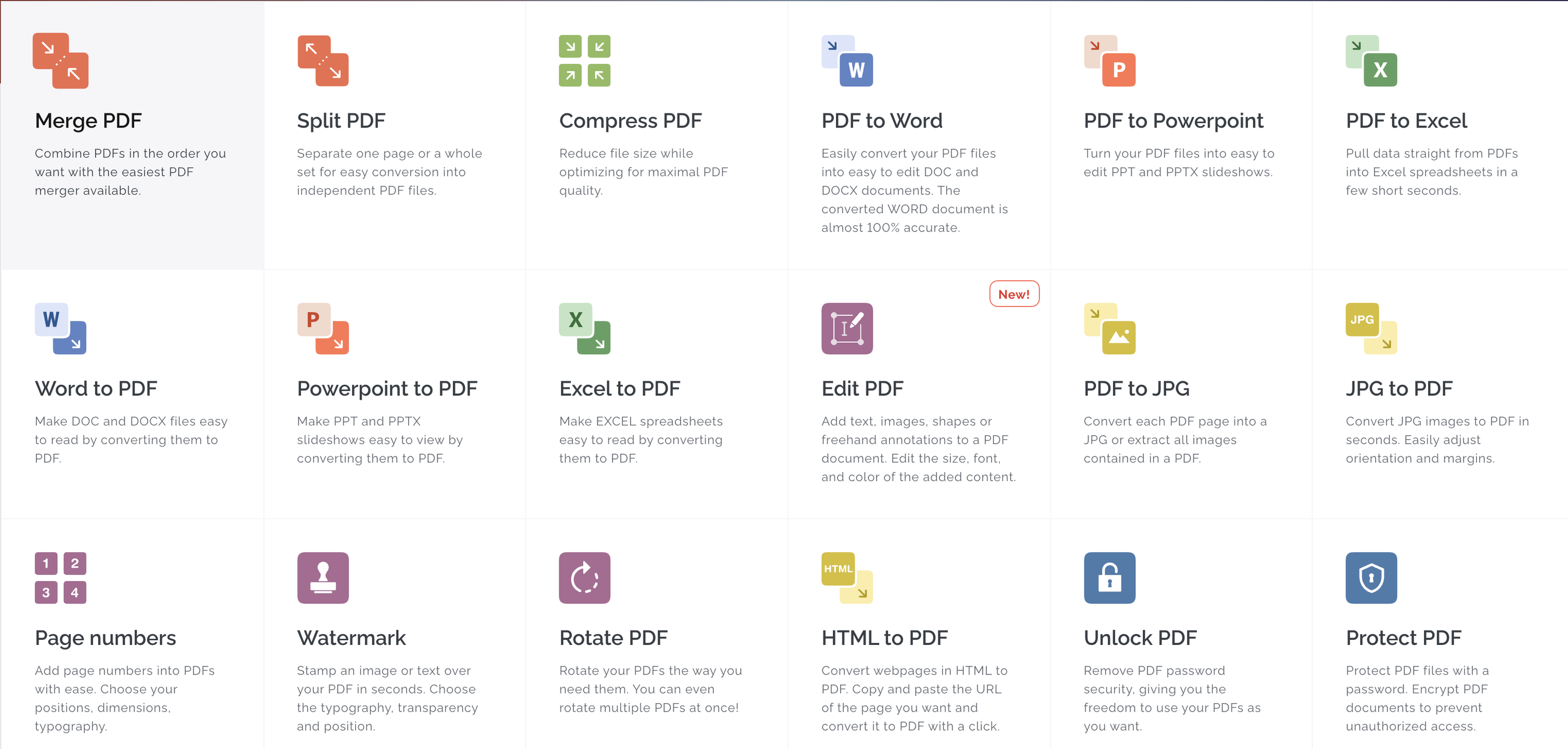
All the tools you need to work with PDFs are in one place. All the tools you need to work with PDFs are at your fingertips. All of them are 100% free and easy to use. With just a few clicks, you can merge, split, compress and convert, rotate, unlock, watermark, and convert PDFs. The easiest PDF merger allows you to combine PDFs in any order you like. You can easily separate pages or entire sets of pages to convert them into PDF files. Optimize for maximum PDF quality while reducing file size. With incredible accuracy, convert PDFs to WORD documents. Convert PDFs to POWERPOINT Sign and certificate PDF documents. Request digital signatures or sign your documents.
API Access
Has API
No
API Access
Has API
Yes

Integrations
Anything
No
Conext
No
Desktop.com
No
Dropbox
No
Google Chrome
No
Google Drive
No
Microsoft Excel
No
Microsoft PowerPoint
No
Microsoft Word
No
Stackreaction
No
Integrations
Anything
Yes
Conext
Yes
Desktop.com
Yes
Dropbox
Yes
Google Chrome
Yes
Google Drive
Yes
Microsoft Excel
Yes
Microsoft PowerPoint
Yes
Microsoft Word
Yes
Stackreaction
Yes
Pricing Details
Free
Free Trial
No
Free Version
Yes
Pricing Details
$7 per month
Or $60 per year
Free Trial
Yes
Free Version
Yes
Deployment
Web-Based
Yes
On-Premises
No
iPhone App
No
iPad App
No
Android App
No
Windows
No
Mac
No
Linux
No
Chromebook
No
Deployment
Web-Based
Yes
On-Premises
No
iPhone App
Yes
iPad App
Yes
Android App
Yes
Windows
Yes
Mac
Yes
Linux
No
Chromebook
No
Customer Support
Business Hours
No
Live Rep (24/7)
No
Online Support
Yes
Customer Support
Business Hours
Yes
Live Rep (24/7)
Yes
Online Support
Yes
Types of Training
Training Docs
Yes
Webinars
No
Live Training (Online)
No
In Person
No
Types of Training
Training Docs
Yes
Webinars
No
Live Training (Online)
Yes
In Person
No
Vendor Details
Company Name
EaseUS
Country
China
Website
pdf.easeus.com/pdf-online/index.html
Vendor Details
Company Name
iLovePDF
Founded
2010
Country
Spain
Website
www.ilovepdf.com
Product Features
Product Features
Digital Signature
Audit Trail
Yes
Authentication
Yes
Auto Reminders
Yes
Customizable Templates
Yes
Document Analytics
No
Mobile Signature
Yes
Multi-Party Signing
Yes
Progress Tracking
Yes
Task Progress Tracking
Yes
Annotations
Yes
Convert to PDF
Yes
Digital Signature
Yes
Encryption
Yes
Merge / Append
Yes
PDF Reader
Yes
Watermarking
Yes
PDF Editors
Access Controls / Permissions
No
Annotations
No
Commenting / Notes
No
Compare Side-by-Side
No
Customizable Branding
No
Delete Pages
No
Electronic Signature
No
Forms Management
No
Full Text Search
No
Merge / Append
No
Offline Access
Yes
Optical Character Recognition (OCR)
No
Rearrange Pages
No
Rotate Pages
No
Watermarking
No
