Average Ratings 0 Ratings
Average Ratings 0 Ratings
Similar Products
-
Total ETOTotal ETO is a Totally Better ERP / MRP for Custom Machine Builders, providing better efficiency, accuracy, and profitability. Our system was designed by engineers to match the unique workflow of Engineer To Order manufacturers, including Integrators, Panel Shops & OEMs. Our solution will: -Increase efficiency in engineering by integrating with your CAD. -Allow designers to cost out the BOM before purchases are made. -Track changes to the BOM at any stage of the project and ensure the information is shared across departments. -Save time & money in procurement with your newly Dynamic BOMs. -Capture change order information, including labor, material, and sales price changes so they aren't omitted or forgotten. -Improve accuracy through out your organization, including sales estimates. -Route parts between various tasks, tracking both internal and external processes. -Help ensure parts are inspected and know who completed the inspection. You'll be able to record and follow up on quality issues on the shop floor, from engineering, or for purchased parts with embedded Non-Conformance Reports.
-
CrowdinGet quality translations for your app, website, game, supporting documentation, and on. Invite your own translation team or work with professional translation agencies within Crowdin. Features that ensure quality translations and speed up the process • Glossary – create a list of terms to get consistent translations • Translation Memory (TM) – no need to translate identical strings • Screenshots – tag source strings to get context-relevant translations • Integrations – set up integration with GitHub, Google Play, API, CLI, Android Studio, and on • QA checks – make sure that all the translations have the same meaning and functions as the source strings • In-Context – proofreading within the actual web application • Machine Translations (MT) – pre-translate via translation engine • Reports – get insights, plan and manage the project Crowdin supports more than 30 file formats for mobile, software, documents, subtitles, graphics and assets: .xml, .strings, .json, .html, .xliff, .csv, .php, .resx, .yaml, .xml, .strings and on.
-
MobiPDFMobiPDF (formerly PDF Extra) is an intuitive reader and editor that allows you to read, edit, create, OCR, organize, annotate, fill and sign, convert, and share any PDF. This makes MobiPDF an excellent choice for users seeking a budget-friendly alternative to Adobe Acrobat Pro. HERE’S WHAT YOU GET WITH MOBIPDF: Multiple Page View Modes: Enjoy a distraction-free "Read Mode". Advanced Editing Tools: Experience a Word-like PDF editing environment. Two-Way Conversions: Convert PDFs to and from Word, Excel, PowerPoint, or image formats. OCR Support: Make scanned documents searchable. Markup Tools: Highlight, comment, strikethrough, stamp, and more to enhance your documents. Effortless PDF Organizer: Reorder, compress, split, and combine PDFs with ease. Sign & Secure: Add signatures, create and fill forms, and protect your PDFs with passwords, encryption, and digital certificates. Offline Mode: Work freely on your projects, even offline. Seamless translation: One-click translate any PDF into 50+ languages.
-
ActCAD SoftwareACTCAD is suitable for professional drawings creation for Architects, Structural Engineers, Civil Engineres, Mechanical Drawings, Electrical drawings, interior design, tool design, machine designs etc.ActCAD is professional grade 2D Drafting and 3D Modeling CAD software which works in dwg and dxf file formats. Most affordable cad software.ActCAD is a native dwg/dxf cad software suitable for professional 2D drafting and 3D modeling projects. ActCAD is trusted by over 30000 users in over 103 countries for more than 10 years. The interface, commands, icons, dialogs, shortcuts etc. are very much similar to other popular cad software tools available in market. Flexible license types available even for single license. There is no learning for existing cad users while saving 80% of the costs.ActCAD offers free email technical support without any limitations. ActCAD can be fully customized and programs can be developed using our free API toolkit. It supports popular programming languages like , lisp dcl, .net, C++ etc. Apart from all regular commands, ActCAD offers many productive tools like pdf to cad converter, Block libraries, Image to Cad converter, handling point sets between Cad and Excel and many more.
-
PaligoPaligo supports teams working with complex technical documentation that needs to grow, adapt, and stay consistent over time. Built specifically for structured content at scale, Paligo enables organizations to treat documentation as a long-term business asset—powered by reuse, automation, and strong content governance. Paligo’s cloud-based CCMS is designed around modular content. Teams can write once, reuse components across multiple outputs, and keep documentation aligned across products, formats, and languages. This reduces manual effort, speeds up updates, and cuts translation overhead, allowing teams to publish faster while minimizing errors. The platform pairs advanced structured authoring capabilities with a modern, approachable interface. This makes Paligo effective for experienced documentation specialists while remaining accessible to contributors across the organization. From creation and collaboration to translation and multichannel delivery, Paligo brings the entire documentation workflow into one controlled environment. Paligo’s purpose is to help organizations move past static, fragmented documentation practices and build content operations that support continuous growth. With Paligo, teams stay in control of complexity and deliver documentation that evolves alongside their business.
-
LetsignitLetsignit serves as a centralized platform for managing email signatures within organizations, regardless of their size. It allows for the creation, assignment, and oversight of signatures for every employee, ensuring uniformity across the company and minimizing the need for manual update requests, which are informed by directory data like Active Directory. Tailored for environments using Microsoft 365 and Exchange, it is compatible with prevalent email clients, promoting brand consistency and regulatory compliance while enabling Marketing and Communications teams to easily execute targeted banner campaigns. Furthermore, Letsignit is hosted on Microsoft Azure and adheres to the ISO 27001 and ISO 27018 certifications, ensuring it meets the security standards required by enterprises, all while simplifying signature management on a large scale. This comprehensive approach empowers organizations to enhance their professional image through consistent email branding.
-
P3SourceP3Source is a cost-effective, and user-friendly print procurement and resale platform, meticulously designed for corporate, educational, and non-profit print buyers. P3Source also offers features for brokers, print management firms, inplants and print manufacturers to manage and resell work. Crafted by industry-savvy print enthusiasts, P3Source operates as an efficient print procurement management system, revitalizing the conventional 'Bid and Buy' RFQ process commonly used in the Printing and Marketing Services Industry. As a project management hub, P3Source capably handles dozens of simultaneous projects, bringing together all the details, files, approvals, notes, and historical data in one easy-to-search place. It archives completed projects for future access and detailed reporting. P3source's web portals tie together the supply chain. Customers can submit requests, approve projects and upload production files. Suppliers can effortlessly submit quotes, accept orders, post shipment data, and even present their invoices. This streamlined approach ensures quick, hassle-free transactions for all parties. Celebrate the future of print management with P3Source - easy, efficient, and made with you in mind.
-
GoAnywhere MFTGoAnywhere MFT offers secure file transfer for businesses. GoAnywhere MFT software can be deployed on-premise, in cloud or hybrid environments. It allows organizations to securely exchange data between employees, customers, trading partners, and systems. GoAnywhere MFT won the Cybersecurity Excellence Award in Secure File Transfer.
-
CloudFilerCloudFiler provides filing and searching in both New and Classic Outlook on all phones & tablets, all popular browsers, Macs and ARM based devices. Created Microsoft's new web Add-in technology by the architect of the Oasys email management system previously owned by Arup Group Ltd and the Excitech Mail system owned by Symetri and latterly Pentagon. File to: the cloud, Windows folders, SharePoint, OneDrive, Egnyte, Autodesk Forma, Bentley ProjectWise, etc. Favoured by the biggest businesses globally.
-
LM-Kit.NETLM-Kit.NET is an enterprise-grade toolkit designed for seamlessly integrating generative AI into your .NET applications, fully supporting Windows, Linux, and macOS. Empower your C# and VB.NET projects with a flexible platform that simplifies the creation and orchestration of dynamic AI agents. Leverage efficient Small Language Models for on‑device inference, reducing computational load, minimizing latency, and enhancing security by processing data locally. Experience the power of Retrieval‑Augmented Generation (RAG) to boost accuracy and relevance, while advanced AI agents simplify complex workflows and accelerate development. Native SDKs ensure smooth integration and high performance across diverse platforms. With robust support for custom AI agent development and multi‑agent orchestration, LM‑Kit.NET streamlines prototyping, deployment, and scalability—enabling you to build smarter, faster, and more secure solutions trusted by professionals worldwide.
Description
Engage in various CAD projects while facilitating data interchange by setting up a connection that converts data between compatible formats. This utility allows users to open and inspect files from a wide range of CAD systems, enabling the selection of entire files or specific components for translation. The complimentary version of Delcam Exchange supports reading multiple widely-used CAD file formats, including ACIS, IGES, Parasolid, STEP, VDA, and various AutoCAD formats (dwg, dxf), along with CATIA V3, V4, V5, Cimatron, Elite, IDEAS, Inventor, Pro/Engineer, Rhino, SolidEdge, SolidWorks, SpaceClaims, TopSolid, and Unigraphics NX. Delcam Exchange serves as a robust solution for CAD translation, functioning as a standalone program that efficiently converts many popular CAD input formats into several output formats. The process of downloading Exchange, as well as opening and examining files from all compatible systems, is entirely free and carries no obligations, ensuring that your CAD data remains confidential, as there is no requirement to upload any files to the internet. This guarantees a secure user experience while maximizing accessibility across different CAD platforms.
Description
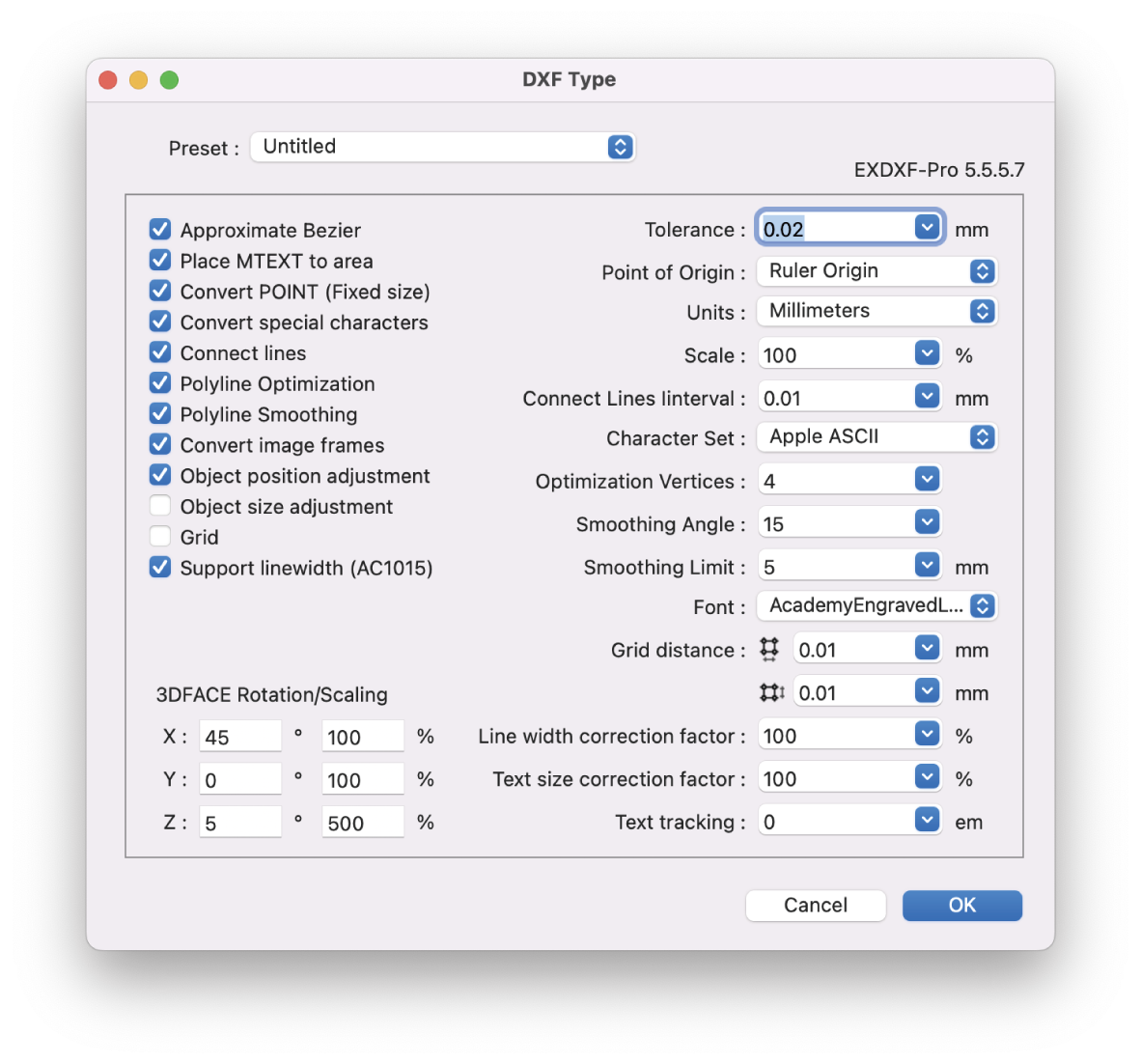
EXDXF-Pro is an ideal DXF convert plug-in that solves data compatibility problems between CAD software and Adobe Illustrator (AI). Specific functions include an "Export function" that outputs DXF data from AI and an "Import function" that opens DXF files in AI.
Recently, CAD software is offered by many manufacturers, and the software is developed to be compatible with other CAD software. In particular, the file format uses the "dxf" extension to ensure compatibility in the exchange of data between CAD software and to facilitate the exchange of data between designers. CAD software and AI also use this "DXF" for data compatibility. However, compatibility problems are not infrequent.
EXDXF-Pro's "Export Function" can output data in R12 format (AC1009) as "DXF" in R12 format, which is a highly popular format that is compatible with many CAD and software. The "Import Function" can also be used to output "DXF" files in R12 format. In addition, the "read function" provides a more comfortable design editing experience with point and line connections and beautiful line rendering using our unique smoothing technology. EXDXF-Pro's read/write function eliminates data compatibility problems between CAD software and Adobe Illustrator.
API Access
Has API
No
API Access
Has API
No


Integrations
Adobe Illustrator
No
CATIA
Yes
Cimatron
Yes
Elite MLM
Yes
Inventor
Yes
TopSolid
Yes
Integrations
Adobe Illustrator
Yes
CATIA
No
Cimatron
No
Elite MLM
No
Inventor
No
TopSolid
No
Pricing Details
No price information available.
Free Trial
No
Free Version
Yes
Pricing Details
$99 USD per year
Free Trial
Yes
Free Version
No
Deployment
Web-Based
Yes
On-Premises
No
iPhone App
No
iPad App
No
Android App
No
Windows
No
Mac
No
Linux
No
Chromebook
No
Deployment
Web-Based
No
On-Premises
No
iPhone App
No
iPad App
No
Android App
No
Windows
Yes
Mac
Yes
Linux
No
Chromebook
No
Customer Support
Business Hours
No
Live Rep (24/7)
No
Online Support
Yes
Customer Support
Business Hours
Yes
Live Rep (24/7)
No
Online Support
No
Types of Training
Training Docs
Yes
Webinars
No
Live Training (Online)
No
In Person
Yes
Types of Training
Training Docs
No
Webinars
No
Live Training (Online)
No
In Person
No
Vendor Details
Company Name
FreeCAD
Country
Slovakia
Website
www.freecad.sk/en/cad-viewer/item/177-delcam-exchange
Vendor Details
Company Name
Baby Universe Inc.
Founded
1992
Country
Japan
Website
baby-universe.net/plug-ins/cad/exdxf-pro/
Product Features
CAD Viewers
Annotate
No
Batch Conversion
No
Collaboration Tools
No
Editing
No
Track Changes
No
View .DWF Files
No
View .DWG Files
No
View .IGES Files
No
View .STEP Files
No
View .STL Files
No
View 2D Files
No
View 3D Files
No
Product Features
CAD
2 1/2-Axis Milling
No
2D Drawing
Yes
3-Axis Milling
No
3D Modeling
No
4-Axis Milling
No
5-Axis Milling
No
Civil
No
Collaboration
No
Database Connectivity
No
Design Analysis
No
Design Export
No
Document Management
No
Electrical
No
Hole Making
No
Mechanical
No
Mechatronics
No
Presentation Tools
No
Simulate Cycles
No
Spiral Output
No
Structural Engineering
No
Toolpath Simulation
No
User Defined Cycles
No
