Average Ratings 0 Ratings
Average Ratings 0 Ratings
Similar Products
-
UptimeRobotThe ultimate uptime monitoring service. Get 50 monitors with 5-minute checks completely free. Set up in seconds and stay informed about your website’s health at all times. Website monitoring: Get instant alerts when your website goes down. Reliable and accurate monitoring helps you fix issues before they affect users and prevent revenue loss. SSL certificate monitoring: Avoid losing visitors due to expired SSL certificates. Get notified 30 days before expiration so you can renew in time. Ping and port monitoring: Check if your server is online or if your email service is running on port 465. Monitor any port you need with real-time alerts. Cron job monitoring: Track scheduled tasks with heartbeat monitoring. We verify if the request arrives on time, making sure server-side jobs and internet-connected devices are running properly. Status pages: Create up to 100 branded status pages, protect them with a password, and allow subscribers to receive updates. Stay informed with email, SMS, voice calls, push notifications, or integrations with Slack, Zapier, PagerDuty, Telegram, Discord, Microsoft Teams, Google Chat, and more. Maintenance windows: Pause monitoring when you schedule downtime to avoid unnecessary alerts
-
Rise VisionRise Vision is the all-in-one platform for digital signage, screen sharing, and emergency alerts designed to help organizations communicate, teach, collaborate, and improve safety. The cloud-based system integrates digital signage, interactive digital signage, screen sharing, and emergency alerts, making it an ideal choice for organizations looking to streamline their visual communication efforts. With its easy-to-use software and world-class support, Rise Vision caters to a diverse range of industries and applications. Key features of Rise Vision include over 750 professionally designed templates that allow users to quickly create visually appealing content without the need for extensive design skills. Users can also use the AI presentation design and editing tool that's the fastest way to turn an idea in your head into engaging digital signage. The platform supports a wide range of hardware, enabling users to either utilize recommended hardware or integrate their existing technology. This flexibility ensures that organizations can implement Rise Vision in a way that best suits their needs and budget. Additionally, the seamless screen sharing capability enhances collaboration among team members, allowing for real-time sharing of presentations and information. Another significant aspect of Rise Vision is its powerful emergency alert system, which provides users with the ability to broadcast critical information during emergencies. This feature is essential for ensuring safety in environments such as schools and workplaces, where timely communication can make a significant difference. With world-class support available, users can feel confident in their ability to resolve any issues and maximize the platform's potential.
-
CrankWheelCrankWheel allows you to share your screen while on a call. This makes it easy to create engaging presentations. You can send a link via email or SMS to the viewer and they will be able to view it in any browser on any device. CrankWheel was designed for simplicity and can be shared with customers to facilitate business deals. CrankWheel can be used to complement calls from insurance agents, mortgage advisors and solar advisors as well as educators and customer support specialists. CrankWheel is easy to integrate with websites and allows users to add a Demo button to receive quick notifications. We can show you if they are paying attention. Our Chrome Extension has enabled over 50,000 users to share their screens with prospects, regardless of their technical skills or device choice. CrankWheel can be used on old browsers and obscure devices, even with poor network connections. It works on Mac, Android, iOS, Blackberries, Internet Explorer, and Android.
-
Grafana CloudGrafana Labs delivers the leading AI-powered observability platform, built around Grafana—the most widely adopted open source technology for dashboards and visualization. Recognized as a Leader in the 2025 Gartner® Magic Quadrant™ for Observability Platforms, Grafana Labs supports more than 25 million users and thousands of organizations worldwide, from startups to Fortune 500 enterprises. Grafana Cloud is the open observability cloud, designed to help engineering teams observe everything and solve anything. Built on open source, open standards, and open ecosystems, it unifies metrics, logs, traces, and profiles in a single platform for full-stack visibility across applications, infrastructure, and digital experiences. At the core is the open-source LGTM stack: Grafana for dashboards and visualization, Mimir for metrics, Loki for logs, and Tempo for distributed tracing. Native OpenTelemetry and Prometheus support allow teams to ingest telemetry from virtually any environment, while hundreds of integrations connect existing tools and data sources without costly rip-and-replace migrations. Grafana Cloud combines powerful analytics with AI-driven observability. Grafana Assistant helps engineers investigate issues, explore telemetry, and troubleshoot faster. Adaptive Telemetry identifies the data that matters most and aggregates the rest, helping organizations reduce telemetry costs while preserving valuable insights . With solutions for Kubernetes monitoring, application observability, digital experience monitoring, incident response, synthetic monitoring, and performance testing, Grafana Cloud delivers a complete observability platform that scales with your business.
-
ISL Light Remote DesktopISL Light is a remote desktop software that is easy to use for security-conscious users. It offers great value-performance. ISL Light is a powerful tool for IT staff and support personnel to solve problems remotely via remote support, unattended access, or screen-sharing from mobile devices. It is cross-platform and provides 256-bit encrypted sessions, all the standard remote access features, as well as session recording, chat, videocall and multi-monitor support, file transfers, reporting, and many other important extras. Users can choose between cloud and on-premise services. ISL Online license doesn't limit the number or workstations of clients, users, and users you can support. It is a reliable, highly secure software that can be used in all industries, including banks, hospitals, government institutions, and insurances.
-
NeuBirdNeuBird is the Agentic Operations Center: one secure link to your telemetry and LLMs that resolves incidents, remembers every investigation, and shares one governed truth across your teams and agents.
-
ScreencaptScreencapt allows you to record the entire screen or a selected area. You can also record a specific window. Screencapt is the ideal screen recorder because of its flexibility. Using the integrated audio recording you can also add your commentary or system sound directly into the screen recording. This is particularly useful when creating explanation videos or presentations. Screencapt's ability to record a webcam is a special feature. You can now add your comments and reactions to the video. This makes your screen recordings more personal and professional. Screencapt offers advanced options to record the cursor. You can choose to hide the cursor or add special effects to highlight specific actions. This is especially useful for software tutorials and demonstrations where a clear cursor view is required.
-
DaylightDaylight combines cutting-edge agentic AI with top-tier human skills to offer an advanced managed detection and response service that transcends mere notifications, striving to “take command” of your cybersecurity landscape. It ensures comprehensive monitoring of your entire environment, leaving no gaps, while providing context-sensitive protection that adapts and evolves based on your systems and historical incidents, including communications through platforms like Slack. This service boasts an exceptionally low rate of false positives, the quickest detection and response times in the industry, and seamless integration with your existing IT and security tools, accommodating limitless platforms and integrations while delivering actionable insights through AI-enhanced dashboards without unnecessary noise. With Daylight, you receive true comprehensive threat detection and response without the need for escalations, round-the-clock expert assistance, tailored response workflows, extensive visibility across your environment, and quantifiable enhancements in analyst efficiency and response time, all designed to transition your security operations from a reactive stance to a proactive command approach. This holistic approach not only empowers your team but also fortifies your defenses against evolving threats in the digital landscape.
-
pCloud BusinesspCloud Business is a cloud storage and file synchronization platform designed for teams that need controlled access, cross-platform compatibility, and predictable storage allocation. It provides centralized file management with granular permissions and optional client-side encryption. Founded in 2013 in Switzerland, pCloud operates under EU-aligned privacy standards and offers data residency in Luxembourg (EU) and Dallas, Texas (US). The platform supports over 23 million users globally. Core Functionality : - Per-User Storage Allocation : 1 TB or 2 TB per user, suitable for small to mid-sized teams and distributed environments. - Virtual File System (pCloud Drive) : Mounts as a local drive on Windows, macOS, and Linux. Files are streamed on demand, reducing local disk usage. - File Sync & Sharing : Folder-level sync, link-based sharing, and permission control (view/edit/manage). Supports password-protected and time-limited links. - Admin & Access Control : Centralized user management, role assignment, and storage distribution via admin console. - Versioning & File History : File versioning with up to 180 days retention, enabling rollback and recovery. - Cross-Platform Support : Native clients for Windows, macOS, Linux, iOS, Android, plus web interface. - Client-Side Encryption (Optional) : Zero-knowledge encryption via pCloud Encryption for sensitive data; encryption keys are not stored server-side. Technical Positioning: - Swiss jurisdiction; GDPR-aligned processing - No file size limits - Works without mandatory ecosystem lock-in (no bundled office suite required) - Compatible with heterogeneous environments (Linux included) Trial : 30-day free trial available for up to 10 users.
-
JetBrains JunieJetBrains Junie is an innovative AI coding assistant that works inside many JetBrains IDEs to streamline programming efforts and boost efficiency. This agent leverages advanced AI to help developers write, test, and inspect code without leaving their familiar development environment. Junie offers both code execution and interactive collaboration, allowing programmers to switch between automated code writing and brainstorming sessions for features and improvements. By deeply understanding the codebase, Junie identifies the best ways to tackle tasks and ensures all changes meet quality standards through syntax and semantic checks. It also runs tests to minimize errors and keep the project healthy, freeing developers from routine tasks. Many developers have successfully built complex applications and games using Junie, highlighting its flexibility across different languages and frameworks. The AI adapts to each task’s complexity and workflow, making coding less tedious and more focused on creativity. Whether you are building a simple web app or a complex game, Junie offers smart support throughout the development cycle.
Description
CoScreen enables multiple team members to share and edit application windows simultaneously on a joint desktop.
Key features:
- Crystal-clear audio and video chat
- Multi-user screen sharing of any desktop or browser app with one click
- Multi-user editing of shared windows using mouse and keyboard, 2-3x lower latency than Zoom, Slack, and Microsoft Teams
- See who from your team is online and call them with one click
- Integrate CoScreen with your favorite apps like Slack, VS Code, IntelliJ, and other JetBrains IDEs
- Enterprise-grade compliance and securely encrypted connections
At CoScreen, our mission is to help teams and organizations work together more seamlessly and effectively than ever before. We empower teams like yours to become more productive without getting burned out or video chat-fatigued - no matter if you work fully remotely, co-located, or hybrid.
Top use cases: Team standups, 1:1s, sprint demos, pair programming, coding interviews, employee onboarding, incident management, incident response, and many more...
Description
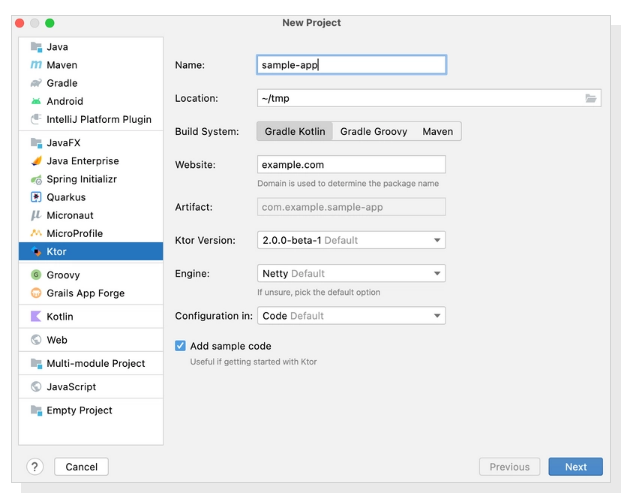
Developing asynchronous client and server applications can be a breeze, whether you're working on microservices or cross-platform HTTP client apps, all while keeping it open source, free, and enjoyable! Ktor is uniquely designed from the ground up with Kotlin and Coroutines, enabling you to harness a clear, multiplatform language along with the advantages of asynchronous programming in an easy-to-follow imperative style. With Ktor, you can select only the components you require and arrange your application according to your specific needs. Furthermore, extending Ktor with custom plugins is a straightforward process, allowing for added flexibility. Created by JetBrains, the minds behind IntelliJ IDEA, Kotlin, and other powerful tools, Ktor not only serves a wide array of customers but is also utilized internally within JetBrains itself. Plus, you’ll benefit from exceptional tooling support, making your development experience even more efficient and enjoyable! This combination of features makes Ktor an excellent choice for modern application development.
API Access
Has API
Yes
API Access
Has API
No


Integrations
Cisco Webex
Yes
Google Calendar
Yes
Google Chrome
Yes
IntelliJ IDEA
No
Koin
No
Kotlin
No
Slack
Yes
Visual Studio Code
Yes
Integrations
Cisco Webex
No
Google Calendar
No
Google Chrome
No
IntelliJ IDEA
Yes
Koin
Yes
Kotlin
Yes
Slack
No
Visual Studio Code
No
Pricing Details
Free
Free Trial
No
Free Version
Yes
Pricing Details
No price information available.
Free Trial
No
Free Version
No
Deployment
Web-Based
Yes
On-Premises
No
iPhone App
No
iPad App
No
Android App
No
Windows
Yes
Mac
Yes
Linux
No
Chromebook
No
Deployment
Web-Based
Yes
On-Premises
No
iPhone App
No
iPad App
No
Android App
No
Windows
No
Mac
No
Linux
No
Chromebook
No
Customer Support
Business Hours
Yes
Live Rep (24/7)
No
Online Support
Yes
Customer Support
Business Hours
No
Live Rep (24/7)
No
Online Support
Yes
Types of Training
Training Docs
Yes
Webinars
Yes
Live Training (Online)
Yes
In Person
No
Types of Training
Training Docs
Yes
Webinars
No
Live Training (Online)
No
In Person
No
Vendor Details
Company Name
CoScreen
Founded
2020
Country
United States
Website
coscreen.co
Vendor Details
Company Name
JetBrains
Founded
2000
Country
Czech Republic
Website
ktor.io
Product Features
Code Collaboration
Audio Conferencing
Yes
Chat / Messaging
No
Code Review
Yes
Discussion Threads
No
IDE Integration
Yes
Remote Control
Yes
Remote Pair Programming
Yes
Screen Sharing
Yes
Video Conferencing
Yes
Collaboration
Brainstorming
Yes
Calendar Management
No
Chat / Messaging
Yes
Contact Management
No
Content Management
Yes
Document Management
Yes
Project Management
Yes
Real Time Editing
Yes
Task Management
No
Version Control
No
Video Conferencing
No
Incident Management
Audit Trail
No
Corrective Actions (CAPA)
No
Disaster Recovery
No
IT Incident Management
Yes
Incident Reporting
No
OSHA Compliance
No
Root-Cause Diagnosis
Yes
Safety Management
No
Task Management
No
Ticket Management
No
Incident Response
Attack Behavior Analytics
No
Automated Remediation
No
Compliance Reporting
No
Forensic Data Retention
No
Incident Alerting
No
Incident Database
No
Incident Logs
No
Incident Reporting
No
Privacy Breach Reporting
No
SIEM Data Ingestion / Correlation
No
SLA Tracking / Management
No
Security Orchestration
No
Threat Intelligence
No
Timeline Analysis
No
Workflow Automation
No
Workflow Management
No
Screen Sharing
Annotations / Drawing Tools
Yes
Desktop / Browser Sharing
Yes
Mobile Screen Sharing
No
Presenter Control Management
Yes
Remote Control
Yes
Screen Capture
Yes
Screen Mirroring
Yes
Screen Recording
No
