Average Ratings 0 Ratings
Average Ratings 287 Ratings
Similar Products
-
CloudFilerCloudFiler provides filing and searching in both New and Classic Outlook on all phones & tablets, all popular browsers, Macs and ARM based devices. Created Microsoft's new web Add-in technology by the architect of the Oasys email management system previously owned by Arup Group Ltd and the Excitech Mail system owned by Symetri and latterly Pentagon. File to: the cloud, Windows folders, SharePoint, OneDrive, Egnyte, Autodesk Forma, Bentley ProjectWise, etc. Favoured by the biggest businesses globally.
-
CapLinkedCapLinked is a web-based platform built for organizations that need a better way to manage, protect, and share sensitive business documents during high stakes work. Known as The Deal Room That Works, CapLinked gives teams, advisors, and lawyers a controlled workspace for due diligence, mergers and acquisitions, fundraising, audits, licensing, asset sales, and confidential projects where accuracy, speed, and oversight matter. Instead of relying on email attachments, consumer file sharing links, or scattered folders, teams can organize documents in structured workspaces with clear folder layouts, searchable files, user groups, and permissions. Administrators can decide who can view, upload, print, download, or share materials, while watermarking, passwords, expiration settings, tracking, and reporting help reduce risk when information is shared outside the organization. CapLinked makes complex document review more efficient for internal teams and external reviewers. Buyers, investors, attorneys, accountants, partners, and other stakeholders can access the materials they need in a professional environment, while project owners maintain visibility into engagement and adjust access as a review changes. This helps reduce version confusion and manual follow up when managing sensitive files across organizations. For boutique firms, Big 4 consultants, global enterprises, and teams in between, CapLinked supports secure collaboration without unnecessary complexity. Its data room and document tools help companies protect financial records, legal documents, intellectual property, contracts, operational files, and strategic materials while keeping reviews organized. Visit caplinked.com to see how CapLinked can help teams share documents, control access, and move work forward
-
ONLYOFFICE DocsONLYOFFICE Docs is a secure online office suite for teams and businesses of all sizes. Create and edit docs, sheets, slides, fillable forms and PDFs. Collaborate with your teammates in real time using two co-editing modes, version history and other tools. Enable the AI assistant of your choice — ChatGPT, DeepSeek, Mistral, Groq AI, etc. Generate new content, summarize, translate and do more with your favourite AI tool while working on office files. Integrate ONLYOFFICE Docs into your business platform, whether it be Odoo, Alfresco, Confluence, Pipedrive, Nextcloud, Redmine, SuiteCRM, etc., via an integration app (40+ available integrations). Use Docs within ONLYOFFICE DocSpace, a room-based document collaboration platform equipped with the online office suite. Create dedicated spaces for different purposes, invite your teammates, assign access permissions and collaborate the way you like. With DocSpace, you can store, share and co-edit office files, and even interact with third parties.
-
SynchredibleSynchredible makes it easy to synchronize, copy, and back up individual folders or entire drives with just a single click. Its intuitive assistant guides you step by step in setting up tasks that can be scheduled, triggered by changes (real-time monitoring), or executed automatically when an external storage device is connected. Keep your data synchronized effortlessly and manage it seamlessly! With years of proven technology, Synchredible not only transfers data from A to B but also supports bidirectional synchronization. It automatically detects changes and reliably syncs the most recently edited files. Thanks to advanced duplicate detection, Synchredible saves valuable time by skipping unchanged files, enabling fast synchronization of large datasets in seconds! Synchredible is highly versatile, supporting local folder synchronization, network and USB device synchronization, as well as synchronization with cloud storage.
-
Foxit Document Workflow APIsFoxit delivers a robust set of cloud-native APIs that enable organizations to automate and modernize document-driven workflows at scale. Built on flexible REST architecture, these APIs allow developers to seamlessly create, convert, extract, sign, and display documents within their own applications—improving efficiency while reducing manual processes. The Foxit PDF Services API handles large-scale PDF processing, including conversion, extraction, optimization, and redaction. The Document Generation API streamlines the production of personalized PDFs and DOCX files using dynamic templates and live business data. The Foxit eSign API integrates secure, legally binding eSignature workflows with audit tracking and compliance capabilities. The PDF Embed API provides customizable in-app document viewing with support for annotations, forms, and secure user access. Combined, Foxit APIs give enterprises a secure and scalable platform for digital document automation and workflow transformation.
-
Proton DriveProton Drive is the secure workspace for storing sensitive data and collaborating with confidence across teams, clients, and external partners. With full end-to-end encryption, you can share files, contracts, and business documents securely — and stay in control at all times. Set passwords, expiration dates, or revoke access instantly. Files are encrypted on your device before upload, and only you and your collaborators can access them. Even Proton can’t see your data. Each user gets 1 TB of storage, and you can scale as your organization grows. Proton Drive is developed in Switzerland by the makers of Proton Mail. We’re independent, built on privacy-first principles, and free from Big Tech surveillance, lock-in, or monetization of user data. We offer more than secure storage: - Real-time collaboration with Proton Docs - Granular sharing controls for external and internal access - File recovery for peace of mind - Cross-device access, including Windows, macOS, iOS, and Android We also help you meet compliance requirements out of the box. Proton Drive supports: - GDPR, HIPAA, DORA, NIS2, and ISO 27001 - Independently audited SOC 2 Type II compliance - No complex setup or third-party integrations required. By choosing Proton Drive, you show your clients, partners, and regulators that privacy and security are built into your workflows — not an afterthought.
-
MobiPDFMobiPDF (formerly PDF Extra) is an intuitive reader and editor that allows you to read, edit, create, OCR, organize, annotate, fill and sign, convert, and share any PDF. This makes MobiPDF an excellent choice for users seeking a budget-friendly alternative to Adobe Acrobat Pro. HERE’S WHAT YOU GET WITH MOBIPDF: Multiple Page View Modes: Enjoy a distraction-free "Read Mode". Advanced Editing Tools: Experience a Word-like PDF editing environment. Two-Way Conversions: Convert PDFs to and from Word, Excel, PowerPoint, or image formats. OCR Support: Make scanned documents searchable. Markup Tools: Highlight, comment, strikethrough, stamp, and more to enhance your documents. Effortless PDF Organizer: Reorder, compress, split, and combine PDFs with ease. Sign & Secure: Add signatures, create and fill forms, and protect your PDFs with passwords, encryption, and digital certificates. Offline Mode: Work freely on your projects, even offline. Seamless translation: One-click translate any PDF into 50+ languages.
-
pCloud BusinesspCloud Business is a cloud storage and file synchronization platform designed for teams that need controlled access, cross-platform compatibility, and predictable storage allocation. It provides centralized file management with granular permissions and optional client-side encryption. Founded in 2013 in Switzerland, pCloud operates under EU-aligned privacy standards and offers data residency in Luxembourg (EU) and Dallas, Texas (US). The platform supports over 23 million users globally. Core Functionality : - Per-User Storage Allocation : 1 TB or 2 TB per user, suitable for small to mid-sized teams and distributed environments. - Virtual File System (pCloud Drive) : Mounts as a local drive on Windows, macOS, and Linux. Files are streamed on demand, reducing local disk usage. - File Sync & Sharing : Folder-level sync, link-based sharing, and permission control (view/edit/manage). Supports password-protected and time-limited links. - Admin & Access Control : Centralized user management, role assignment, and storage distribution via admin console. - Versioning & File History : File versioning with up to 180 days retention, enabling rollback and recovery. - Cross-Platform Support : Native clients for Windows, macOS, Linux, iOS, Android, plus web interface. - Client-Side Encryption (Optional) : Zero-knowledge encryption via pCloud Encryption for sensitive data; encryption keys are not stored server-side. Technical Positioning: - Swiss jurisdiction; GDPR-aligned processing - No file size limits - Works without mandatory ecosystem lock-in (no bundled office suite required) - Compatible with heterogeneous environments (Linux included) Trial : 30-day free trial available for up to 10 users.
-
Fax.CloudFax.Cloud is a secure cloud fax solution built for organizations that must meet strict compliance standards. It offers encrypted, point-to-point online faxing with confirmed delivery and detailed audit trails for just 2¢ CAD per page. Fax.Cloud supports PIPEDA, HIPAA, and SOC2 requirements while avoiding common email risks like spam filtering, wrong recipients, and lost messages. Users can send and receive faxes from a web portal, email, desktop, or mobile device with no phone lines or hardware required. Teams can be set up in minutes with user permissions, notifications, and centralized document management. Local and toll-free numbers make it easy to scale as your business grows. Upgrade to secure cloud faxing today.
-
AnsaradaAnsarada brings order to organizational chaos to increase business value. Ansarada is a total deal lifecycle management platform that provides world-leading AI-powered Virtual Data Rooms and dealmaking tools. These tools include advanced AI insights and automation, next level Q&A and collaboration, plus purpose-built, digitized and customizable workflows and checklists for M&A, capital raising, business audits, tenders and other high stakes outcomes. Unlike some competitor Virtual Data Rooms, Ansarada offers free trials, 24/7 localized expert support, integrated Q&A via email, AI-assisted deal prediction, plus easy drag and drop upload and superior document security controls. Manage and maximize your Deals with Ansarada Always & Secure File Share. Ansarada is designed to drive stronger business outcomes based on best practices from over 35,000 transactions.
Description
Distribute documents that specify varying levels of access such as read-only, review, comment, or full access, and enable the assignment of individual permissions or team access with just a single click. It is also possible to generate secure links for external users. Utilize integrated online editors to create and modify text documents, spreadsheets, and presentations, ensuring complete compatibility with Microsoft formats. Efficiently organize and accurately place emails into your LEGALX document management system, while easily establishing rules to automate email filing and folder mapping. This system ensures that all files within designated folders remain organized, current, and accessible across cloud storage, mobile devices, and local computers. You can define and uphold directory structures to maintain consistent file organization across all platforms. Additionally, facilitate secure communication with your team through personal messages or group chats, and create a dedicated virtual workspace for each project that includes access control and a comprehensive audit trail. Enhance collaboration with secure video meetings that accommodate multiple participants and offer features such as screen sharing, recording capabilities, and waiting rooms, ensuring a productive environment for all participants. Furthermore, this comprehensive system allows for seamless integration of various communication tools, enhancing overall project management efficiency.
Description
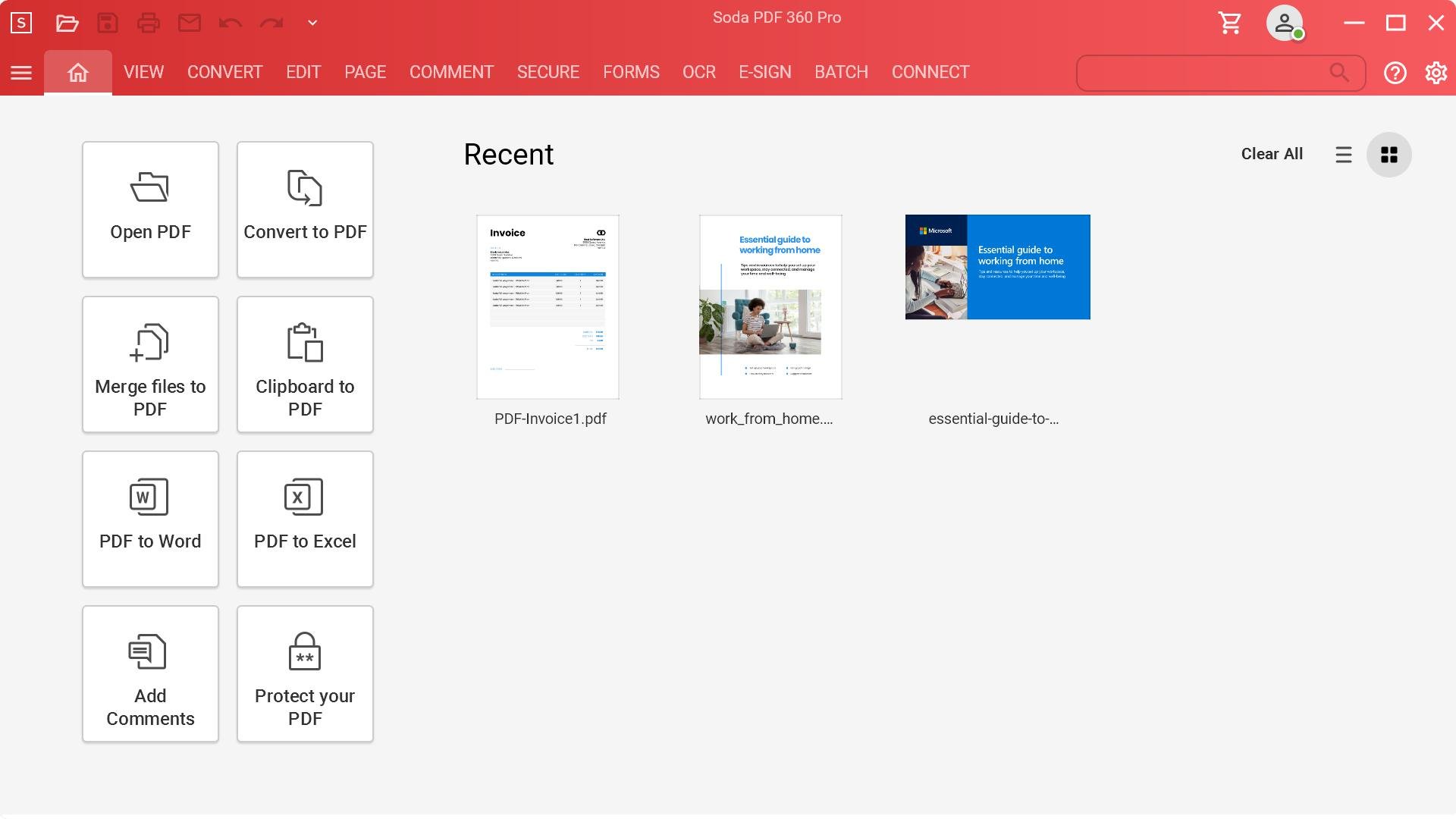
SodaPDF is the software solution that will help your business achieve any document goal quickly and easily. You can edit, create, convert and sign PDFs according to your requirements. Use the best PDF editor and converter to modify documents. Our PDF tools are easy to use and can be used to simplify any document workflow. Our Batch tool is the fastest Microsoft Office-to PDF converter on the market. It allows you to create multiple PDFs or convert them all at once. You can also add page numbers, watermarks and Bates numbers to multiple files or folders. Our E-Sign feature allows you to sign, manage and track electronic signatures remotely. OCR Edit saves time and eliminates the need to retype text. It allows you to quickly search, recognize and modify any image or scanned document. Access the entire Soda PDF suite of tools and services from your desktop or any device that has a web browser.
API Access
Has API
No
API Access
Has API
No




Integrations
Box
No
Dropbox
No
Google Drive
No
Pricing Details
No price information available.
Free Trial
No
Free Version
No
Pricing Details
Volume licensing available for 5+ licenses.
Free Trial
No
Free Version
Yes
Deployment
Web-Based
No
On-Premises
No
iPhone App
Yes
iPad App
Yes
Android App
Yes
Windows
Yes
Mac
No
Linux
No
Chromebook
No
Deployment
Web-Based
Yes
On-Premises
No
iPhone App
No
iPad App
No
Android App
No
Windows
Yes
Mac
No
Linux
No
Chromebook
Yes
Customer Support
Business Hours
No
Live Rep (24/7)
No
Online Support
Yes
Customer Support
Business Hours
Yes
Live Rep (24/7)
No
Online Support
Yes
Types of Training
Training Docs
No
Webinars
No
Live Training (Online)
Yes
In Person
No
Types of Training
Training Docs
Yes
Webinars
Yes
Live Training (Online)
Yes
In Person
No
Vendor Details
Company Name
Cloudwork
Founded
2018
Country
China
Website
cloudwork.ai/product
Vendor Details
Company Name
Avanquest
Founded
1984
Country
France
Website
www.sodapdf.com
Product Features
Collaboration
Brainstorming
No
Calendar Management
No
Chat / Messaging
No
Contact Management
No
Content Management
No
Document Management
No
Project Management
No
Real Time Editing
No
Task Management
No
Version Control
No
Video Conferencing
No
Document Management
Access Controls
No
Archiving & Retention
No
Collaboration Tools
No
Compliance Tracking
No
Document Archiving
No
Document Assembly
No
Document Capture
No
Document Conversion
No
Document Delivery
No
Document Indexing
No
Document Retention
No
Electronic Signature
No
Email Management
No
File Recovery
No
File Type Conversion
No
Forms Management
No
Full Text Search
No
Offline Access
No
Optical Character Recognition
No
Print Management
No
Version Control
No
Product Features
Digital Signature
Audit Trail
Yes
Authentication
Yes
Auto Reminders
No
Customizable Templates
No
Document Analytics
Yes
Mobile Signature
Yes
Multi-Party Signing
Yes
Progress Tracking
Yes
Task Progress Tracking
Yes
Document Generation
Batch Processing
Yes
Collaboration
Yes
Digital Signature
Yes
Interaction Tracking
Yes
Multiple Output Formats
Yes
Templates
No
Document Management
Access Controls
Yes
Archiving & Retention
Yes
Collaboration Tools
Yes
Compliance Tracking
Yes
Document Archiving
Yes
Document Assembly
Yes
Document Capture
No
Document Conversion
Yes
Document Delivery
Yes
Document Indexing
Yes
Document Retention
Yes
Electronic Signature
Yes
Email Management
Yes
File Recovery
Yes
File Type Conversion
Yes
Forms Management
Yes
Full Text Search
Yes
Offline Access
Yes
Optical Character Recognition
Yes
Print Management
Yes
Version Control
No
Annotations
Yes
Convert to PDF
Yes
Digital Signature
Yes
Encryption
Yes
Merge / Append
Yes
PDF Reader
Yes
Watermarking
Yes
PDF Editors
Access Controls / Permissions
Yes
Annotations
Yes
Commenting / Notes
Yes
Compare Side-by-Side
No
Customizable Branding
No
Delete Pages
Yes
Electronic Signature
Yes
Forms Management
No
Full Text Search
Yes
Merge / Append
Yes
Offline Access
Yes
Optical Character Recognition (OCR)
Yes
Rearrange Pages
Yes
Rotate Pages
Yes
Watermarking
Yes
