Average Ratings 0 Ratings
Average Ratings 0 Ratings
Similar Products
-
SmartDrawSmartDraw makes professional drawings and diagrams accessible to everyone. Non-technical users can quickly create floor plans, while professionals get the precision and scale they require. With industry-leading floor planning tools and an intuitive interface for traditional diagramming like flowcharts and organizational charts, SmartDraw delivers enterprise-ready power without unnecessary complexity. Key features: - Large collection of symbols and templates - Ability to create custom shapes - Import PDFs, images, Google Maps, Visio files, Visio stencils - Draw to any scale - Enrich drawings with data - Generate manifest and bills of materials - Generate diagrams from data automatically like org charts, AWS, Azure, PI Boards, and more - Use natural language text prompts to generate diagrams with AI - Save files directly to OneDrive, SharePoint, or Google Drive, or other preferred provider - Integrations with the Microsoft and Google enterprise stack plus Confluence and Jira SmartDraw supports a wide range of industries and real-world use cases, helping teams plan, document, and communicate more effectively. Construction professionals use it to create scaled floor plans, site layouts, and electrical and plumbing drawings. Fire departments rely on it for fire pre-planning and incident documentation, while police departments use it for accident reconstruction and crime scene diagrams. IT teams build network diagrams and cloud architectures, HR leaders create organizational charts, and product managers map out processes and workflows. From physical layouts to business processes, SmartDraw provides a single platform that adapts to the needs of each role and industry.
-
Google Cloud PlatformGoogle Cloud is an online service that lets you create everything from simple websites to complex apps for businesses of any size. Customers who are new to the system will receive $300 in credits for testing, deploying, and running workloads. Customers can use up to 25+ products free of charge. Use Google's core data analytics and machine learning. All enterprises can use it. It is secure and fully featured. Use big data to build better products and find answers faster. You can grow from prototypes to production and even to planet-scale without worrying about reliability, capacity or performance. Virtual machines with proven performance/price advantages, to a fully-managed app development platform. High performance, scalable, resilient object storage and databases. Google's private fibre network offers the latest software-defined networking solutions. Fully managed data warehousing and data exploration, Hadoop/Spark and messaging.
-
QuantaStorQuantaStor, a unified Software Defined Storage platform, is designed to scale up and down to simplify storage management and reduce overall storage costs. QuantaStor storage grids can be configured to support complex workflows that span datacenters and sites. QuantaStor's storage technology includes a built-in Federated Management System that allows QuantaStor servers and clients to be combined to make management and automation easier via CLI and RESTAPIs. QuantaStor's layered architecture gives solution engineers unprecedented flexibility and allows them to design applications that maximize workload performance and fault tolerance for a wide variety of storage workloads. QuantaStor provides end-to-end security coverage that allows multi-layer data protection for cloud and enterprise storage deployments.
-
ONLYOFFICE DocsONLYOFFICE Docs is a secure online office suite for teams and businesses of all sizes. Create and edit docs, sheets, slides, fillable forms and PDFs. Collaborate with your teammates in real time using two co-editing modes, version history and other tools. Enable the AI assistant of your choice — ChatGPT, DeepSeek, Mistral, Groq AI, etc. Generate new content, summarize, translate and do more with your favourite AI tool while working on office files. Integrate ONLYOFFICE Docs into your business platform, whether it be Odoo, Alfresco, Confluence, Pipedrive, Nextcloud, Redmine, SuiteCRM, etc., via an integration app (40+ available integrations). Use Docs within ONLYOFFICE DocSpace, a room-based document collaboration platform equipped with the online office suite. Create dedicated spaces for different purposes, invite your teammates, assign access permissions and collaborate the way you like. With DocSpace, you can store, share and co-edit office files, and even interact with third parties.
-
TradingView Stock WidgetsAs fast as it takes to make a cup of coffee, grab powerful charts and add real-time financial information to your website. Simply copy and paste our iFrame codes, and you're good to go. Our display ratings make it easy to see the technical analysis of a symbol. This widget is ideal for macro-level analysis of the markets. This widget is especially useful on homepages. The widget displays the top five most active stocks, as well as the losing and winning stocks. It updates based upon current market activity so you always see the most relevant stocks. Keep an eye out for announcements and important economic events. You can also set up filters in just a few clicks. Our scrolling ticker tape allows you to go vintage Wall Street. This stock exchange-style ticker can be embedded in just a few clicks. You don't need a power suit or expensive watch.
-
Resco Mobile App Development ToolkitResco Mobile App Development Toolkit is a no-code platform for building custom mobile business applications designed to enhance Microsoft Dynamics 365, Power Platform, Business Central, and Salesforce. Ideal for partners and ISVs, it enables you to create white-labeled, scalable apps for industries like utilities, energy, construction, and field service. With offline functionality and secure data synchronization, you can build mobile solutions tailored for inspections, asset management, work orders, and more. The drag-and-drop interface streamlines customization, allowing you to design workflows, forms, and dashboards without coding expertise. This toolkit empowers you to create verticalized mobile solutions that extend CRM and ERP capabilities while addressing the specific needs of frontline workers. Deliver branded apps, modernize field operations, and generate new revenue streams by equipping clients with reliable, industry-specific mobile technology. Unlock the potential to scale your business with Resco's flexible and robust toolkit.
-
DXchartsIn just a few days, you can integrate and customize a lightning-fast financial table with your product. You can make changes or create a completely new interface. You want more? We offer a full access alternative. Data feeds with futures and indices, equities, FX and cryptocurrencies by default. Sign up now to get your data feeds. DXcharts can be integrated with any market data source, as it is data feed-agnostic. Native libraries for all platforms. Native web, native mobile & desktop. Get a solution that is specifically tailored to your product. Analyzing statistics from trading activity can help you evaluate securities and predict their future movements. You can create custom studies with the intuitive dxScript. You can adjust the layout of charts however you like and sync them by instrument, chart type and timeframe, range, studies & appearance.
-
PlautiPlauti brings native data quality to Salesforce and Microsoft Dynamics 365 CE, giving teams the confidence to automate, report, and run AI on records they can actually trust. Nothing is exported to outside servers: everything runs inside your own CRM, and your admins keep full control without filing a single IT ticket. Data quality with Plauti covers the whole record lifecycle: Get a live view of data health across every object (table) and field, so the whole team works from one accurate picture Bulk-clean existing duplicates, standardize formatting, and validate emails, phone numbers, and addresses Stop bad records before they land, whether they come in through manual entry, imports, the API, or AI tools like Agentforce and Copilot Put clean data to work right away: route it, distribute it downstream, and let AI act on records it can rely on Because it's built directly on Salesforce and Dynamics 365 CE architecture, Plauti inherits your existing permissions and security setup. There's no separate login to manage, no delay syncing data between systems, and no compliance blind spots.
-
DOP SoftwareStreamline Waste Operations with DOP Software DOP Software is a user-friendly, dynamic solution designed for the waste industry. Boost efficiency, speed up accounts receivables, optimize routes, and grow your customer base. Built to evolve with your business, offering all-inclusive features, ongoing updates, and cloud services. Suitable for businesses of any size or stage, DOP Software simplifies waste management. Make your operations smoother and more productive with DOP Software.
-
InsightfulInsightful is a Work Intelligence platform that helps organizations understand how work actually happens across people, processes, and AI, so they can improve performance, optimize workflows, and reduce operational waste. When work is spread across people, locations, and tools, small gaps add up fast. Time goes missing. Work slows down. Problems surface late. Insightful brings this together in one platform, built to help organizations optimize People, Process, and Technology through three core capabilities: 1. Workforce Analytics: Measure workforce productivity, utilization, and performance with real-time visibility into how work gets done. 2. Workflow Optimization: Identify bottlenecks, eliminate inefficiencies, and optimize workflows across teams and processes. 3. Work Intelligence: Measure AI adoption, usage, and business impact to maximize the ROI of your AI investments. With Insightful, you can: • Understand how work happens across teams, processes, and AI • Spot drops in utilization and output early • Track AI adoption, usage, and business impact • Arrange a custom layout with widgets to surface the KPIs and insights most relevant to your role • See where work slows, stalls, or creates rework across workflows • Compare performance across teams, roles, or locations • Use real activity data to review work and resolve disputes • Automate time tracking and reporting This is not just another monitoring tool. It’s a precision Work Intelligence for actionable bottom line impact. You get clear data you can use in weekly reviews, planning, and day-to-day decisions. Teams choose Insightful because it delivers strong visibility and control without the cost or complexity of heavier tools.
Description
Axure RP stands out as the premier UX design tool, empowering professionals to craft realistic and interactive prototypes with ease. It allows designers to create UX prototypes featuring endless combinations of event triggers, conditions, and actions, enabling a comprehensive exploration of digital experiences. By utilizing the robust Axure RP widgets, users can develop functional forms, sortable grids, and dynamic user interfaces that enhance usability. The inclusion of multi-state dynamic panels facilitates the creation of various elements, such as popups and swipe-able mobile screens, ensuring versatility in design. Additionally, essential components like text fields, droplists, and radio buttons are easily accessible through a simple drag-and-drop interface. Designers can create layouts suitable for desktops, tablets, and smartphones all on a single page, with automatic adjustments to display the correct view. The repeater widget allows for the creation of data-driven tables and grids that can be dynamically sorted and filtered, enhancing interactivity. Furthermore, users can generate diagrams, customer journeys, wireframes, and other important UX documentation alongside their rich prototypes, streamlining the design process. With built-in flow shapes and connectors that intuitively reflow, crafting diagrams in Axure RP becomes a seamless task, making it an invaluable resource for UX professionals. Overall, Axure RP not only simplifies the prototyping process but also enhances collaboration and communication among design teams.
Description
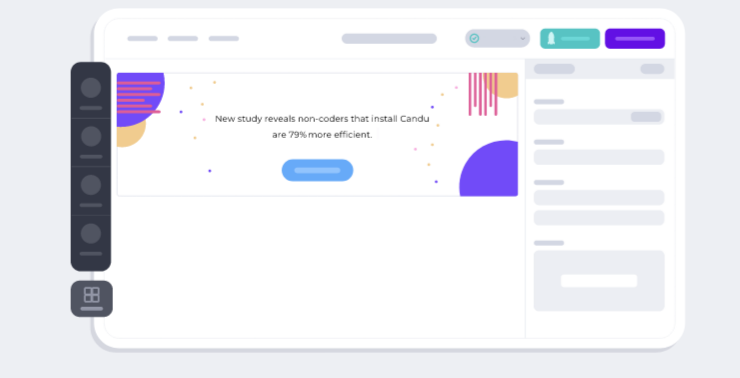
Create engaging user experiences effortlessly with custom UI components, all without needing any coding skills. Kickstart your UI design journey using a pre-made template that you can personalize to reflect your brand. Our editor aligns perfectly with your style guide for a cohesive look. Preview your creations using Candu for Chrome, allowing you to serve tailored experiences to various users and analyze effectiveness through our robust analytics engine. Unlike other solutions that layer components onto your product, Candu integrates them directly, ensuring a seamless experience. Empower your entire team to craft enjoyable user interactions with ease. Whether you prefer starting with a template or designing from the ground up, we provide all the tools you need! Utilize a simple drag-and-drop interface to create user experiences that enhance customer onboarding, drive feature adoption, and more. Candu's intuitive WYSIWYG editor gives you the platform to bring your UX vision to life in just minutes, allowing you to effortlessly design stunning in-product experiences without writing a single line of code. Explore our extensive template gallery to kick off your design process today and transform the way your users engage with your product.
API Access
Has API
No
API Access
Has API
No




Integrations
CloudSwyft
Yes
Figma
Yes
Ketch
No
Microsoft Teams
Yes
Miro
Yes
Mockplus
Yes
Slack
Yes
UXfolio
Yes
Userbrain
Yes
Integrations
CloudSwyft
No
Figma
No
Ketch
Yes
Microsoft Teams
No
Miro
No
Mockplus
No
Slack
No
UXfolio
No
Userbrain
No
Pricing Details
$289 one-time payment
Free Trial
No
Free Version
No
Pricing Details
No price information available.
Free Trial
Yes
Free Version
Yes
Deployment
Web-Based
No
On-Premises
No
iPhone App
No
iPad App
No
Android App
No
Windows
Yes
Mac
Yes
Linux
No
Chromebook
No
Deployment
Web-Based
Yes
On-Premises
No
iPhone App
No
iPad App
No
Android App
No
Windows
No
Mac
No
Linux
No
Chromebook
No
Customer Support
Business Hours
Yes
Live Rep (24/7)
No
Online Support
Yes
Customer Support
Business Hours
No
Live Rep (24/7)
Yes
Online Support
Yes
Types of Training
Training Docs
Yes
Webinars
Yes
Live Training (Online)
No
In Person
No
Types of Training
Training Docs
Yes
Webinars
Yes
Live Training (Online)
Yes
In Person
Yes
Vendor Details
Company Name
Axure Software
Website
www.axure.com
Vendor Details
Company Name
Candu
Country
United States
Website
www.candu.ai/
Product Features
Application Development
Access Controls/Permissions
Yes
Code Assistance
No
Code Refactoring
Yes
Collaboration Tools
Yes
Compatibility Testing
Yes
Data Modeling
Yes
Debugging
No
Deployment Management
Yes
Graphical User Interface
Yes
Mobile Development
No
No-Code
Yes
Reporting/Analytics
Yes
Software Development
No
Source Control
Yes
Testing Management
No
Version Control
No
Web App Development
No
UX
Animation
Yes
For Mobile
No
For Websites
No
Heatmaps
Yes
Prototyping
Yes
Screen Activity Recording
Yes
Unmoderated Testing
Yes
Usability Testing
No
User Journeys
Yes
User Research
No
Wireframe
Collaboration
Yes
Desktop Interface
No
Drag & Drop
No
Feedback Management
No
Interactive Elements
Yes
Mobile Interface
No
Mockup Creation
No
Page Linking
Yes
Presentation Tools
No
Prototype Creation
Yes
Revision History
No
Screen Capture
No
Wireframe Creation
No
Product Features
Digital Adoption Platforms
Audience Segmentation
No
Content Creation
No
Contextual Guidance
No
Data Validation
No
In-App Training
No
Launch Management
No
Multi-Language
No
Self Service Tools
No
Surveys & Feedback
No
User Onboarding
No
UX
Animation
No
For Mobile
No
For Websites
No
Heatmaps
No
Prototyping
No
Screen Activity Recording
No
Unmoderated Testing
No
Usability Testing
No
User Journeys
No
User Research
No
