Average Ratings 0 Ratings
Average Ratings 1 Rating
Similar Products
-
SmartDrawSmartDraw makes professional drawings and diagrams accessible to everyone. Non-technical users can quickly create floor plans, while professionals get the precision and scale they require. With industry-leading floor planning tools and an intuitive interface for traditional diagramming like flowcharts and organizational charts, SmartDraw delivers enterprise-ready power without unnecessary complexity. Key features: - Large collection of symbols and templates - Ability to create custom shapes - Import PDFs, images, Google Maps, Visio files, Visio stencils - Draw to any scale - Enrich drawings with data - Generate manifest and bills of materials - Generate diagrams from data automatically like org charts, AWS, Azure, PI Boards, and more - Use natural language text prompts to generate diagrams with AI - Save files directly to OneDrive, SharePoint, or Google Drive, or other preferred provider - Integrations with the Microsoft and Google enterprise stack plus Confluence and Jira SmartDraw supports a wide range of industries and real-world use cases, helping teams plan, document, and communicate more effectively. Construction professionals use it to create scaled floor plans, site layouts, and electrical and plumbing drawings. Fire departments rely on it for fire pre-planning and incident documentation, while police departments use it for accident reconstruction and crime scene diagrams. IT teams build network diagrams and cloud architectures, HR leaders create organizational charts, and product managers map out processes and workflows. From physical layouts to business processes, SmartDraw provides a single platform that adapts to the needs of each role and industry.
-
AnalyticsCreatorAnalyticsCreator is a metadata-driven design application for data warehouse automation and data product engineering across the Microsoft data stack. Its Governed Control Model connects business meaning, data structures, transformation rules, dependencies, lineage and technical implementation in one controlled project model. Data teams design the required architecture in AnalyticsCreator, then generate native Microsoft assets from that design. Generated outputs can include SQL Server objects, SSIS packages, Azure Data Factory pipelines, supported Microsoft Fabric components, deployment artefacts and Power BI semantic models. AnalyticsCreator supports dimensional, 3NF and hybrid modelling approaches together with ingestion, transformations, delta loading, historisation, Slowly Changing Dimensions, snapshots and repeatable data-processing patterns. Because generated outputs are native Microsoft technology, no AnalyticsCreator runtime is required in production. Organisations retain ownership of the resulting implementation and can integrate generated assets into Git, Azure DevOps and CI/CD workflows. Lineage, documentation and dependency information remain connected to the design, helping teams understand change impact before regenerating affected assets. Design Intelligence extends this governed project context into AI-assisted data engineering by providing authorised AI tools and agents with structured access to metadata, lineage, dependencies and design rules. Typical use cases include enterprise data warehouse development, Microsoft Fabric adoption, SQL Server and SSIS modernisation, governed Power BI delivery and repeatable data product engineering.
-
ActCAD SoftwareACTCAD is suitable for professional drawings creation for Architects, Structural Engineers, Civil Engineres, Mechanical Drawings, Electrical drawings, interior design, tool design, machine designs etc.ActCAD is professional grade 2D Drafting and 3D Modeling CAD software which works in dwg and dxf file formats. Most affordable cad software.ActCAD is a native dwg/dxf cad software suitable for professional 2D drafting and 3D modeling projects. ActCAD is trusted by over 30000 users in over 103 countries for more than 10 years. The interface, commands, icons, dialogs, shortcuts etc. are very much similar to other popular cad software tools available in market. Flexible license types available even for single license. There is no learning for existing cad users while saving 80% of the costs.ActCAD offers free email technical support without any limitations. ActCAD can be fully customized and programs can be developed using our free API toolkit. It supports popular programming languages like , lisp dcl, .net, C++ etc. Apart from all regular commands, ActCAD offers many productive tools like pdf to cad converter, Block libraries, Image to Cad converter, handling point sets between Cad and Excel and many more.
-
MicroStationMicroStation is the trusted CAD software that empowers infrastructure professionals to design, manage, and deliver projects with precision and efficiency. Its power, flexibility, AI automation, and 3D geospatial context enable innovative designs and creative visualizations. Communicate design changes and unite critical project elements in a single environment, ensuring effective and secure project deliverables. MicroStation scales for any infrastructure project, whether it lasts days, months, or years. MicroStation is the foundation for the entire Bentley modeling environment including digital twins.
-
Altium DevelopAltium Develop is a collaborative platform for modern electronics engineering teams that connects requirements management, PCB design, systems engineering, and manufacturing workflows. Built on Altium Designer and Altium 365, the platform provides a centralized environment for design collaboration, requirements traceability, BOM management, supply chain visibility, and engineering change management. Altium Develop helps hardware organizations maintain alignment between requirements, design decisions, and manufacturing outcomes while supporting distributed engineering teams through cloud-based collaboration. Core Features: • PCB design collaboration • ECAD-MCAD co-design workflows • Component and supply chain visibility • BOM and engineering change management • Design review and approval workflows • Cloud-native team collaboration • Requirements management and traceability Used by electronics teams building complex PCB-based products, Altium Develop is frequently evaluated alongside Cadence OrCAD, Cadence Allegro, Autodesk Fusion Electronics, KiCad, Siemens Xpedition, and SOLIDWORKS PCB for organizations seeking greater collaboration and lifecycle visibility across hardware development programs.
-
Planview Software Product DeliveryPlanview Software Product Delivery Solution is a comprehensive enterprise platform that provides delivery intelligence by connecting strategy to execution across development toolchains. It integrates seamlessly with tools such as Azure DevOps, GitHub, and Jira to collect and unify real-time data from across teams. This allows organizations to gain full visibility into their delivery processes and make informed decisions. The platform includes features like cross-team dependency management, capacity planning, and agile planning at both team and portfolio levels. It enables users to analyze workflows, identify bottlenecks, and optimize delivery performance. Advanced analytics, including DORA metrics, provide insights into engineering efficiency and outcomes. AI-powered roadmapping helps align business objectives with execution strategies. The solution also supports connected OKRs to ensure teams stay aligned with organizational goals. Portfolio-level investment planning and scenario modeling allow leaders to evaluate different strategies. Risk signals are surfaced early through configurable thresholds and flow metrics. By replacing manual reporting with real-time dashboards, Planview improves transparency and decision-making. Ultimately, it helps enterprises deliver digital products more efficiently and with measurable impact.
-
SendbirdSendbird provides AI-powered omnichannel communication solutions, including AI agent for customer service, Chat API, and Business Messaging for seamless customer conversations across mobile apps, websites, social media, and more. Our platform supports iOS, Android, JavaScript, Unity, and .NET. Sendbird’s AI Agent Platform enables businesses to automate customer support across a wide range of channels, including SMS, web, mobile apps, and social media. This solution leverages AI to provide proactive, continuous support by anticipating customer needs and engaging them on their preferred platforms. Businesses can build and manage their own AI agents with an easy-to-use interface, ensuring smooth customer interactions. The platform integrates seamlessly with existing systems, providing businesses with insights into customer conversations, improving agent performance, and offering reliable support in high-traffic environments.
-
Level 6Level 6 offers an array of solutions, from versatile reloadable debit cards to tailored software, aimed at enhancing the efficiency and cost-effectiveness of your existing incentive initiatives. If you are in the process of creating a brand-new program, our low minimum requirements allow you to launch your vision with just a simple phone call. Explore how our cutting-edge technology and efficient systems can cut your management costs by 30% or even more. We understand that crafting and executing a successful incentive program can be quite difficult. Our entire staff has been selected from client-facing roles, ensuring that your priorities are always at the forefront of our efforts. Remarkably, we have never lost a client project to a competitor, which speaks volumes about our commitment to excellence. Discover the unique aspects that differentiate Level 6's service from others in the industry. Our incentive programs deliver results, and we are so assured of the measurable return on investment you will achieve that every Level 6 contract features generous exit clauses for our clients. Moreover, we provide a custom program website, comprehensive documentation collection, submission verification, and dedicated customer support via email and phone to ensure a seamless experience for you and your participants. Your success is our priority, and we’re here to support you every step of the way.
-
Gemini Enterprise Agent PlatformGemini Enterprise Agent Platform is Google Cloud’s next-generation system for designing and managing advanced AI agents across the enterprise. Built as the successor to Vertex AI, it unifies model selection, development, and deployment into a single scalable environment. The platform supports a vast ecosystem of over 200 AI models, including Google’s latest Gemini innovations and popular third-party models. It offers flexible development tools like Agent Studio for visual workflows and the Agent Development Kit for deeper customization. Businesses can deploy agents that operate continuously, maintain long-term memory, and handle multi-step processes with high efficiency. Security and governance are central, with features such as agent identity verification, centralized registries, and controlled access through gateways. The platform also enables seamless integration with enterprise systems, allowing agents to interact with data, applications, and workflows securely. Advanced monitoring tools provide real-time insights into agent behavior and performance. Optimization features help refine agent logic and improve accuracy over time. By combining automation, intelligence, and governance, the platform helps organizations transition to autonomous, AI-driven operations. It ultimately supports faster innovation while maintaining enterprise-grade reliability and control.
-
MyHub Intranet SoftwareMyHub, a revolutionary cloud-based intranet system that streamlines workflows for businesses, provides a variety of manuals and tools. MyHub is mobile-friendly and allows users to connect with whole teams or just a few members. Projects will run smoothly with MyHub's combination of in-app options for email, social media, as well as the tools necessary to be efficient. Administrators can give their users the ability of managing content, a discussion board, file-cloud-sharing, and many other features.
Description
Advance Steel is a specialized steel detailing software that operates within a 3D modeling framework, which ultimately integrates into a document management system. This 3D model is comprised of smart structural components, including beams, plates, bolts, and welds, which can be assembled using Parametric Connection tools that facilitate the duplication of connections throughout the model. Consequently, this model serves as a central hub for generating general arrangement drawings, shop assembly drawings, and part drawings essential for the fabrication process. Additionally, the software possesses features for platework, enabling the creation of intricate folded plate details required for flat pattern development drawings intended for shop applications. The program includes tools for constructing steel frameworks utilizing intelligent macros that accommodate adjustments to overall frame dimensions and section profile selections, all while leveraging Parametric connection tools for standard connection types and the flexibility to design custom connection details tailored for unique circumstances. This comprehensive approach ensures that every stage of the detailing process is streamlined and efficient, ultimately enhancing productivity in steel fabrication projects.
Description
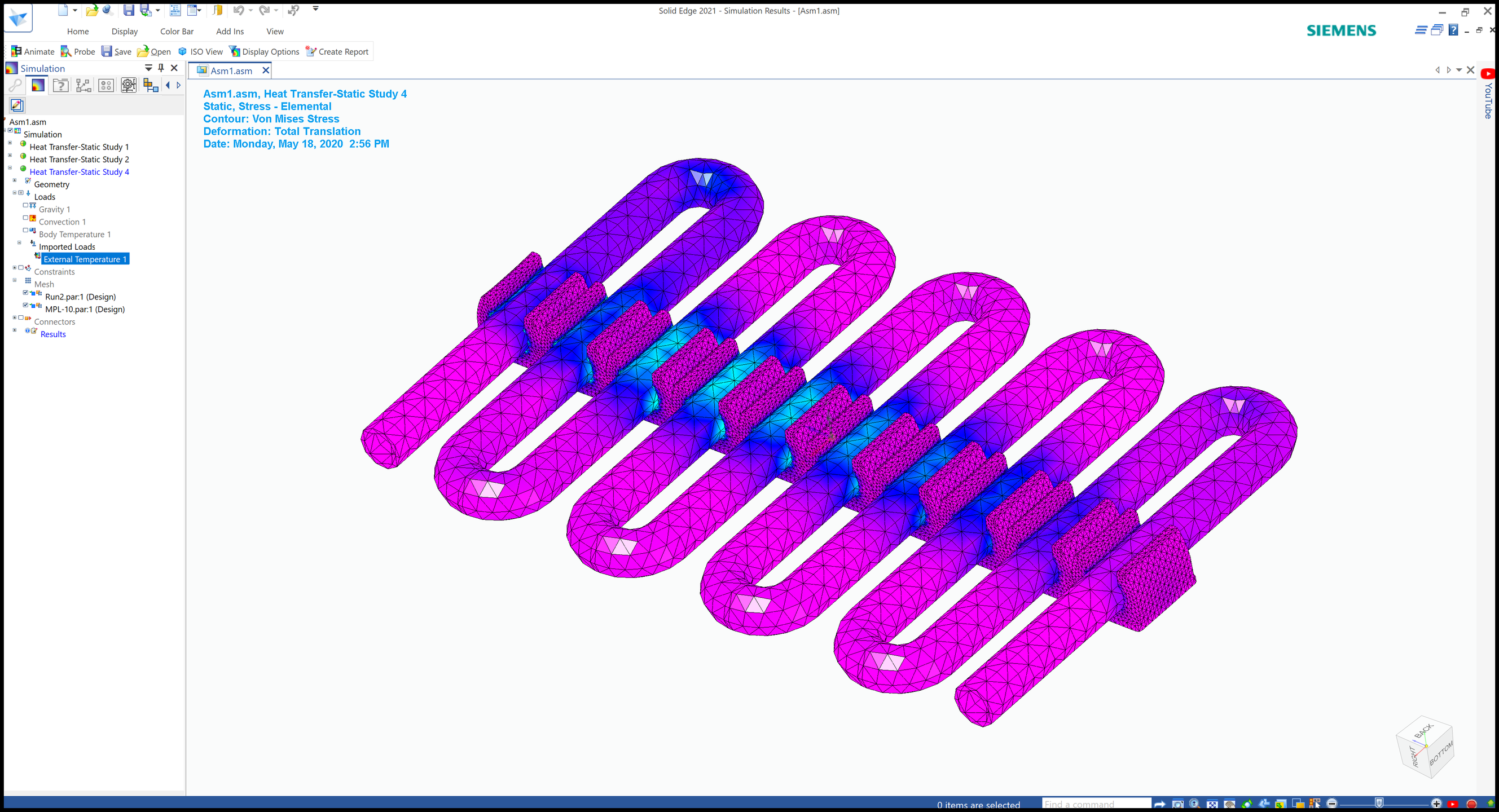
Designcenter Solid Edge is a complete Siemens software portfolio built to support the full product development process from early design through manufacturing and documentation. It includes capabilities for 2D drafting, 3D design, electrical design, simulation, data management, computer-aided manufacturing, 3D printing, technical publications, and cloud-based collaboration. The platform uses synchronous technology to combine direct modeling speed with parametric design flexibility and control. This allows engineers and designers to make changes quickly, work with imported CAD data, and reduce delays caused by rigid modeling workflows. Designcenter Solid Edge is positioned as an affordable and easy-to-use solution for teams that need professional design tools without unnecessary complexity. It helps users create accurate models, validate product performance, manage data, and communicate manufacturing or maintenance instructions. The software is also useful for businesses that need to move quickly, such as race car component designers, machine builders, manufacturers, and product development teams. Its scalable tiers allow organizations to choose the features that match their needs as projects and teams grow. By connecting design, simulation, manufacturing, documentation, and collaboration, Designcenter Solid Edge helps organizations improve productivity and reduce development risk.
API Access
Has API
No
API Access
Has API
No


Integrations
3Dfindit
No
AutoCAD
Yes
AutoCAD LT
Yes
BoltsEtAl
No
Box
No
DraftAid
No
Dropbox
No
GRAITEC Advance Design
Yes
Google Drive
No
HOOPS Exchange
No
Integrations
3Dfindit
Yes
AutoCAD
No
AutoCAD LT
No
BoltsEtAl
Yes
Box
Yes
DraftAid
Yes
Dropbox
Yes
GRAITEC Advance Design
No
Google Drive
Yes
HOOPS Exchange
Yes
Pricing Details
No price information available.
Free Trial
Yes
Free Version
No
Pricing Details
$75/month/user
Design and Drafting: $75/month/user
Foundation: $185/month/user
Classic: $230/month/user
Premium: $329/month/user
Foundation: $185/month/user
Classic: $230/month/user
Premium: $329/month/user
Free Trial
Yes
Free Version
Yes
Deployment
Web-Based
Yes
On-Premises
No
iPhone App
No
iPad App
No
Android App
No
Windows
No
Mac
No
Linux
No
Chromebook
No
Deployment
Web-Based
Yes
On-Premises
No
iPhone App
No
iPad App
No
Android App
No
Windows
Yes
Mac
No
Linux
No
Chromebook
No
Customer Support
Business Hours
Yes
Live Rep (24/7)
No
Online Support
Yes
Customer Support
Business Hours
Yes
Live Rep (24/7)
No
Online Support
Yes
Types of Training
Training Docs
Yes
Webinars
No
Live Training (Online)
No
In Person
Yes
Types of Training
Training Docs
Yes
Webinars
Yes
Live Training (Online)
Yes
In Person
Yes
Vendor Details
Company Name
GRAITEC
Founded
1986
Country
France
Website
www.graitec.com/autodesk-advance-steel/
Vendor Details
Company Name
Siemens
Founded
1847
Country
Germany
Website
solidedge.siemens.com/en/
Product Features
CAD
2 1/2-Axis Milling
No
2D Drawing
Yes
3-Axis Milling
No
3D Modeling
Yes
4-Axis Milling
No
5-Axis Milling
No
Civil
Yes
Collaboration
Yes
Database Connectivity
No
Design Analysis
Yes
Design Export
Yes
Document Management
Yes
Electrical
Yes
Hole Making
Yes
Mechanical
Yes
Mechatronics
Yes
Presentation Tools
Yes
Simulate Cycles
No
Spiral Output
No
Structural Engineering
No
Toolpath Simulation
No
User Defined Cycles
No
MEP
3D Design
No
3D Spooling
No
Costing and Reporting
No
Design Feedback
No
Documentation Tools
No
Drafting Automation
No
HVAC Design
No
MEP Fabrication
No
Project Communication
No
Service Validation / Clash Detection
No
Product Features
3D Modeling
2D Drawing
No
Animation
No
Annotations
No
Bill of Materials
No
Character Modeling
No
Collaboration Tools
No
Component Library
No
Data Import / Export
No
For 3D Printing
No
For Architects
No
For Manufacturers
No
Reference Management
No
Simulation
No
CAD
2 1/2-Axis Milling
No
2D Drawing
Yes
3-Axis Milling
Yes
3D Modeling
Yes
4-Axis Milling
No
5-Axis Milling
No
Civil
No
Collaboration
No
Database Connectivity
No
Design Analysis
Yes
Design Export
Yes
Document Management
Yes
Electrical
Yes
Hole Making
Yes
Mechanical
Yes
Mechatronics
No
Presentation Tools
No
Simulate Cycles
No
Spiral Output
No
Structural Engineering
No
Toolpath Simulation
No
User Defined Cycles
No
Computer-Aided Engineering (CAE)
CAD/CAM Compatibility
Yes
Finite Element Analysis
Yes
Fluid Dynamics
Yes
Import / Export Files
Yes
Integrated 3D Modeling
Yes
Manufacturing Process Simulation
No
Mechanical Event Simulation
No
Multibody Dynamics
Yes
Thermal Analysis
Yes
Computer-Aided Manufacturing (CAM)
Automatic Feature Recognition
No
CAD
No
CNC Machining
No
Custom Commands
No
Raw Material Management
No
Toolpath Simulation
No
Electrical Design
CAD Tools
Yes
Change Management
No
Collaboration
No
Compliance Management
No
Document Generation
No
Drag & Drop
No
Electrical Parts Catalog
No
Functions / Calculations
No
One Line Diagram
No
PLC Tools
Yes
Reusable Designs
No
Symbol Library
No
Engineering
2D Drawing
Yes
3D Modeling
Yes
Chemical Engineering
No
Civil Engineering
No
Collaboration
Yes
Design Analysis
Yes
Design Export
Yes
Document Management
Yes
Electrical Engineering
Yes
Mechanical Engineering
Yes
Mechatronics
No
Presentation Tools
Yes
Structural Engineering
No
Manufacturing
Accounting Integration
No
ERP
No
MES
No
MRP
No
Maintenance Management
No
Purchase Order Management
No
Quality Management
No
Quotes/Estimates
No
Reporting/Analytics
No
Safety Management
No
Shipping Management
No
Product Data Management
Bill of Material Management
No
Document Management
No
Formula Management
No
Product Analytics
No
Product Lifecycle Management
No
Testing Management
No
Version Control
No
Simulation
1D Simulation
No
3D Modeling
No
3D Simulation
No
Agent-Based Modeling
No
Continuous Modeling
No
Design Analysis
No
Direct Manipulation
No
Discrete Event Modeling
No
Dynamic Modeling
No
Graphical Modeling
No
Industry Specific Database
No
Monte Carlo Simulation
No
Motion Modeling
No
Presentation Tools
No
Stochastic Modeling
No
Turbulence Modeling
No
