Average Ratings 0 Ratings
Average Ratings 7 Ratings
Description
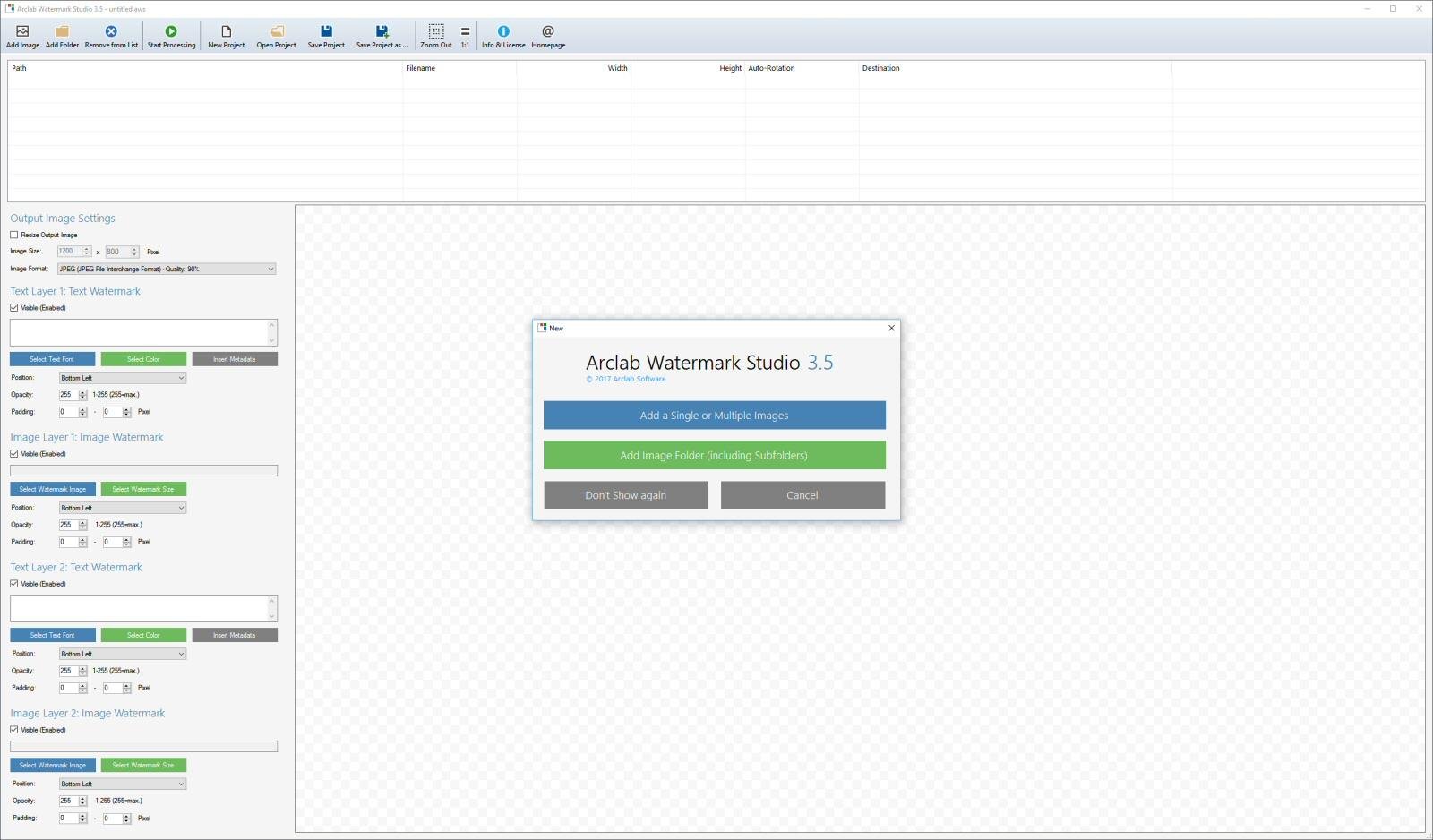
Arclab Watermark Studio is a user-friendly software designed for image watermarking, enabling users to effortlessly apply visible, layered watermarks to multiple photos and directory structures simultaneously. This tool serves to safeguard your images from unauthorized use by allowing the addition of various text and image watermarks. In addition to watermarking, the software offers functionalities for creating thumbnails, resizing, and converting images. With just one click, an entire directory of images can be processed, making it incredibly efficient. A watermark typically consists of a recognizable text, image, or logo embedded within a photograph. The technique of digital watermarking involves embedding specific information into the image, which often identifies the creator or copyright owner. The primary intent of implementing visible digital watermarks is to ensure copyright protection while also serving as a form of visual marketing. Ultimately, Arclab Watermark Studio provides an effective solution for anyone looking to add visible watermarks to their images and photos while also offering additional image manipulation capabilities.
Description
Curtain MonGuard Screen Watermark is an enterprise solution for displaying screen watermarks that administrators can enable on users' computers. This screen watermark can display various user information, such as the computer name, username, and IP address. The purpose of this watermark is to effectively grab the user's attention and serve as a reminder before they take a screenshot or photograph the screen to share the information with others.
The key benefit of Curtain MonGuard is that it encourages users to "think before sharing" sensitive information. If the content being shared contains confidential company data, the watermark can help trace the source of the leaked information back to the user responsible. This allows organizations to hold users accountable and mitigate the consequences of data breaches or unauthorized information sharing.
Key features:
- On-screen watermark
- Full screen-watermark
- Application screen-watermark
- Supports over 500 Applications
- Self-defined content of watermark
- Screen-watermark by condition
- Central administration
- Integration with Active Directory
- Uninstall password for client
- Password management
- Admin delegation
- Self protection for the software
API Access
Has API
No
API Access
Has API
No


Integrations
Adobe Acrobat
No
Adobe Acrobat Reader
No
Adobe Illustrator
No
Adobe Photoshop
No
AutoCAD
No
CorelDRAW
No
Google Chrome
No
Microsoft Edge
No
Microsoft Excel
No
Microsoft PowerPoint
No
Integrations
Adobe Acrobat
Yes
Adobe Acrobat Reader
Yes
Adobe Illustrator
Yes
Adobe Photoshop
Yes
AutoCAD
Yes
CorelDRAW
Yes
Google Chrome
Yes
Microsoft Edge
Yes
Microsoft Excel
Yes
Microsoft PowerPoint
Yes
Pricing Details
$29 one-time payment
Free Trial
No
Free Version
Yes
Pricing Details
Free with limited functions
Paid version: $10 / PC / Year
(with volume discount)
(with volume discount)
Free Trial
No
Free Version
Yes
Deployment
Web-Based
No
On-Premises
No
iPhone App
No
iPad App
No
Android App
No
Windows
Yes
Mac
No
Linux
No
Chromebook
No
Deployment
Web-Based
No
On-Premises
Yes
iPhone App
No
iPad App
No
Android App
No
Windows
Yes
Mac
No
Linux
No
Chromebook
No
Customer Support
Business Hours
No
Live Rep (24/7)
No
Online Support
Yes
Customer Support
Business Hours
Yes
Live Rep (24/7)
No
Online Support
Yes
Types of Training
Training Docs
Yes
Webinars
No
Live Training (Online)
No
In Person
No
Types of Training
Training Docs
Yes
Webinars
Yes
Live Training (Online)
Yes
In Person
Yes
Vendor Details
Company Name
Arclab
Website
www.arclab.com/en/watermarkstudio/
Vendor Details
Company Name
Coworkshop Solutions
Country
Hong Kong
Website
coworkshop.com/monguard/
Product Features
Product Features
Data Loss Prevention
Compliance Reporting
No
Incident Management
No
Policy Management
No
Sensitive Data Identification
No
Web Threat Management
No
Whitelisting / Blacklisting
No
Employee Monitoring
Activity Monitoring
No
Browsing History
No
Email Monitoring
No
Keystroke Recording
No
Productivity Analysis
No
Remote Control
No
Screen Activity Recording
No
Time & Attendance
No
Time Tracking
Yes
IT Security
Anti Spam
No
Anti Virus
No
Email Attachment Protection
No
Event Tracking
No
IP Protection
No
Internet Usage Monitoring
No
Intrusion Detection System
No
Spyware Removal
No
Two-Factor Authentication
No
Vulnerability Scanning
No
Web Threat Management
No
Web Traffic Reporting
No
