Average Ratings 0 Ratings
Average Ratings 0 Ratings
Similar Products
-
ScreencaptScreencapt allows you to record the entire screen or a selected area. You can also record a specific window. Screencapt is the ideal screen recorder because of its flexibility. Using the integrated audio recording you can also add your commentary or system sound directly into the screen recording. This is particularly useful when creating explanation videos or presentations. Screencapt's ability to record a webcam is a special feature. You can now add your comments and reactions to the video. This makes your screen recordings more personal and professional. Screencapt offers advanced options to record the cursor. You can choose to hide the cursor or add special effects to highlight specific actions. This is especially useful for software tutorials and demonstrations where a clear cursor view is required.
-
Curtain MonGuard Screen WatermarkCurtain MonGuard Screen Watermark is an enterprise solution for displaying screen watermarks that administrators can enable on users' computers. This screen watermark can display various user information, such as the computer name, username, and IP address. The purpose of this watermark is to effectively grab the user's attention and serve as a reminder before they take a screenshot or photograph the screen to share the information with others. The key benefit of Curtain MonGuard is that it encourages users to "think before sharing" sensitive information. If the content being shared contains confidential company data, the watermark can help trace the source of the leaked information back to the user responsible. This allows organizations to hold users accountable and mitigate the consequences of data breaches or unauthorized information sharing. Key features: - On-screen watermark - Full screen-watermark - Application screen-watermark - Supports over 500 Applications - Self-defined content of watermark - Screen-watermark by condition - Central administration - Integration with Active Directory - Uninstall password for client - Password management - Admin delegation - Self protection for the software
-
TelemetryOSTelemetryTV is a powerful platform for digital signage that allows organizations to connect with audiences, generate awareness and give voice to their communities and teams. TelemetryTV lets you broadcast dynamic content by streaming video, images and social feeds to all your displays, wherever they may be. TelemetryTV powers internal communications and marketing at Starbucks, Amazon and Stanford University. Our success is based on being flexible, open to communication, collaborative, and open to collaboration. We believe in continuous learning, challenging the status-quo, and listening to customers. We are moving towards a world in which our walls will eventually talk. This begs the question: What do you want them saying?
-
FathomFathom is an AI meeting assistant that helps users capture, summarize, search, and act on meetings with less manual work. The platform creates accurate transcripts, instant summaries, action items, and follow-up notes so users can focus on live conversations instead of taking notes. Fathom supports both traditional meeting capture and bot-free capture through its desktop app. Teams can use Fathom as a shared source of truth across customer calls, internal meetings, strategy sessions, and project conversations. Ask Fathom lets users search across meetings and ask questions about conversations, decisions, commitments, risks, and next steps. The platform also supports topic monitoring so important moments and signals are easier to find. Fathom syncs meeting notes, insights, and action items into tools such as Slack, Salesforce, HubSpot, Notion, Asana, Gmail, Zoom, Google Meet, Microsoft Teams, ChatGPT, Claude, Zapier, and API or MCP workflows. It supports security and compliance needs with SOC 2 Type II, GDPR, HIPAA compliance, SSO, and SCIM. By combining AI notetaking, bot-free capture, transcripts, summaries, integrations, search, and workflow automation, Fathom helps teams move from meetings to execution faster.
-
SetplexSeplex is an OTT solutions provider, serving global operators with simple, powerful and scalable OTT solutions—from content preparation, management and monetization to video delivery, multi-screen apps and real-time analytics. We offer a unified OTT platform that includes middleware, transcoders, CDNs, DRM, multi-screen apps, STBs, and analytics—all designed to support operators globally.
-
LALAL.AIAny audio or video can be extracted to extract vocal, accompaniment, and other instruments. High-quality stem cutting based on the #1 AI-powered technology in the world. Next-generation vocal remover and music source separator service for fast, simple, and precise stem removal. You can remove vocal, instrumental, drums and bass tracks, as well as acoustic guitar, electric guitar, and synthesizer tracks, without any quality loss. You can start the service free of charge. Upgrade to get more files processed and faster results. Only for personal use. Move to the next level. You can process thousands of minutes of audio and/or video. This software is suitable for both personal and business use. Each LALAL.AI package has a limit on the amount of audio/video that can be split. The package minute limit is deducted from each file that has been fully split. You can split as many files you like, provided their total length does not exceed the minute limit.
-
ARGOS IdentityARGOS Identity provides AI-powered identity verification, fraud prevention, KYB, and workflow automation solutions for businesses operating in regulated and high-risk industries. ARGOS ID Check enables organizations to verify customers remotely using identity document authentication, facial recognition, selfie verification, liveness detection, AML screening, age verification, and additional fraud signals. The platform supports identity documents from more than 200 countries and is designed for fintech, gaming, virtual assets, e-commerce, telecommunications, and other digital platforms. Businesses can configure their verification process by selecting the modules that match their compliance requirements and risk tolerance. ARGOS can help identify forged documents, deepfakes, duplicate users, bots, VPNs, and suspicious activity while maintaining a fast and straightforward onboarding experience. For business verification, ARGOS Omni automates KYB and compliance workflows. Omni supports document collection and extraction, business registry searches, ownership and UBO identification, AML screening, case management, and audit reporting. Custom workflows and decision rules help teams reduce manual reviews and apply compliance policies consistently. ARGOS gives businesses one flexible platform for verifying people and companies, preventing fraud, lowering operational costs, and scaling compliant onboarding.
-
LTXMost AI video tools hand you a black box: closed weights, a subscription, and no way to see what is happening under the hood. LTX takes the opposite approach. Built by Lightricks, LTX is an open foundation model that generates and simulates across video, audio, and the physical world, and it puts the weights, the code, and the control in your hands. At the center of the model is LTX-2.5, a 22B-parameter dual-stream diffusion transformer that produces native 4K video at up to 50 frames per second, with audio and video generated together in a single pass rather than stitched together afterward. Artificial Analysis, an independent benchmarking group, currently ranks LTX among the top three AI video models in the world. You choose how you want to use it. Download the open weights and run LTX-2.5 on your own hardware. License the model for on-premise deployment backed by enterprise support. Or build directly on LTX Studio, the production suite that turns the model into a full creative workflow. Companies like ElevenLabs, Asteria Film Co., Magnopus, and NVIDIA already rely on LTX for their own work. LTX is not built for one-off social clips. It is infrastructure for teams that generate motion, audio, and physical environments as part of their own products and pipelines.
-
YodeckNext-generation technology for digital signage professionals Yodeck, a cloud-based digital signage platform, is unbeatable. It powers your screen with dynamic content that instantly engages your target audience. Yodeck makes it easy to create, schedule, and design content from the web. To get your message across to those who matter most to you, use attention-grabbing media such as videos, images and PDF files, Office documents, data dashboards, and social media. It provides enterprise-grade security and control. Yodeck's drag-and-drop editing feature allows users to be creative in organizing content into interesting layouts. Yodeck is proud to offer a unique digital signage solution for businesses of all sizes. This includes local diners as well as global leaders like Delta Airlines, Autodesk and Adobe.
-
Switcher StudioSwitcher Studio allows you to capture video from multiple angles and edit it in real-time. This will allow you to connect with your community in a more engaging way. You can stream it live or save it for later. Your audience will be attracted to you with relevant content. Make it look great. There's no need to purchase, lug or learn largeequipment. Switcher is compatible with iPads and iPhones. Switcher is so intuitive that anyone can create amazing video with it. You don't need to hire outside videographers or producers. It takes an hour to edit every minute of edited video. Every minute of live-editing takes, well, one second. You can share every moment, live or recorded, external or internal, with video -- no matter what it holds.
Description
ApowerREC is a widely-used screen recording tool favored by both experienced users and beginners alike. It provides the capability to capture every action taking place on your computer or mobile device, equipping you with all the necessary features to enhance your recording experience.
The application boasts a clean and user-friendly interface, designed to streamline the recording process. You can easily choose to record a specific section of your screen, a full-screen view, or even just the audio. For gaming enthusiasts, the "Game Screen Recording" feature allows you to document your gameplay effortlessly.
After finishing your recording, you can seamlessly share the video directly to various social media platforms and cloud storage services, making it incredibly convenient for users to showcase their content. This versatility makes ApowerREC a valuable tool for anyone looking to capture and share their screen activities.
Description
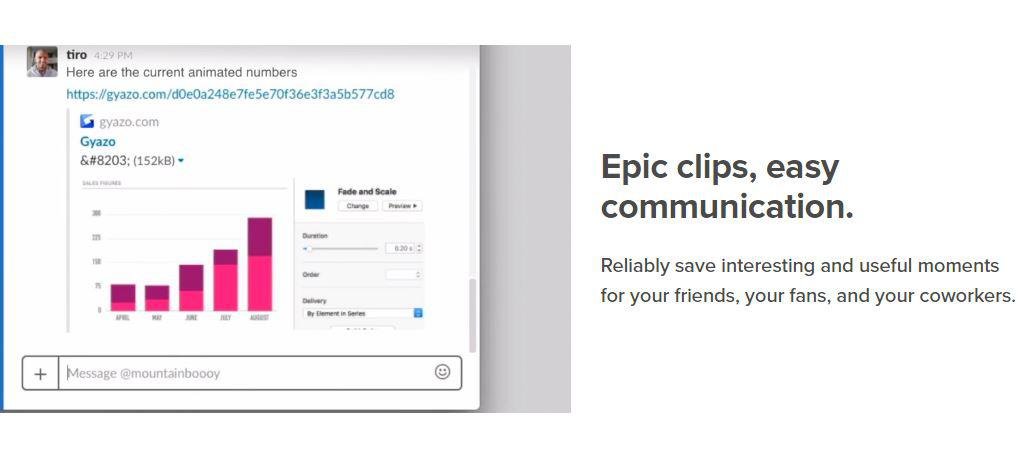
Capture screenshots, GIFs, and replays that are immediately shareable, ensuring you don’t miss any important moments on your screen. Once you’ve made your captures, we generate and copy a unique private link that’s ready for you to paste and share without delay. This allows you to reliably save intriguing and useful moments for your friends, fans, and colleagues alike. Each capture, along with its relevant details, is securely stored in your account for easy access. By upgrading to Gyazo Pro, you can efficiently search and organize all your captures. Whether it's a screenshot or a GIF, it serves as an ideal means to convey what you see. New links for screenshots are automatically copied, enabling you to share them instantly across various platforms. Sometimes, written explanations can lack clarity or take too long; sending a screenshot or GIF communicates your message with perfect clarity. There’s a constant demand for fresh content on blogs, social media, and websites; capture and edit your visuals in mere seconds to create impactful content ready for immediate posting. Every item you capture is privately tagged, making it simple for you to locate in the future, enhancing your ability to engage and connect with your audience effectively. As you continue to collect these visuals, you’ll find that sharing and creating becomes an effortless part of your workflow.
API Access
Has API
No
API Access
Has API
No


Integrations
Centercode
No
Google Cloud Platform
No
MCPTotal
No
Microsoft 365
No
Unity
No
Integrations
Centercode
Yes
Google Cloud Platform
Yes
MCPTotal
Yes
Microsoft 365
Yes
Unity
Yes
Pricing Details
19.95$
monthly subscription to the premium version of the software starts at $ 19.95. It allows you to access all the features of the software without limitation.
Free Trial
Yes
Free Version
No
Pricing Details
$3.99 per month
Free Trial
No
Free Version
Yes
Deployment
Web-Based
No
On-Premises
No
iPhone App
Yes
iPad App
Yes
Android App
No
Windows
Yes
Mac
Yes
Linux
No
Chromebook
No
Deployment
Web-Based
Yes
On-Premises
No
iPhone App
No
iPad App
No
Android App
No
Windows
Yes
Mac
No
Linux
No
Chromebook
No
Customer Support
Business Hours
No
Live Rep (24/7)
Yes
Online Support
Yes
Customer Support
Business Hours
No
Live Rep (24/7)
No
Online Support
Yes
Types of Training
Training Docs
No
Webinars
No
Live Training (Online)
No
In Person
No
Types of Training
Training Docs
Yes
Webinars
No
Live Training (Online)
No
In Person
No
Vendor Details
Company Name
Apowersoft
Country
Hong Kong
Website
www.apowersoft.fr/record-all-screen
Vendor Details
Company Name
Gyazo
Founded
2007
Country
United States
Website
gyazo.com/en
Product Features
Screen Recording
Annotations / Drawing
No
Audio Capture
No
Backup
No
Collaboration Tools
No
File Sharing
No
Multi-Screen Recording
Yes
Screen Capture
Yes
Speech-to-Text
No
Video Editing
No
YouTube Uploading
No
Video Making
Animation
No
Collaboration Tools
No
Customizable Branding
No
Drag & Drop
No
Media Library
No
Privacy Options
No
Social Sharing
No
Templates
No
Text Overlay
No
Text to Video
No
Video Capture
No
Voice-Over
No
Product Features
Screen Recording
Annotations / Drawing
No
Audio Capture
No
Backup
No
Collaboration Tools
No
File Sharing
No
Multi-Screen Recording
No
Screen Capture
No
Speech-to-Text
No
Video Editing
No
YouTube Uploading
No

