Average Ratings 0 Ratings
Average Ratings 0 Ratings
Similar Products
-
ScreencaptScreencapt allows you to record the entire screen or a selected area. You can also record a specific window. Screencapt is the ideal screen recorder because of its flexibility. Using the integrated audio recording you can also add your commentary or system sound directly into the screen recording. This is particularly useful when creating explanation videos or presentations. Screencapt's ability to record a webcam is a special feature. You can now add your comments and reactions to the video. This makes your screen recordings more personal and professional. Screencapt offers advanced options to record the cursor. You can choose to hide the cursor or add special effects to highlight specific actions. This is especially useful for software tutorials and demonstrations where a clear cursor view is required.
-
Switcher StudioSwitcher Studio allows you to capture video from multiple angles and edit it in real-time. This will allow you to connect with your community in a more engaging way. You can stream it live or save it for later. Your audience will be attracted to you with relevant content. Make it look great. There's no need to purchase, lug or learn largeequipment. Switcher is compatible with iPads and iPhones. Switcher is so intuitive that anyone can create amazing video with it. You don't need to hire outside videographers or producers. It takes an hour to edit every minute of edited video. Every minute of live-editing takes, well, one second. You can share every moment, live or recorded, external or internal, with video -- no matter what it holds.
-
ClickLearnClickLearn simplifies complex business processes using popular software. You can create multi-format learning materials in any language and publish them to a 24/7 learning portal with just one click. A video walkthrough of the process, with narration in your preferred language. Put your learning to the test. This interactive simulation of your workplace allows you to test your knowledge without any hints. Interactive simulation of your workplace environment that guides you through the process. This guide is step-by-step. ClickLearn wrote this guide with perfectly cropped screenshots. ClickLearn Assist can be your go-to helper when you are stuck, need process help, or want to try a new process in the live system. You don't have to worry about making another mistake. All your learning materials can be auto-translated with a click of a button
-
LALAL.AIAny audio or video can be extracted to extract vocal, accompaniment, and other instruments. High-quality stem cutting based on the #1 AI-powered technology in the world. Next-generation vocal remover and music source separator service for fast, simple, and precise stem removal. You can remove vocal, instrumental, drums and bass tracks, as well as acoustic guitar, electric guitar, and synthesizer tracks, without any quality loss. You can start the service free of charge. Upgrade to get more files processed and faster results. Only for personal use. Move to the next level. You can process thousands of minutes of audio and/or video. This software is suitable for both personal and business use. Each LALAL.AI package has a limit on the amount of audio/video that can be split. The package minute limit is deducted from each file that has been fully split. You can split as many files you like, provided their total length does not exceed the minute limit.
-
TollFreeForwardingIn 60 seconds, activate your international phone number. You can choose from over 120+ countries or 1,000 cities. Forward your calls to any number worldwide. You can route your calls according to the hours and days of your business with robust scheduling options. You can route your calls to your main office during business hours or to voicemail during nonbusiness hours. You can instantly view detailed information about calls to your TollFreeForwarding number. To make informed decisions about outbound sales, and follow-up, learn about your customers' call patterns. Record all or part of your calls to keep track of them. Call detail records are a place where recordings can be stored. They can be downloaded or played at any time.
-
Time Management from ISGUSReliable and transparent time recording is vital for flexible working models, hybrid teams, and complex collective agreements or legal requirements. ZEUS® Time and Attendance from ISGUS is a smart digital solution that seamlessly integrates into your business processes, providing employees and managers with maximum transparency, flexibility, and efficiency. ZEUS® Time and Attendance enables your employees to record working hours, breaks, shifts, and home office hours legally, flexibly, and regardless of location—via terminal, web browser, or mobile app. The data is processed in real time and is immediately available for evaluation, approval, and further use. ZEUS® Time and Attendance covers all legal, collective, and company regulations, including rest periods, overtime, and core working hours.
-
D&B Risk AnalyticsGlobally, teams in risk, procurement, and compliance are under pressure to manage geopolitical risks and business risks. Third-party risks are impacted by the complexity of domestic and international businesses, as well as complex and diverse regulations. It is crucial that companies proactively manage third-party relationships. This cutting-edge platform, powered by D&B Data Cloud's 520M+ Global Business Records with 2B+ annual updates for third-party risks, is an AI-powered solution that mitigates and monitors counterparty risk on a continual basis. D&B Risk Analytics uses best-in class risk data, including alerts for high-risk purchases and match points of more than a billion. This helps to drive informed decisions. Intelligent workflows allow for quick and thorough screening. Receive alerts on key business indicators.
-
DNSimpleThe automatic process initiates as soon as you either transfer or incorporate a domain into your account. You have access to well-established and reliable libraries that facilitate your work. This setup minimizes the chances of your application experiencing downtime due to DDoS assaults. You can enhance the redundancy of your zones by allowing them to be mirrored to alternative DNS providers. Furthermore, you can redirect any emails from your domain directly to your current inbox. There are no restrictions on the number of records you can maintain within your zones. Each domain transfer comes with an additional one-year extension to your registration. To register, transfer, or renew domain names, a DNSimple subscription is necessary. Please note that the fees associated with domain registration, transfer, and renewal are separate from your subscription costs. This comprehensive approach ensures that your domain management is both efficient and effective.
-
RemotePeopleRemotePeople helps businesses build international teams through Employer of Record services, recruitment and workforce administration in 150+ countries. Founded in 2018 and based in New York, RemotePeople combines a web platform with dedicated account managers and in-country HR expertise. With EOR, RemotePeople handles local employment contracts, onboarding, payroll, tax administration and statutory benefits while clients manage employees' daily work. EOR Flex starts at $199 per employee/month. EOR Plus starts at $399 per employee/month, billed annually for 5+ employees. Salaries and statutory employer costs are additional; availability and terms vary by country. In-house recruitment and executive search help companies source talent before hiring. Recruitment + EOR costs 2% of annual salary each month for recruitment, plus the EOR fee. Other services include Global Payroll, US Payroll, Contractor Management, Contractor of Record and US PEO. RemotePeople also supports global benefits, equity, visas and immigration, company incorporation, ongoing entity management and transfers from EOR to a client's own entity. Optional support includes employment contracts, legal assistance, background checks, compliance audits, equipment, workplace services, expenses and offboarding. AI Command Center accepts natural-language requests for onboarding, payroll, leave, expenses and contract changes, with expert review of high-impact actions and an audit trail. Employee self-service brings payslips, documents and requests into one platform. Request a demo or country-specific quote; no free trial is offered.
-
DronedeskDronedesk is the most comprehensive and user-friendly drone operations management platform on the market. 98% of reviewers rate us "great" or "excellent" with an NPS of 80! It brings together all the business admin and flight planning tools you need into a single, secure web application. And, it scales seamlessly for any size of operation from solo pilots through to complex enterprise organisations. With Dronedesk, you can: - Stay safe: Plan and execute safe and compliant drone flights with advanced airspace intelligence, street and satellite map layers, and real-time air and ground hazard data. - Stay compliant: Keep comprehensive records of every aspect of your drone operations, including flight plans, fleet and equipment inventories, and flight logs. - Save time: No more spreadsheets or document templates, everything is centrally recorded, accessible from any device and available in an instant. - Save money: Operators like you tell us that, on avaerage, they saved 51 minutes per job since switching to Dronedesk. You can see just how much you'll save with our handy calculator. - Grow your business: Create quotes and invoices, get access to tender opportunities, and automate lead generation to grow your business
Description
AnyRec Screen Recorder is an expert tool designed to capture various activities on your computer, enabling you to easily record online videos, audio, meetings, gameplay, and webcam sessions. Additionally, the Snapshot feature lets you take and edit screenshots of your captures. You can record high-quality videos played on your device, including meetings and Skype calls, while supporting multiple formats such as MP4, MOV, WMV, AVI, F4V, and TS. With this software, users have the option to capture both system and microphone audio, allowing for flexible recording choices tailored to their specific needs. To enhance your recordings, you can also minimize audio noise during the process. Gamers particularly benefit from AnyRec Screen Recorder, as it allows for gameplay capture at a 60 fps frame rate with impressive quality. Moreover, the mouse recording feature enables you to visually highlight mouse clicks and areas in customizable colors, and the task scheduling function allows you to plan recordings in advance, ensuring you never miss important content. This versatile tool is perfect for anyone looking to document their screen activity effectively.
Description
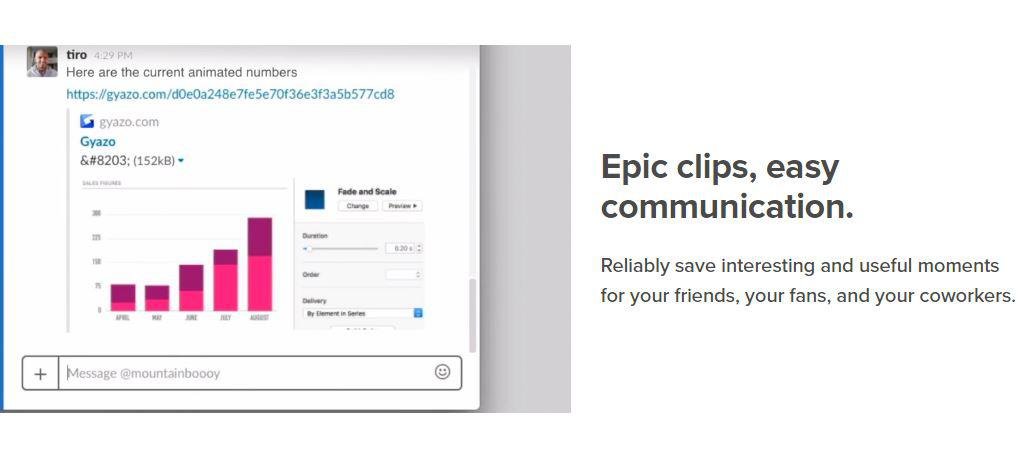
Capture screenshots, GIFs, and replays that are immediately shareable, ensuring you don’t miss any important moments on your screen. Once you’ve made your captures, we generate and copy a unique private link that’s ready for you to paste and share without delay. This allows you to reliably save intriguing and useful moments for your friends, fans, and colleagues alike. Each capture, along with its relevant details, is securely stored in your account for easy access. By upgrading to Gyazo Pro, you can efficiently search and organize all your captures. Whether it's a screenshot or a GIF, it serves as an ideal means to convey what you see. New links for screenshots are automatically copied, enabling you to share them instantly across various platforms. Sometimes, written explanations can lack clarity or take too long; sending a screenshot or GIF communicates your message with perfect clarity. There’s a constant demand for fresh content on blogs, social media, and websites; capture and edit your visuals in mere seconds to create impactful content ready for immediate posting. Every item you capture is privately tagged, making it simple for you to locate in the future, enhancing your ability to engage and connect with your audience effectively. As you continue to collect these visuals, you’ll find that sharing and creating becomes an effortless part of your workflow.
API Access
Has API
No
API Access
Has API
No


Integrations
Centercode
No
Google Cloud Platform
No
MCPTotal
No
Microsoft 365
No
Unity
No
Integrations
Centercode
Yes
Google Cloud Platform
Yes
MCPTotal
Yes
Microsoft 365
Yes
Unity
Yes
Pricing Details
$14.50 per month
Free Trial
Yes
Free Version
No
Pricing Details
$3.99 per month
Free Trial
No
Free Version
Yes
Deployment
Web-Based
No
On-Premises
No
iPhone App
No
iPad App
No
Android App
No
Windows
Yes
Mac
Yes
Linux
No
Chromebook
No
Deployment
Web-Based
Yes
On-Premises
No
iPhone App
No
iPad App
No
Android App
No
Windows
Yes
Mac
No
Linux
No
Chromebook
No
Customer Support
Business Hours
Yes
Live Rep (24/7)
No
Online Support
Yes
Customer Support
Business Hours
No
Live Rep (24/7)
No
Online Support
Yes
Types of Training
Training Docs
No
Webinars
Yes
Live Training (Online)
No
In Person
Yes
Types of Training
Training Docs
Yes
Webinars
No
Live Training (Online)
No
In Person
No
Vendor Details
Company Name
AnyRec Studio
Founded
2020
Country
Hong Kong
Website
www.anyrec.io
Vendor Details
Company Name
Gyazo
Founded
2007
Country
United States
Website
gyazo.com/en
Product Features
Screen Recording
Annotations / Drawing
No
Audio Capture
No
Backup
No
Collaboration Tools
No
File Sharing
No
Multi-Screen Recording
No
Screen Capture
No
Speech-to-Text
No
Video Editing
No
YouTube Uploading
No
Product Features
Screen Recording
Annotations / Drawing
No
Audio Capture
No
Backup
No
Collaboration Tools
No
File Sharing
No
Multi-Screen Recording
No
Screen Capture
No
Speech-to-Text
No
Video Editing
No
YouTube Uploading
No

