Average Ratings 33 Ratings
Average Ratings 2,215 Ratings
Description
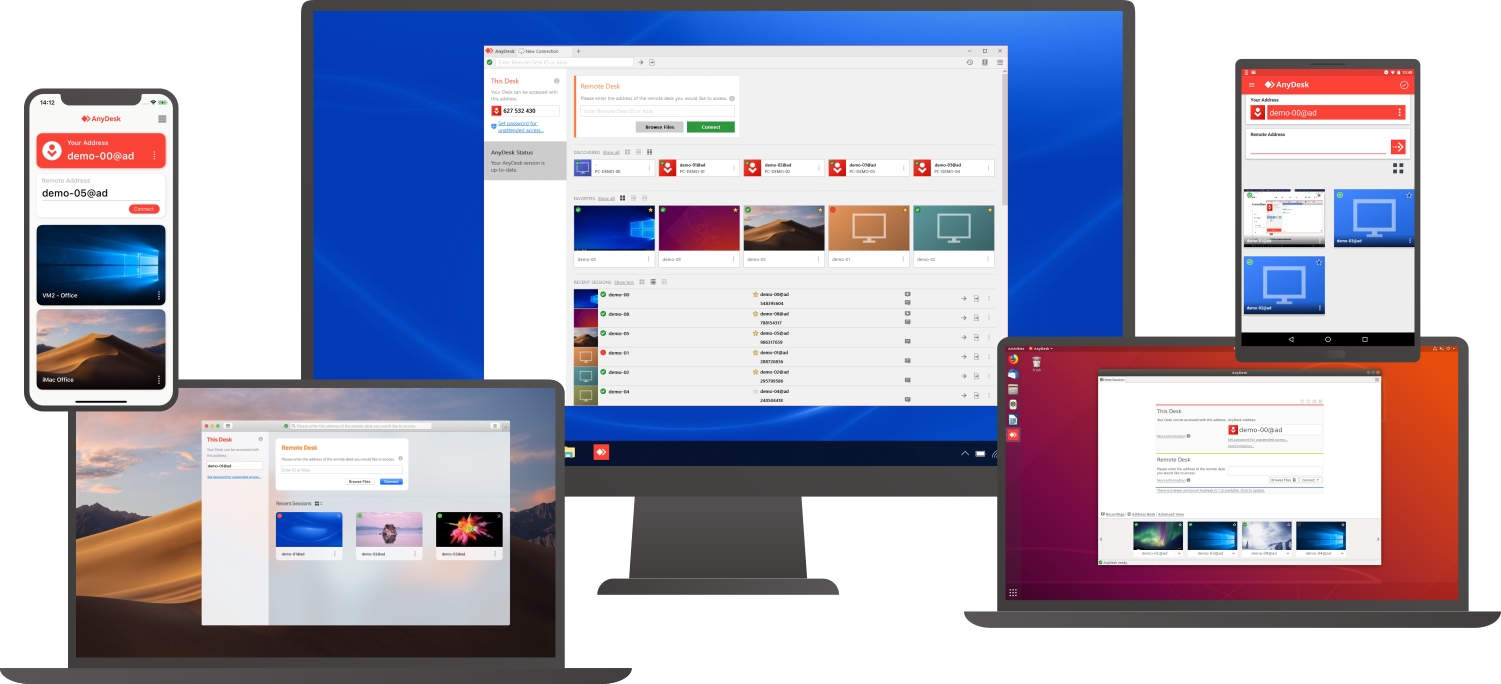
Access a computer remotely, whether you're just down the hall or on a different continent. AnyDesk guarantees secure and dependable remote desktop connections tailored for both IT specialists and individuals on the move. This versatile application is compatible with a wide range of devices and operating systems, including Windows, macOS, iOS, Android, Linux, FreeBSD, and even Raspberry Pi! Seamlessly collaborate and communicate, whether you're conducting online meetings and presentations or co-editing documents from afar. You can easily transfer files between computers using the new transfer tab or by simply copying and pasting. There's no need for administrative rights or complex installations; just download the lightweight 3MB file, and you're ready to go. If you require unattended access while traveling, it’s simple to set up by installing the software and establishing a password. Plus, you can personalize the AnyDesk interface to provide a remote desktop experience that aligns with your brand identity, ensuring a cohesive user experience. With these user-friendly features, AnyDesk makes remote work more efficient than ever before.
Description
Zoho Assist is your all-in one remote access solution. It allows you to access remote devices and manage them. You can access your overseas assets and manage them through a web-based remote support session in just a few minutes.
Zoho Assist works entirely in the cloud. You can set up remote access without being present and monitor your remote computers, laptops, phones, and servers from anywhere. Zoho Assist works with all major firewalls. It also seamlessly navigates through proxy servers. Get technical support now with industry-standard SSL with 256-bit AES data encryption to protect your data against phishing attacks and other malicious activities
API Access
Has API
No
API Access
Has API
Yes



Integrations
Truto
Yes
FirmScribe
No
AgencyPlatform
No
Atera
Yes
Devolutions Remote Desktop Manager
Yes
Freshdesk
No
Google Workspace
No
Halo Service Desk
Yes
HaloCSM
Yes
HaloITSM
Yes
Integrations
Truto
Yes
FirmScribe
Yes
AgencyPlatform
Yes
Atera
No
Devolutions Remote Desktop Manager
No
Freshdesk
Yes
Google Workspace
Yes
Halo Service Desk
No
HaloCSM
No
HaloITSM
No
Pricing Details
$10.99 per month
Free Trial
Yes
Free Version
Yes
Pricing Details
$10.00/month/user
Offers flexible pricing model. Volume discounts are also available.
Free Trial
Yes
Free Version
Yes
Deployment
Web-Based
Yes
On-Premises
No
iPhone App
Yes
iPad App
Yes
Android App
Yes
Windows
Yes
Mac
Yes
Linux
Yes
Chromebook
No
Deployment
Web-Based
Yes
On-Premises
No
iPhone App
Yes
iPad App
Yes
Android App
Yes
Windows
Yes
Mac
Yes
Linux
Yes
Chromebook
Yes
Customer Support
Business Hours
Yes
Live Rep (24/7)
No
Online Support
Yes
Customer Support
Business Hours
No
Live Rep (24/7)
Yes
Online Support
Yes
Types of Training
Training Docs
Yes
Webinars
No
Live Training (Online)
No
In Person
No
Types of Training
Training Docs
Yes
Webinars
Yes
Live Training (Online)
Yes
In Person
Yes
Vendor Details
Company Name
AnyDesk Software
Founded
2013
Country
Germany
Website
anydesk.com
Vendor Details
Company Name
Zoho
Founded
1996
Country
India
Website
www.zoho.com/assist/
Product Features
Remote Desktop
Chat
No
Cross-Platform Access
Yes
File Transfer
Yes
Group View
No
Mobile Device Access
No
Multi Monitor Support
No
Record Remote Sessions
Yes
Remote Print
No
Remote Wake
No
User Management
Yes
Remote Support
Diagnostic Tools
No
File Transfer
Yes
Live Chat
No
Real-time Chat
No
Remote Control
Yes
Screen Sharing
Yes
Session Recording
Yes
Session Transfer
Yes
Surveys & Feedback
No
Screen Sharing
Annotations / Drawing Tools
No
Desktop / Browser Sharing
Yes
Mobile Screen Sharing
No
Presenter Control Management
Yes
Remote Control
Yes
Screen Capture
No
Screen Mirroring
No
Screen Recording
Yes
Product Features
Customer Service
Alerts / Escalation
No
Appointment Management
No
Call Center Management
No
Email Management
No
Knowledge Base
Yes
Live Chat
Yes
Performance Metrics
Yes
Queue Management
Yes
Self Service Portal
Yes
Social Media Integration
No
Surveys & Feedback
Yes
Virtual Assistant
No
Workflow Management
No
Remote Desktop
Chat
Yes
Cross-Platform Access
Yes
File Transfer
Yes
Group View
Yes
Mobile Device Access
Yes
Multi Monitor Support
Yes
Record Remote Sessions
Yes
Remote Print
Yes
Remote Wake
Yes
User Management
Yes
Remote Support
Diagnostic Tools
Yes
File Transfer
Yes
Live Chat
Yes
Real-time Chat
Yes
Remote Control
Yes
Screen Sharing
Yes
Session Recording
Yes
Session Transfer
Yes
Surveys & Feedback
Yes
Remote Work
Collaboration
Yes
Credential Management
No
Electronic Signature
No
Employee Monitoring
No
Live Chat
Yes
Meeting Management
No
Project Management
No
Remote Access
Yes
Remote Support
Yes
Screen Sharing
Yes
Softphone
No
Task Management
No
Time Zone Tracking
No
Video Chat
Yes
Web Conferencing
No
Screen Sharing
Annotations / Drawing Tools
Yes
Desktop / Browser Sharing
Yes
Mobile Screen Sharing
Yes
Presenter Control Management
Yes
Remote Control
Yes
Screen Capture
Yes
Screen Mirroring
Yes
Screen Recording
Yes
