Average Ratings 0 Ratings
Average Ratings 2 Ratings
Similar Products
-
Monitask🚀 Supercharge Your Team's Productivity! 🚀 Introducing the ultimate productivity hack for the modern workforce. Whether your squad is crushing it in the office, remote, or rocking that hybrid life, we've got you covered. 📊 What's in the box? Smart Time Tracking: Auto clock-in/out. No more "I forgot" excuses! Random Screenshots: Catch those Insta-scrolling moments Web Detective: Know if they're coding or... "coding" 😉 Real-time Mission Control: See who's winning at work Ninja Mode: Stealth monitoring for the win Perfect for: Startups, agencies, outsourcing pros, and corporate giants 💡 Why it's awesome: Turn productivity data into team superpowers Spot workflow kryptonite and zap it Keep it ethical: Privacy for employees, insights for you 🕵️ Ninja Mode: Psst! Our stealth feature lets you observe natural work habits. It's like having a productivity crystal ball! 🔒 Fort Knox-level security included. Because we're paranoid, so you don't have to be. Ready to transform your team into productivity superheroes? Let's go! 🦸♂️🦸♀️
-
MobiPDFMobiPDF (formerly PDF Extra) is an intuitive reader and editor that allows you to read, edit, create, OCR, organize, annotate, fill and sign, convert, and share any PDF. This makes MobiPDF an excellent choice for users seeking a budget-friendly alternative to Adobe Acrobat Pro. HERE’S WHAT YOU GET WITH MOBIPDF: Multiple Page View Modes: Enjoy a distraction-free "Read Mode". Advanced Editing Tools: Experience a Word-like PDF editing environment. Two-Way Conversions: Convert PDFs to and from Word, Excel, PowerPoint, or image formats. OCR Support: Make scanned documents searchable. Markup Tools: Highlight, comment, strikethrough, stamp, and more to enhance your documents. Effortless PDF Organizer: Reorder, compress, split, and combine PDFs with ease. Sign & Secure: Add signatures, create and fill forms, and protect your PDFs with passwords, encryption, and digital certificates. Offline Mode: Work freely on your projects, even offline. Seamless translation: One-click translate any PDF into 50+ languages.
-
Control DControl D is a customizable DNS filtering and traffic redirection platform that leverages Secure DNS protocols like DNS-over-HTTPS, DNS-over-TLS and DNS-over-QUIC, with support for Legacy DNS. With Control D you can: block malicious threats, block unwanted types of content network wide (ads & trackers, IoT telemetry, adult content, socials, and more), redirect traffic using transparent proxies and gain visibility on network events and usage patterns, with client level granularity. Think of it as your personal Authoritative DNS resolver for the entire Internet that gives you granular control over what domains get resolved, redirected or blocked.
-
Bitdefender Ultimate Small Business SecurityBitdefender Small Business Security provides robust, enterprise-level cyber-defense tailored for smaller companies, ensuring protection across various platforms including Windows, macOS, iOS, and Android. With a centralized management system that is user-friendly, it allows organizations lacking dedicated IT personnel to efficiently implement and oversee their security measures from a single interface. The solution features a multi-layered approach to endpoint protection, incorporating machine learning, behavioral analysis, real-time monitoring, process termination, and rollback capabilities to safeguard against both known and emerging threats. Additionally, it includes ransomware prevention and remediation strategies that detect unusual encryption activities and facilitate file recovery from backups. Users are also protected against fileless attacks, with measures like memory and back-injection interference as well as script blocking. The software further enhances security by preventing phishing and fraud through the blocking of malicious websites and alerting users accordingly, while offering advanced exploit protection with real-time shields for common applications such as browsers, Office software, and Adobe Reader, thus ensuring all-encompassing endpoint security. This comprehensive suite of features makes it an ideal choice for small businesses seeking to fortify their cybersecurity defenses.
-
Epicor KineticEpicor Kinetic is a cloud-first, AI-powered ERP platform for manufacturing environments that require a connected system for transactional, operational, and reporting workflows. The platform supports finance, supply chain, production, inventory, quality, service, analytics, project management, governance and compliance, and global business management. Functional coverage includes planning and scheduling, materials management, shop floor coordination, product management, CRM, field service, electronic reporting, and enterprise content management. Kinetic provides browser-based access, role-based workflows, integration and extensibility tools, IIoT-related capabilities, and deployment options for cloud, on-premises, or hybrid architectures. It can integrate with listed third-party systems for payroll, tax, labeling, procurement, warehouse processes, data capture, and quality workflows, including ADP Workforce Now, Avalara, BarTender, Sage, SourceDay, and Sovos. Epicor Prism adds AI-supported automation and decision support for selected workflows. Kinetic also supports operations across the Americas, EMEA, and APAC and is available in multiple languages, which can matter for distributed manufacturing organizations with regional or multinational requirements.
-
EvertuneEvertune is the Generative Engine Optimization (GEO) platform that helps brands improve visibility in AI search across ChatGPT, AI Overview, AI Mode, Gemini, Claude, Perplexity, Meta, DeepSeek and Copilot. We're building the first marketing platform for AI search as a channel. We show enterprise brands exactly where they stand when customers discover them through AI — then give them the precise playbook to show up stronger. This is Generative Engine Optimization, also known as AI SEO. Using applied AI and data science at scale, we give brands statistical confidence in our actionable insights. We decode what gets brands mentioned more and ranked higher, provide reliable brand monitoring and competitive intelligence, then deliver actionable content strategies that move the needle. Our AI SEO and AI search engine optimization tools are built for how LLMs actually work. Why Leading Enterprise Marketers Choose Evertune: Data Science at Scale: We prompt across every major LLM at volumes that capture response variations and ensure statistical significance for comprehensive brand monitoring and competitive intelligence. Actionable Strategy, Not Just Dashboards: Specific content, messaging and distribution tactics that increase your AI search visibility. Dedicated Customer Success: Hands-on training and strategic guidance to turn insights into improved performance in AI search. Built for AI search as a channel: Organic visibility today, paid advertising and commerce tomorrow. Proven Leadership: Founded by The Trade Desk veterans who pioneered data-driven digital advertising. Backed by data scientists from OpenAI, Meta and other AI leaders.
-
Elecard BoroElecard Boro is a professional software solution designed to monitor video stream health and track QoS/QoE parameters across distributed networks. By providing centralized access to statistics and automated reporting, Boro enables telecom professioals to build a powerful monitoring ecosystem from scratch or easily scale existing infrastructure to ensure flawless broadcast quality. How it works: Boro utilizes distributed software probes to monitor UDP, RTP, HTTP, HLS, DASH, SRT, and RTMP streams. By aggregating multi-point measurements on a centralized server, operators can instantly isolate quality degradation across the entire delivery chain. The platform provides network-wide visibility and real-time alerts for ETSI TR 101 290 errors via Email, SNMP, Webhook, PagerDuty, and Telegram. Key Features: • Rapid Deployment & Scalability: Launch a monitoring probe in just 30 minutes. Easily scale your infrastructure by adding new probes to the unified Boro ecosystem on any hardware. • Proactive Issue Resolution: Monitor over 50 QoS and QoE parameters (including full ETSI TR 101 290 compliance) and use triggers to localize network anomalies before they impact viewers. • Advanced Diagnostics: Use comprehensive analysis of SCTE-35 ad-insertion cues and PCAP stream recording for in-depth delivery troubleshooting. • Effortless Integration & Access: Access monitoring data from any device via an intuitive web interface. Seamlessly integrate Boro into your existing workflow using WebHook, SNMP, and ControlAPI. • Operational Efficiency: Reduce the workload on QA and network engineers through automated regular reporting, advanced visualization dashboards, and smart threshold tuning that eliminates false alarms.
-
ConcordConcord Horizon is an AI native contract platform built from a complete rewrite of Concord’s technology, applying ten years of experience to a modern architecture for faster and more accurate contract work. The redesigned interface offers light and dark mode, collapsible navigation, full screen focus, custom columns, advanced filtering, and consistent tables across modules. AI Copilot supports natural language questions, contract summaries, key point extraction, and fast portfolio insights, while AI Search adds lexical and semantic search with improved performance and multi actions on results. MCP brings contract intelligence into AI tools like ChatGPT and Claude for summaries, tables, or automated monitoring. Concord applies a strict zero data retention policy with AI partners and never uses customer data to train AI models .
-
PathSolutions TotalViewTotalView offers network monitoring as well as root-cause troubleshooting of problems in plain-English. The solution monitors every device as well as every interface on every device. In addition, TotalView goes deep, collecting 19 error counters, performance, configuration, and connectedness so nothing is outside of it’s view. A built-in heuristics engine analyzes this information to produce plain-English answers to problems. Complex problems can now be solved by junior level engineers leaving the senior level engineers to work on more strategic level projects. The core product includes everything needed to run a perfectly healthy network: Configuration management, server monitoring, cloud service monitoring, IPAM, NetFlow, path mapping, and diagramming. Get Total Network Visibility on your network and solve more problems faster.
-
TrafficGuardWith TrafficGuard, you can put an end to the worry of polluted traffic disrupting your campaign success. Our advanced ML/AI-powered technology identifies and blocks both simple and complex fraudulent traffic in real time, ensuring your ad spend targets genuine, high-quality clicks and conversions. This leads to better campaign outcomes and an enhanced return on ad spend (ROAS). This robust solution safeguards every dollar of your advertising budget, allowing you to concentrate on reaching your marketing objectives without stress. Let TrafficGuard handle ad fraud protection, so you can confidently manage your: Google Search (PPC) campaigns Mobile user acquisition campaigns Affiliate spending Social media advertising In addition to our technology, we provide expert campaign management and exceptional customer support, making us a reliable partner for all your ad fraud protection needs.
Description
Active Wall employs independently developed middle layer drivers as its filter engines, providing a more low-level approach compared to other software that relies on WinPCap. Unlike WinPCap, which is a protocol-type driver limited to monitoring without blocking capabilities, other software utilizing WinPCap can only block TCP communications, leaving UDP, ICMP, and IGMP packets unaddressed. Extensive online usage has demonstrated that Active Wall is more stable, accurate, and effective over time. In contrast to most similar applications that only offer a single Passby monitoring mode, Active Wall provides multiple operational modes, including Gateway, Bridge, and Single modes. Users are advised to utilize either the Gateway or Bridge modes for optimal functionality. While the Passby mode restricts Active Wall's ability to block only TCP packets due to network topology limitations, the Gateway and Bridge modes empower it to block all types of data packets effectively. This versatility makes Active Wall a comprehensive solution for network management and security.
Description
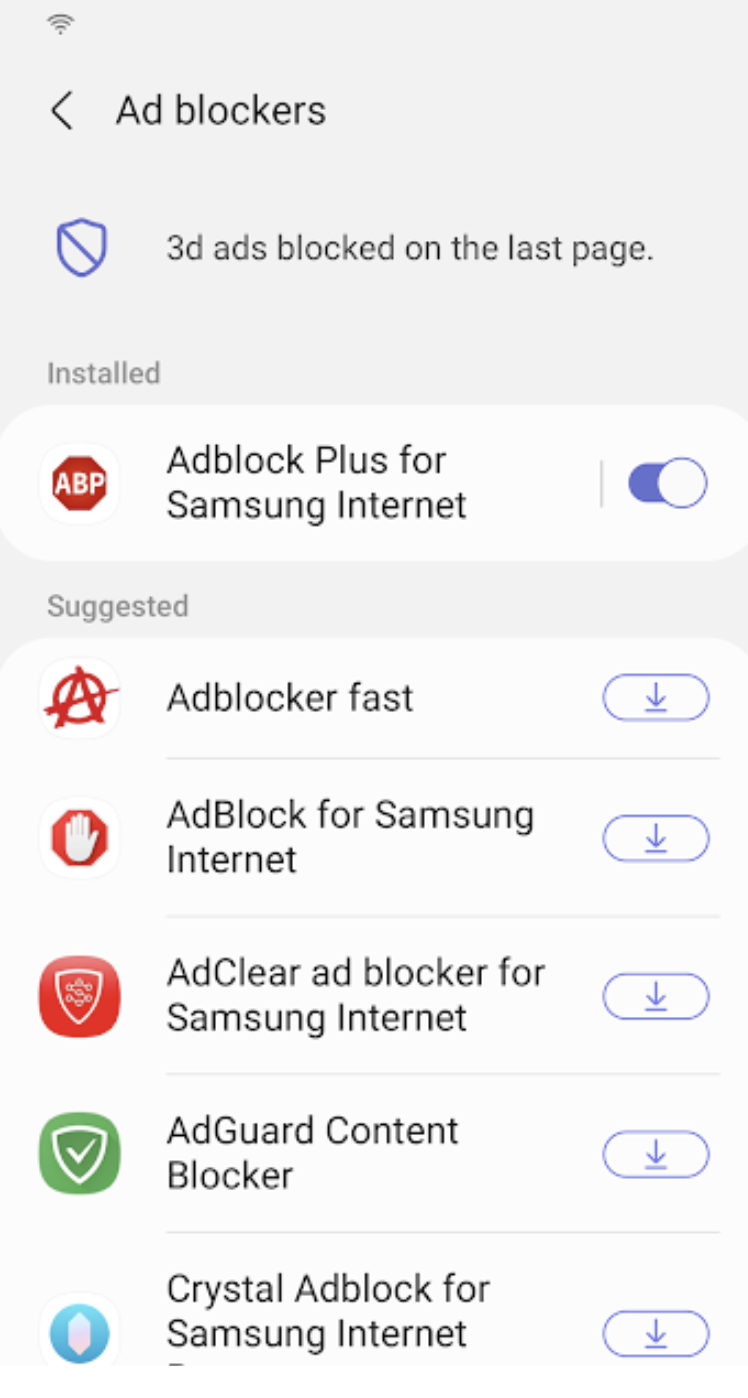
Samsung Internet for Android is an efficient and dependable web browser designed for mobile devices such as phones and tablets. It enhances your online experience with features like secret mode for privacy, biometric login for secure access, and a content blocker to minimize distractions. This browser also supports third-party applications that can offer additional filtering for unwanted content, ensuring a streamlined browsing experience. Online shopping becomes safer and more convenient with the integration of the Web Payments API, allowing for secure checkouts with just a few taps. Progressive Web Apps provide the flexibility to be installed like traditional apps or accessed directly through the browser, with a badge appearing in the URL bar when available. The Video Assistant feature allows users to easily toggle between different viewing modes for an optimized video experience, while the pop-up player enables seamless browsing without interrupting video playback. Overall, Samsung Internet for Android prioritizes user convenience and security in its design.
API Access
Has API
No
API Access
Has API
No




Integrations
8th Wall
No
AdAway
No
Adblock Fast
No
Adblock Plus
No
Block This
No
Crystal Adblock
No
Disconnect
No
Guard My Web
No
Hololink
No
Momentum IoT
No
Integrations
8th Wall
Yes
AdAway
Yes
Adblock Fast
Yes
Adblock Plus
Yes
Block This
Yes
Crystal Adblock
Yes
Disconnect
Yes
Guard My Web
Yes
Hololink
Yes
Momentum IoT
Yes
Pricing Details
$10 per user
Free Trial
No
Free Version
No
Pricing Details
No price information available.
Free Trial
No
Free Version
No
Deployment
Web-Based
No
On-Premises
No
iPhone App
No
iPad App
No
Android App
No
Windows
Yes
Mac
No
Linux
No
Chromebook
No
Deployment
Web-Based
No
On-Premises
No
iPhone App
No
iPad App
No
Android App
Yes
Windows
No
Mac
No
Linux
No
Chromebook
No
Customer Support
Business Hours
No
Live Rep (24/7)
No
Online Support
Yes
Customer Support
Business Hours
No
Live Rep (24/7)
No
Online Support
Yes
Types of Training
Training Docs
Yes
Webinars
No
Live Training (Online)
No
In Person
No
Types of Training
Training Docs
No
Webinars
No
Live Training (Online)
No
In Person
No
Vendor Details
Company Name
Active Network CO
Founded
2005
Country
China
Website
www.lanctrl.com
Vendor Details
Company Name
Samsung
Founded
1938
Country
South Korea
Website
www.samsung.com/us/support/owners/app/samsung-internet
Product Features
IT Security
Anti Spam
No
Anti Virus
Yes
Email Attachment Protection
No
Event Tracking
Yes
IP Protection
No
Internet Usage Monitoring
Yes
Intrusion Detection System
No
Spyware Removal
No
Two-Factor Authentication
No
Vulnerability Scanning
No
Web Threat Management
No
Web Traffic Reporting
Yes
Network Security
Access Control
No
Analytics / Reporting
No
Compliance Reporting
No
Firewalls
No
Internet Usage Monitoring
No
Intrusion Detection System
No
Threat Response
No
VPN
No
Vulnerability Scanning
No
